
Stop Patching Your Agent's Mistakes. Rewind Them.
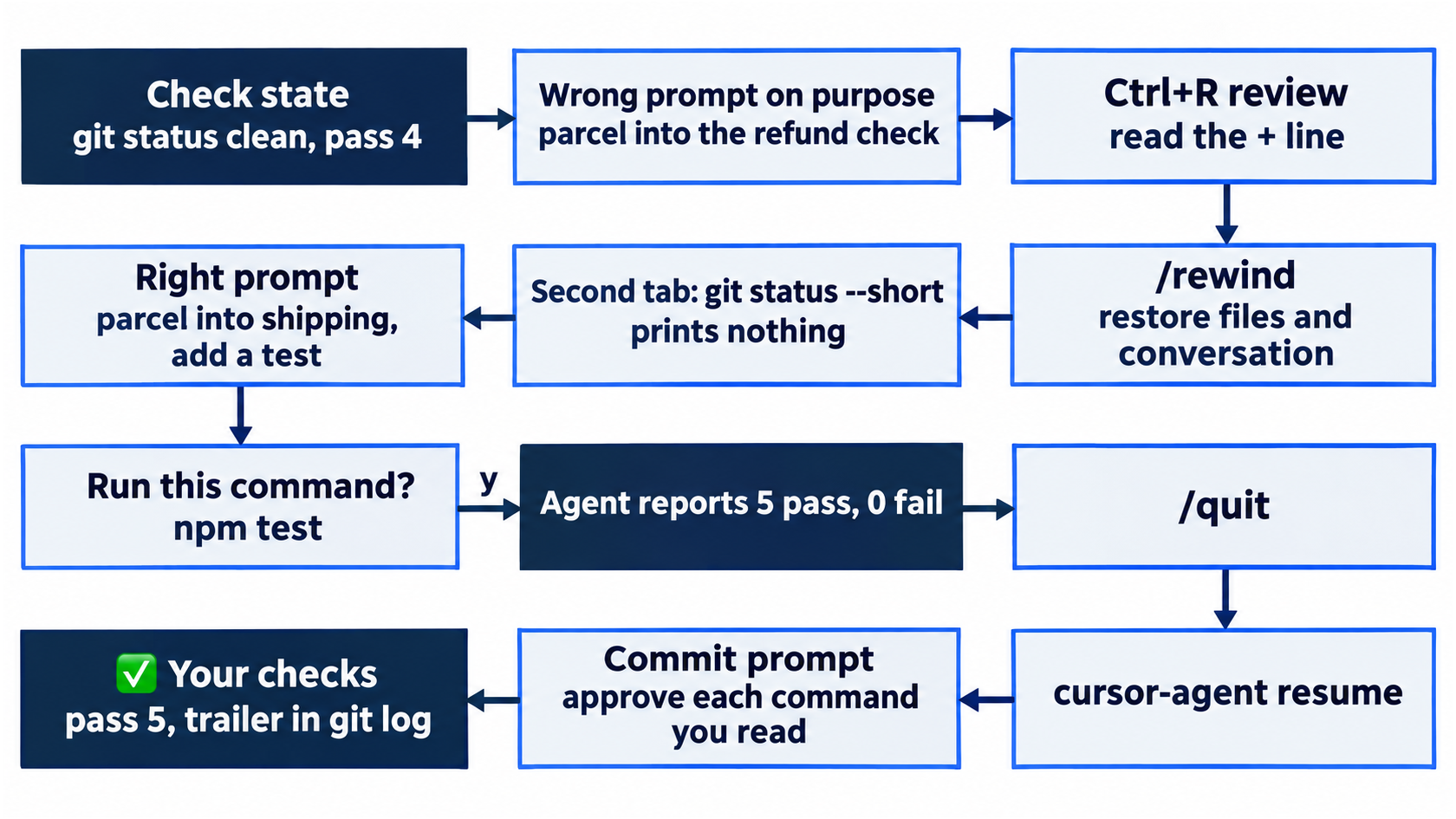
A working day with Cursor's agent is a small loop, and the most useful skill in it is throwing a bad change away: review it with Ctrl+R, rewind it instead of patching it, resume tomorrow, and let the agent commit only work your own test run proves.
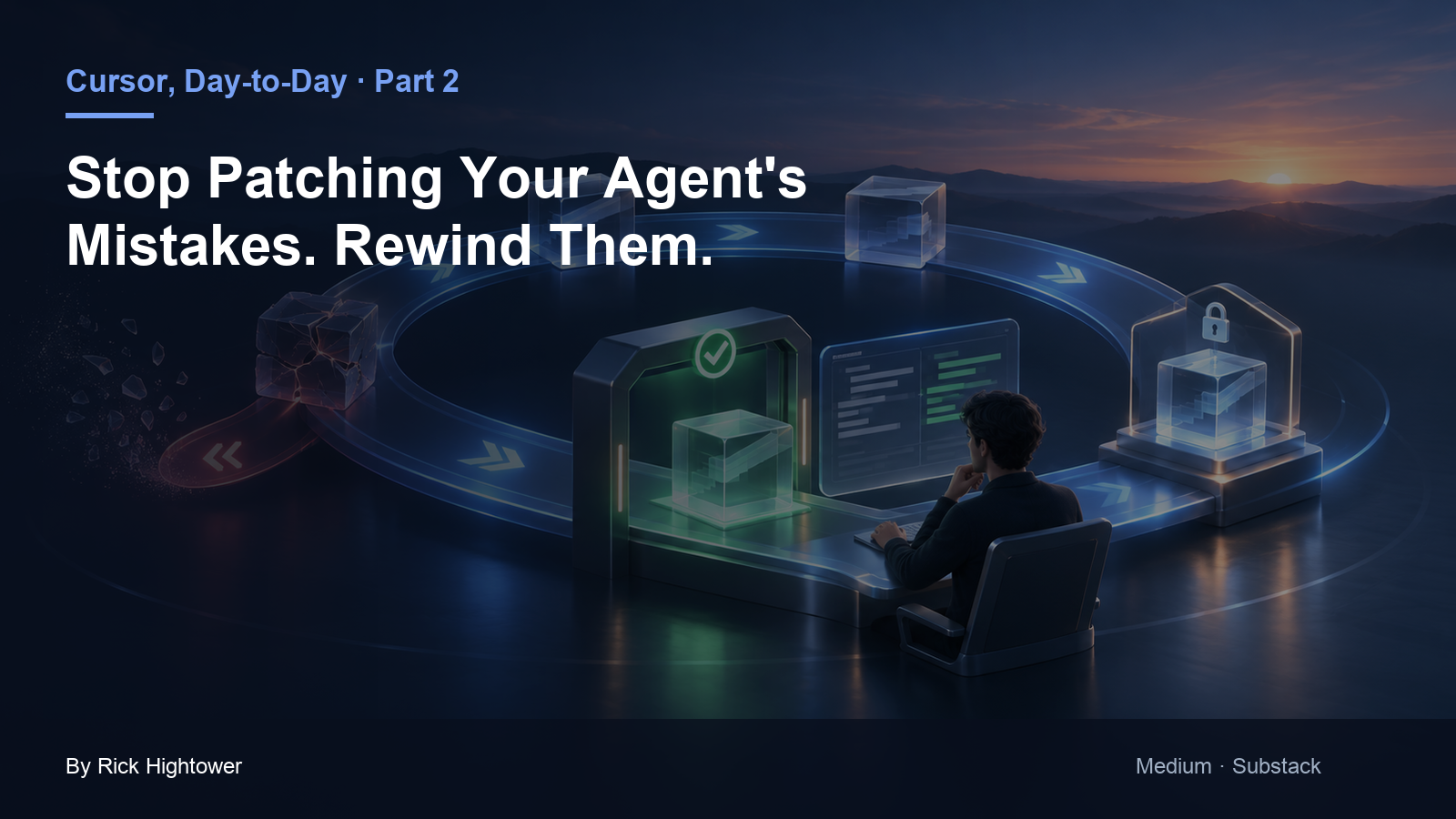
The daily loop in Cursor's CLI: read every change with Ctrl+R, throw a bad one away with /rewind, pick the session back up tomorrow, and let the agent commit only what five passing tests prove.
The agent made the wrong change, and your instinct is to type another prompt to fix it. Now the session holds two changes, one of them bad, and you are no longer sure what is on disk.
In this article: Day 2 of an 18-day guide to Cursor's agent. Start here runs one whole working loop on a small sample project: make a bad change on purpose, review it with
Ctrl+R, throw it away with/rewind, ask again the right way, quit and resume the session, and let the agent commit with a trailer you can check. Going deeper covers steering a running turn, the rest of the rewind menu, the review screen keys, other session commands, how to turn the commit trailer off, why a commit can ask twice, and an Auto-review reason that misread the request.
When an agent gets a change wrong, the obvious move is another prompt: "No, put it in the other check." The agent obliges. Now the session holds the bad change and the patch on top of it, the conversation remembers both, and you are reading a diff that is the sum of two attempts.
A better habit costs the same few seconds. Read the change before you decide, and when it is wrong, take the session back to before the bad turn. Cursor's CLI gives you both moves, Ctrl+R to review and /rewind to undo. Today you practice them on purpose, with a change you know is wrong, before you need them for real.
Tested on Cursor CLI 2026.11.13-eacade1. Key editor steps tested in the Cursor editor 3.30.14; other editor steps are written from the docs.
Yesterday the agent fixed the crushed-mug bug in Ticket Triage, a small Node.js support-ticket service, and four tests passed.
Start here
At the end of today, you can review the agent's change, throw a bad change away with /rewind, close a session and resume it, and have the agent commit a change that five tests prove.
Starting fresh or fell behind? Run git switch -C main cursor/day-01. This replaces your main with the end of Day 1; to keep your own work, run git branch my-backup first.
Check your starting state
Start where Day 1 ended. Run three checks in ~/code/ticket-triage.
cd ~/code/ticket-triage
git status --short
git log --oneline -2
npm test
git status --short prints nothing, so no change is waiting. git log --oneline -2 shows the two Day 1 commits, with your own hashes:
c9cd926 Route damaged items to shipping
f5afba2 Start Ticket Triage
npm test ends with ℹ pass 4 and ℹ fail 0. If any check differs, finish Day 1 first.
Make a bad change on purpose
Today's job is a new shipping keyword: a customer writes "My parcel never came," and "parcel" matches nothing. Before you ask for the right change, you ask for a wrong one, because the skill you practice today is throwing a bad change away. Start a session. If you work in Auto-review, add --auto-review to each command that starts a session today: cursor-agent --auto-review here, and cursor-agent resume --auto-review later.
cursor-agent
Type this prompt and press Enter. It puts the word in the wrong check.
Add "parcel" to the refund check in src/classify.js. Do not run anything.
The refund check runs first, and the first match wins, so this change would send every lost parcel to refund. The agent replies with a line such as "Adding "parcel" to the refund check." Then the tool calls Read src/classify.js and Edited classify.js +1 -1 appear, and the footer says 1 file edited. The prompt said not to run anything, so no approval prompt appears.
Allowlist: no prompts. Auto-review: no prompts.
Review the change with Ctrl+R
The edit is already on disk. Read it before you decide anything. Press Ctrl+R to open the review screen (Using Agent in CLI).
 Conversation (1) | Unstaged (1) | Committed (0)  ·  1 file          esc when done
 1/1 src/classify.js  +1 -1
The header counts one changed file in this conversation, one unstaged change in git, and nothing committed. The file line says this is file 1 of 1, with one line added and one removed. Below it, the diff marks the old line with - and the new line with +:
-   if (t.includes("refund") || t.includes("money back")) return "refund"
+   if (t.includes("refund") || t.includes("money back") || t.includes("parcel")) return "refund"
The + line confirms the mistake: "parcel" landed in the refund check. The last line on the screen lists the keys:
↑/↓ scroll · ←/→ switch file · [ ] scope · z zen on · o open diff · O open files
The up and down arrows scroll the diff, and the left and right arrows move between files. Going deeper covers the other keys. Press Esc to close the review.
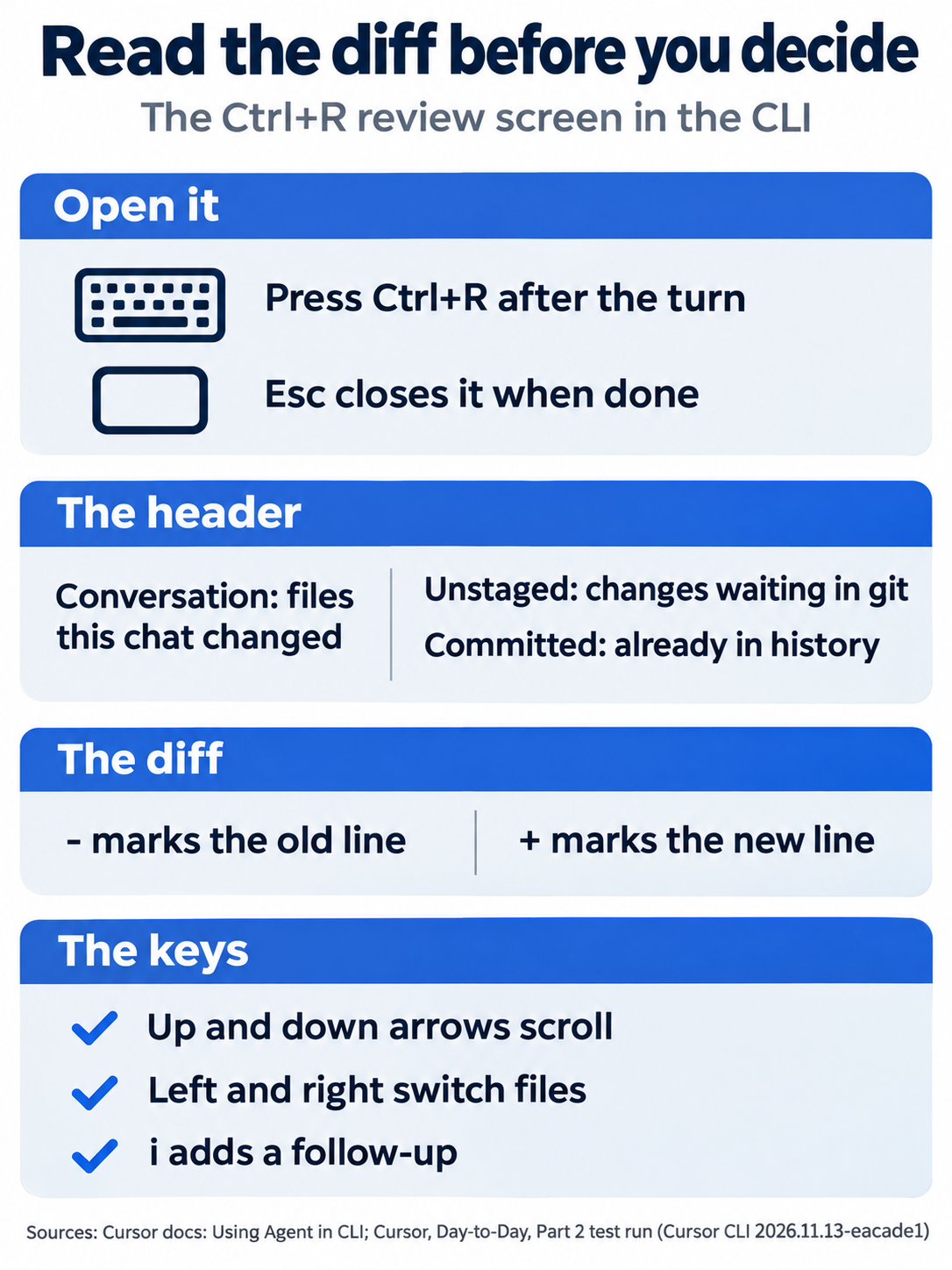
The header tells you where the change lives, the - and + lines tell you what changed, and Esc closes the screen once you have decided.
Throw it away with /rewind
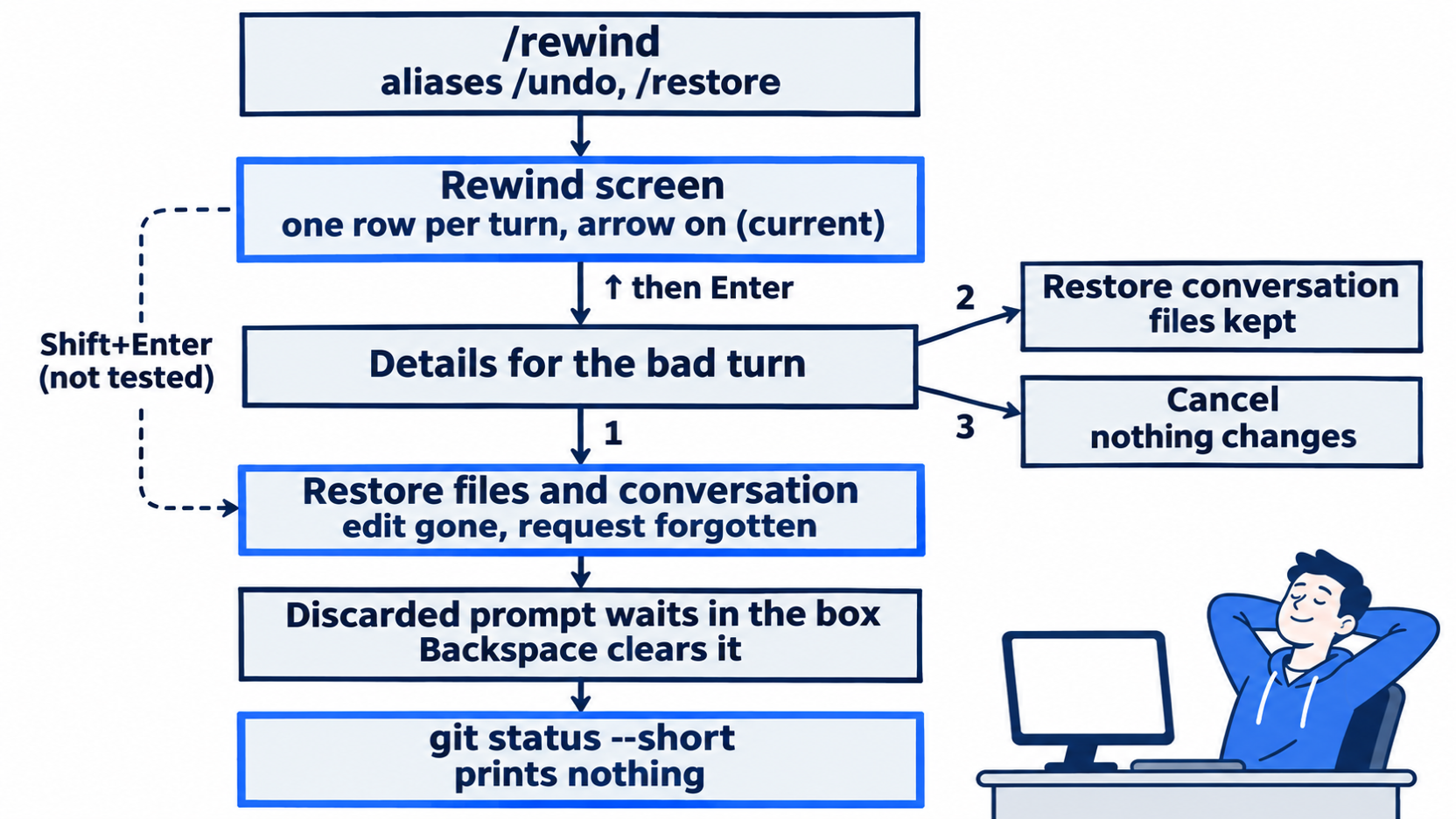
/rewind is a slash command that takes the session back to before a turn. A turn is one prompt and everything the agent did to answer it. Type /rewind in the input box. The menu under the box shows /rewind Jump back to a previous message. Press Enter, and the Rewind screen opens:
 Rewind
 Pick a past turn to rewind to. Your files and conversation revert to the state right before that turn — the selected turn and everything
 after are permanently discarded.

   Add "parcel" to the refund check in src/classify.js. Do not      classify.js     +1 -1
 → (current)                                                                       HEAD

 ↑/↓ to navigate • Enter for details • Shift+Enter to restore • Esc to close
Each row is a turn, with the files it changed. The arrow starts on (current), which is now. Press ↑ to select your bad turn, then press Enter for details.
 → 1. Restore files and conversation
   2. Restore conversation
   3. Cancel

   Files (1):
   classify.js +1 -1
Option 1 is selected. Press Enter. The files and the conversation go back to the moment before that turn, so the edit is gone and the agent no longer remembers the request (CLI changelog). The screen clears back to the banner.
Check the files yourself. Open a second terminal tab, and leave the session running in the first.
cd ~/code/ticket-triage
git status --short
The command prints nothing. The bad edit is gone.
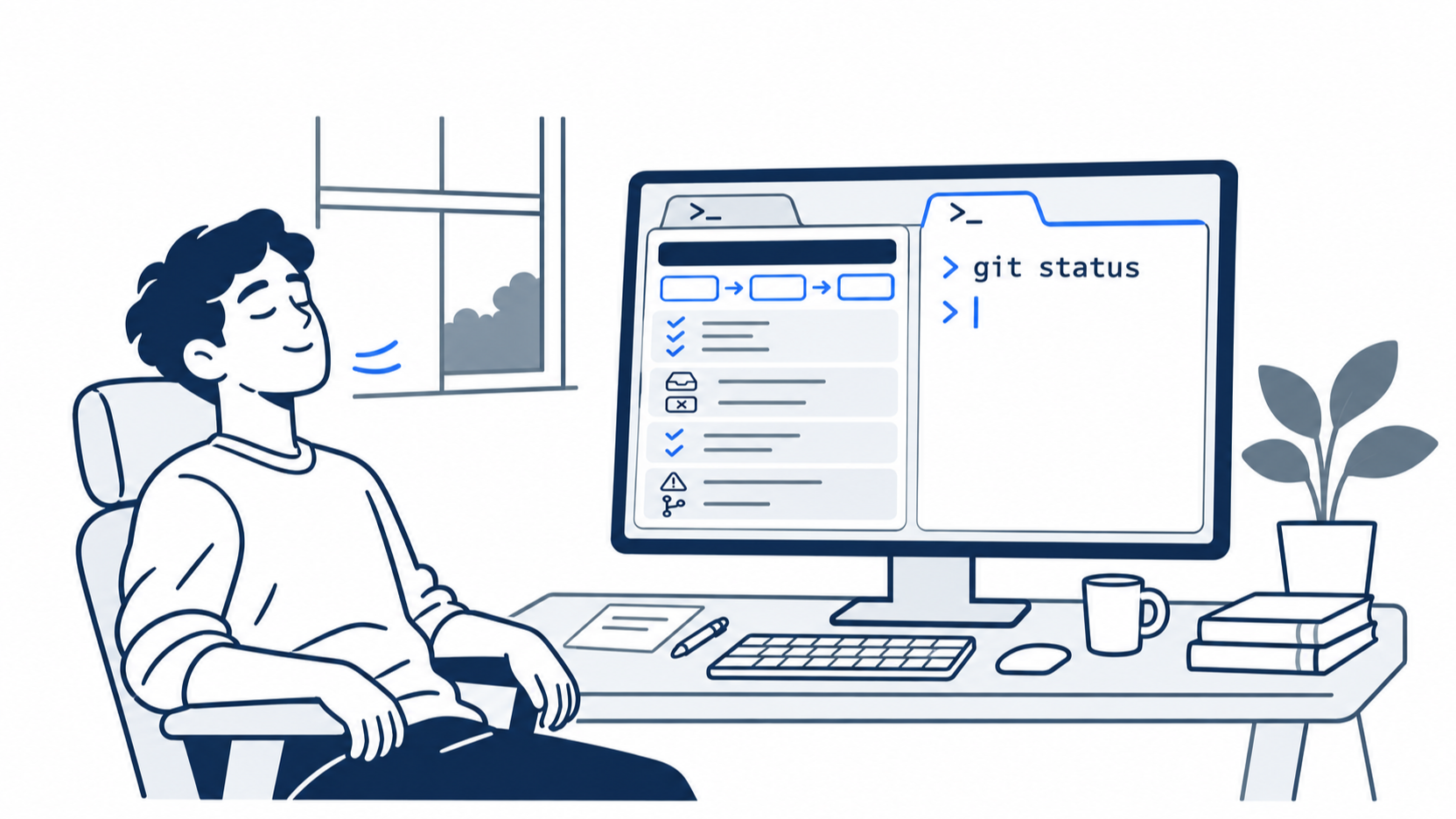
The scene is the moment the undo proves itself. The developer asked for a wrong edit on purpose, read it, rewound it, and the empty git status in the second tab confirms that nothing is left on disk.
Ask again, the right way
Back in the session, the input box holds your discarded prompt, so you can edit it and send it again. Today you want a different prompt, so press Backspace until the box shows the placeholder → Plan, search, build anything. Going deeper explains why other keys do not clear it. Then send the right prompt.
Add "parcel" to the shipping check in src/classify.js, and add one test in test/classify.test.js for the ticket "My parcel never came". Run npm test and report the counts. Do not commit.
The agent replies with a line such as "I'll update the shipping keyword check and add the parcel test, then run the suite." It reads both files and shows Edited classify.js +1 -1 and Edited classify.test.js +2. Then it asks to run the tests.
Allowlist: a "Run this command?" prompt for npm test. Press y.
Auto-review: no prompt. npm test runs.
The agent reports the counts in its own words, such as npm test: 5 tests, 5 pass, 0 fail. The footer says 2 files edited.
Close the session and resume it
Stop for the day, as you would at lunch or at night. Type /quit and press Enter. The CLI prints To resume this session: agent --resume=<id>. The hint names Cursor's short command, agent, which on some machines starts a different program, so this guide types cursor-agent. To get the most recent session back, you do not need the id at all.
cursor-agent resume
The resume subcommand reopens the latest session (CLI overview). The same conversation comes back on screen, from your prompt down to the agent's test report, and the input box waits for a follow-up.
Let the agent commit
The change is tested, so ask the agent to test once more and commit it.
Run npm test. If all tests pass, commit the two changed files with the message "Add parcel to the shipping keywords".
The agent runs the tests and checks the repository, then runs git add and git commit. The exact command lines vary from run to run.
Allowlist: two "Run this command?" prompts. The first is for a command that runs npm test and git status, such as Not in allowlist: git status, git diff, git log, npm test. The second is for git add and git commit. Press y for each.
Auto-review: no prompt for the tests. One "Run this command?" prompt for the commit, which can include a line that starts with ⚠ Auto-review: and gives a reason. Read the command itself; if it is the git add and git commit you asked for, press y. Going deeper shows a reason that misread the request.
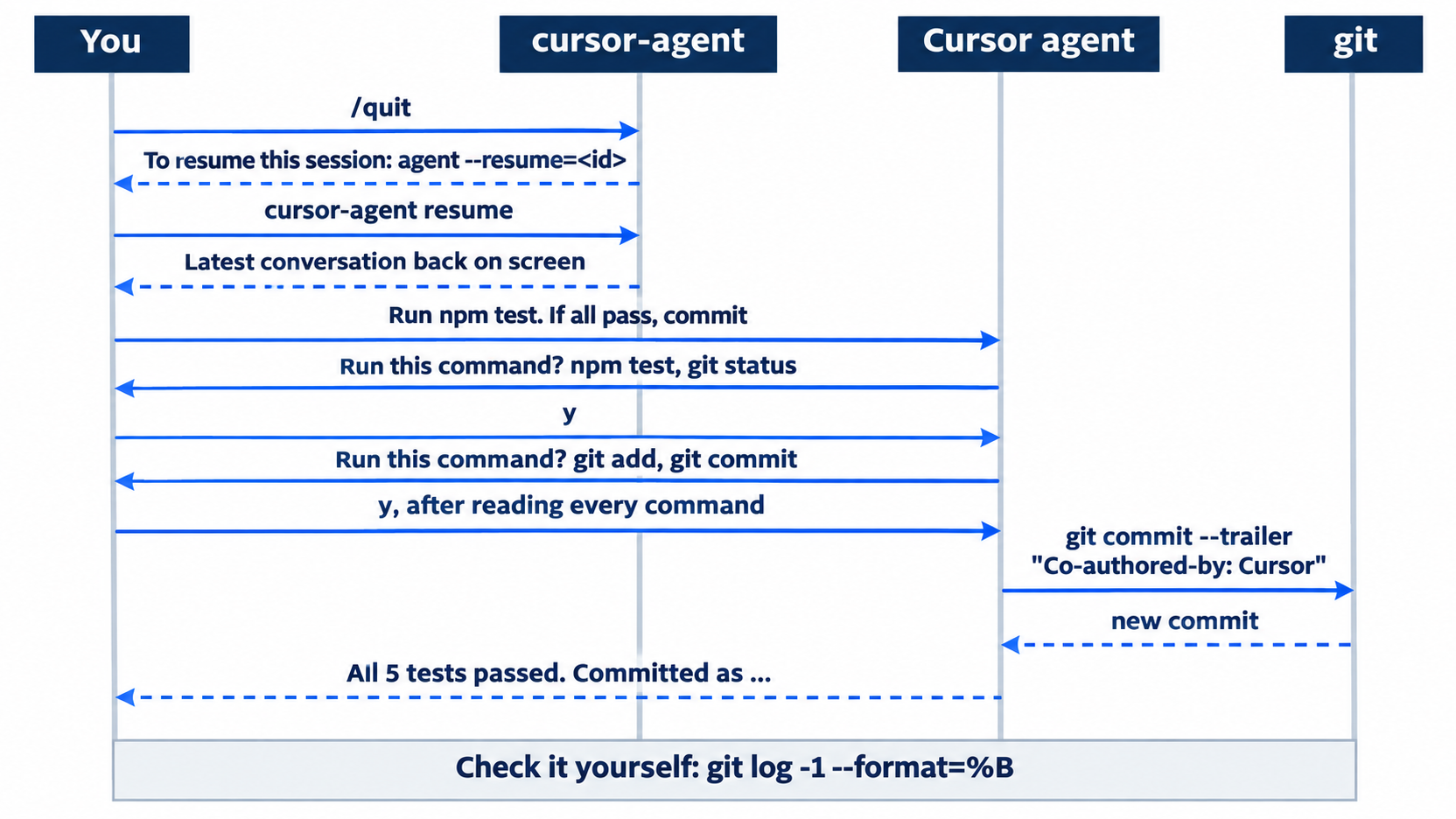
The agent reports the result, such as "All 5 tests passed. Committed as" followed by the new hash and the message. Type /quit to leave the session.
Check the commit yourself
Read the full message of the newest commit. The -1 flag picks one commit, and --format=%B prints its whole message.
git log -1 --format=%B
npm test
The message has your subject line, a blank line, and a trailer:
Add parcel to the shipping keywords

Co-authored-by: Cursor <cursoragent@cursor.com>
A trailer is a Key: value line at the end of a commit message. The agent adds this one whenever it commits, so the history shows which commits it made. The config key attribution.attributeCommitsToAgent turns it off (CLI configuration). npm test ends with ℹ pass 5 and ℹ fail 0.
The same loop in the editor
Pick one door for today's change. If you already ran the loop in the CLI, read this section and do not run it, because the commit is done. If you prefer the editor, use these steps instead of the CLI steps above, then run the same checks in the terminal. Steps 2, 3, and 5 were tested in the Cursor editor 3.30.14. Steps 1 and 4 are written from the docs, not yet run.
- (written from the docs, not yet run) Open
~/code/ticket-triagein Cursor, open the Agent panel withCmd+Ion macOS orCtrl+Ion Windows and Linux (Quickstart), and send the wrong prompt from above. - (tested in the Cursor editor 3.30.14) The edit saves to disk at once (Agent security). In testing, the diff showed as inline cards in the chat, one per changed file with its line counts. Expect a card such as
classify.js +1 -1. The command palette entry Source Control: Focus on Agent Review View showed the changed files under Changes. Rungit diffin the terminal to read the change in full. - (tested in the Cursor editor 3.30.14) Undo it with a checkpoint. The agent saves a checkpoint, a snapshot of the files it changes, before significant changes. Click Restore Checkpoint, the ↶ icon at the bottom-right of your prompt bubble. In testing,
git status --shortthen printed nothing, the prompt became editable again, and a Redo checkpoint link appeared under it. The buttons above the input changed from N Files · Undo All · Keep All · Review to N Files · Review, where N is the number of files the agent changed. In testing, the command palette had no command that restores a checkpoint. A restore reverts files only; the messages stay in the chat (Cursor Agent). Start a new chat, so the agent does not see the bad request, and rungit status --shortto confirm it prints nothing. - (written from the docs, not yet run) Send the right prompt, and approve
npm testif the panel asks. - (tested in the Cursor editor 3.30.14) To continue later, reopen the same chat rather than starting a new one, and send the commit prompt. In testing, the agent committed with no approval prompt, and the commit message ended with
Co-authored-by: Cursor <cursoragent@cursor.com>. A Review your code card may appear; you do not need it today, so close it or leave it. Attribution is on by default in the editor too, under Cursor Settings > Git & PRs > Attribution from 3.11 (Git help).
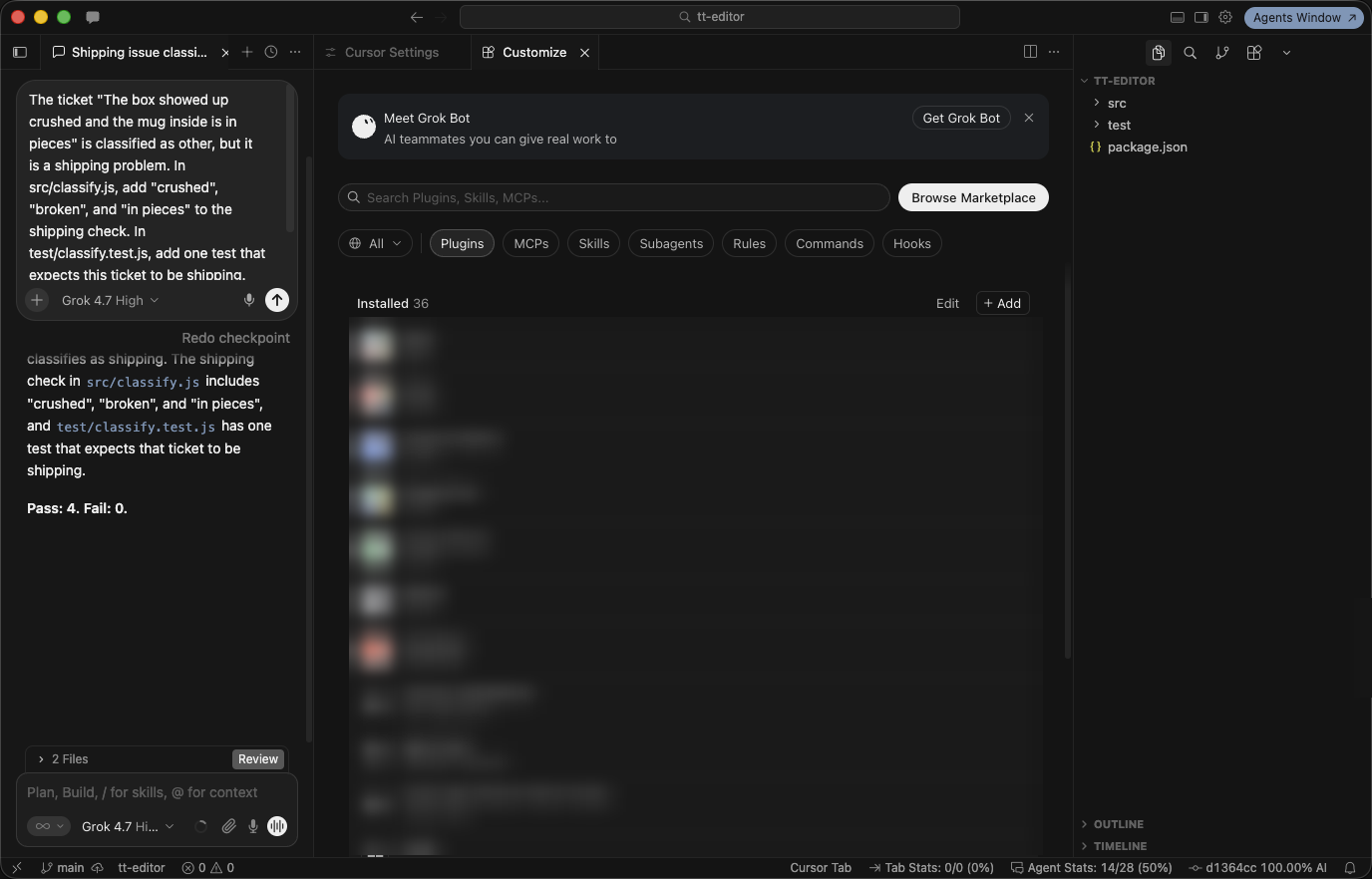
After Restore Checkpoint, the prompt is editable again and a Redo checkpoint link appears (the test used the Day 1 prompt), in the Cursor editor 3.30.14 (the plugin list is blurred for privacy).
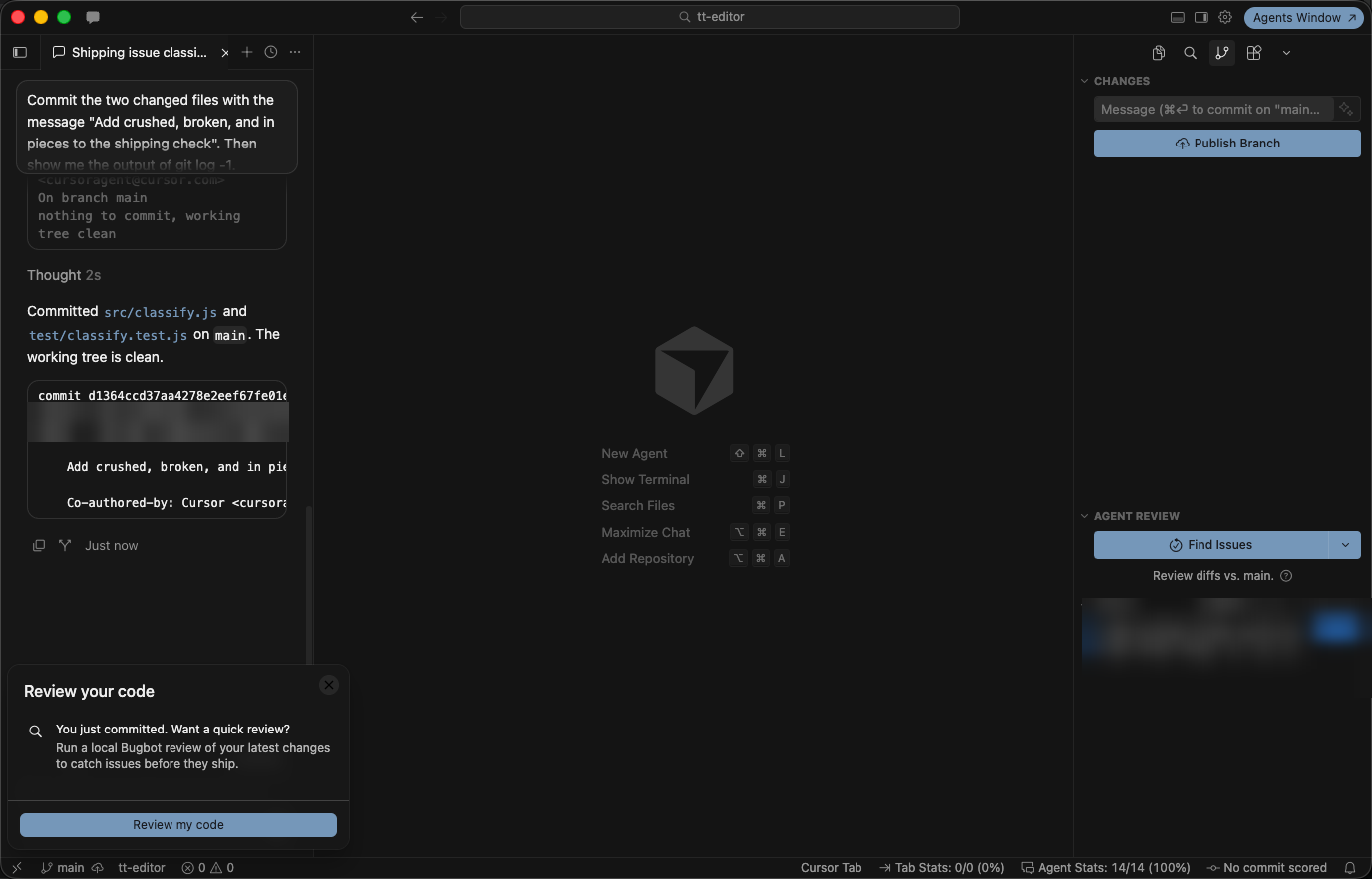
The agent's commit carries the Cursor co-author trailer, and a Review your code card follows it (the test used the Day 1 prompt), in the Cursor editor 3.30.14 (author details blurred for privacy).
Your win
Check all three results.
npm test
git log --oneline -3
git log -1 --format=%B
npm test shows ℹ pass 5 and ℹ fail 0. git log --oneline -3 shows three commits, Add parcel to the shipping keywords on top, then Route damaged items to shipping and Start Ticket Triage. The last command shows the Co-authored-by: Cursor <cursoragent@cursor.com> trailer. You reviewed a change, threw it away, resumed a session, and let the agent commit work that your own test run proves.
You can stop here. Going deeper explains why this works and where it breaks.
Going deeper
This section is for readers who want the rest of the rewind and review screens, the session commands, the trailer details, and where Auto-review gets a commit wrong. It assumes you finished Start here today and on Day 1.
Steer or stop a running turn
The docs give the CLI two keys for a turn in progress. Pressing Enter while the agent works "steers the active run at a safe boundary, and pressing Enter again interrupts the turn" (Cursor Agent). To steer, you type a follow-up while the agent works and press Enter, and the agent reads it at its next tool call. In the editor, Enter queues a message for after the current task, and Cmd+Enter sends it now (Cursor Agent). Neither was part of this guide's test run. Today's turns were short enough to review after they ended, which is the habit Start here teaches. After any interrupted turn, run git status --short, because edits made before the interrupt are already on disk.
The rest of the rewind menu
The Rewind screen has more than Start here used.
Shift+Enteron a selected turn restores it directly, without the details screen. The key line on the Rewind screen offers it; this guide did not test it.2. Restore conversationrewinds only the conversation and keeps the files. The changelog entry that introduced/rewindcalls this "conversation-only restore" (CLI changelog). Use it when the edit was right but the discussion went off track.3. Cancelcloses the details and changes nothing./undoand/restoreare aliases for/rewind(same changelog entry).- The
rewindkey in~/.cursor/cli-config.jsonturns the feature on, and since v2026.06.22 "/rewindis on by default" (CLI configuration, CLI changelog).
The menu's own text is the warning to remember: "the selected turn and everything after are permanently discarded." Rewind is an undo for agent turns inside one session. This guide tested it on one edited file. Git is still the record you trust, which is why every day ends with a commit.
Gotcha: after a rewind, the discarded prompt waits in the input box. In the tested run, Ctrl+C, Ctrl+U, and Esc did not clear it. Backspace did. If you press Enter by accident, the agent makes the bad change again; rewind it the same way.
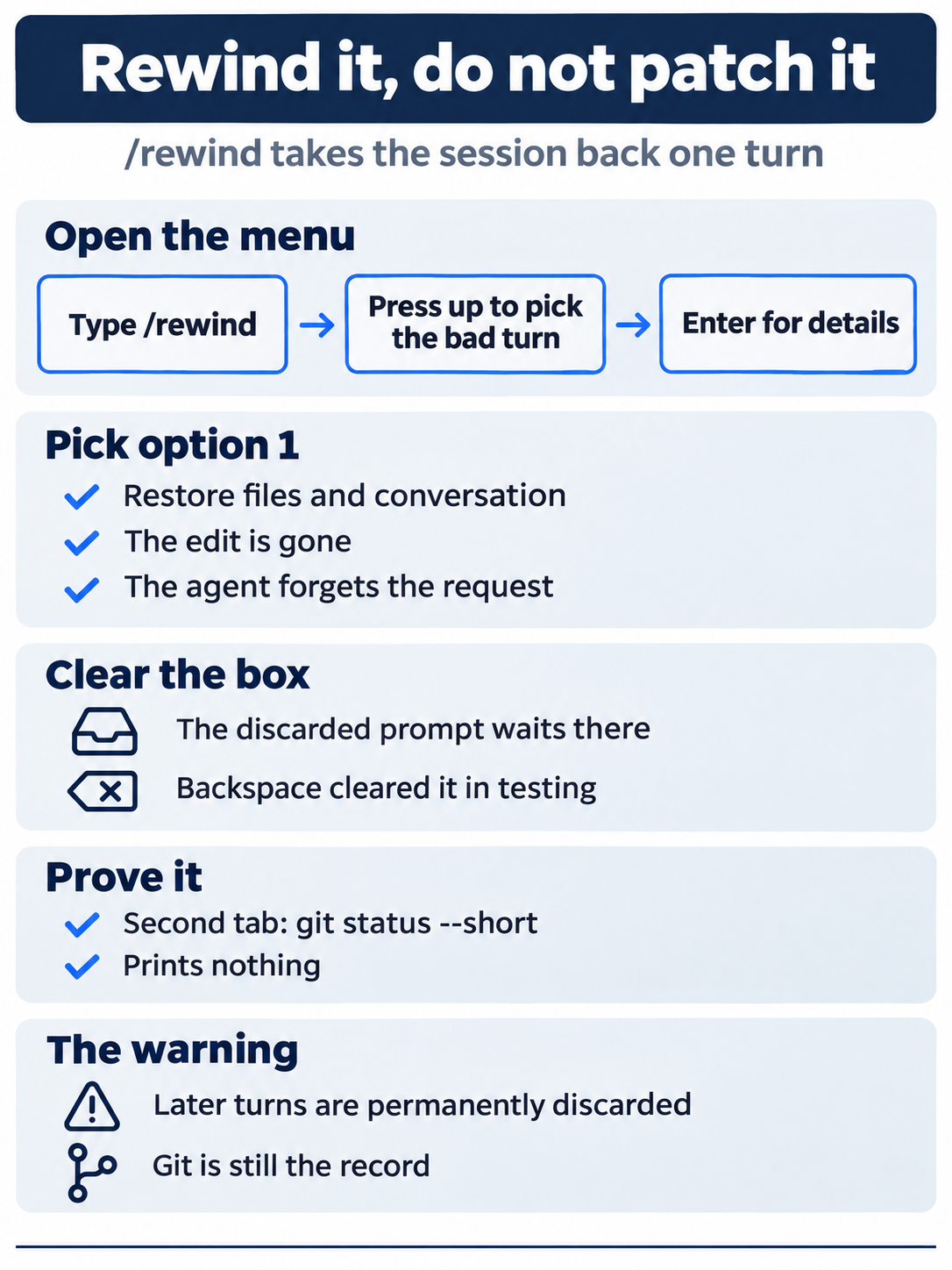
A rewind removes the bad turn from both the files and the conversation, a patch on top of it removes neither, and an empty git status --short is the proof either way.
The review screen keys
The Using Agent in CLI page documents three things on the review screen: Ctrl+R opens it, i adds a follow-up instruction, and the arrow keys scroll and switch files. The box at the bottom of the screen says → Add a follow-up and i to insert, so a follow-up typed there goes to the agent with the diff still in view.
The key line names four more keys that no docs page describes: [ ] for scope, z for zen, o to open the diff, and O to open the files. The header's three groups, Conversation, Unstaged, and Committed, suggest that [ and ] move between them, but this guide tested only Esc. Try the others on a change you can throw away.
Find and resume other sessions
cursor-agent resume reopens the latest session, and it is the only session command this guide tested. The CLI overview and CLI parameters pages list the rest:
cursor-agent lsopens a list of previous chats so you can pick one.cursor-agent --resume=<id>resumes one session by id, the id the/quithint prints.--continueis an alias for--resume=-1, the previous session.cursor-agent create-chatcreates an empty chat and prints its id.
Inside a session, the CLI slash commands page lists /resume, /fork, /rename <name>, and /clear, with the aliases /new, /new-chat, and /newchat. No docs page states where the CLI stores sessions on disk, so this guide does not name a folder.
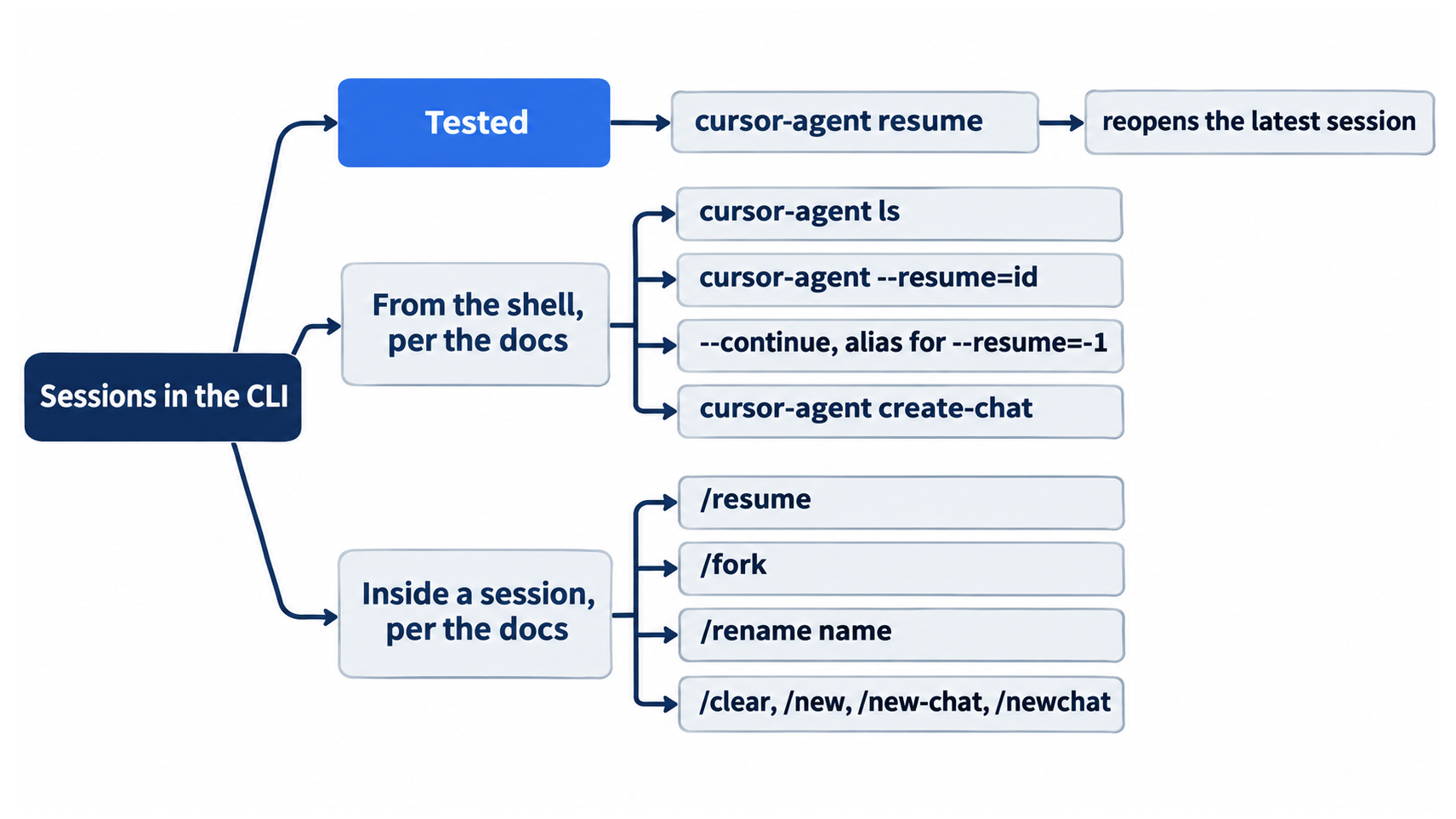
The commit trailer, and how to turn it off
The configuration page describes attribution.attributeCommitsToAgent as a "Made with Cursor" trailer, on by default (CLI configuration). On the tested version, the line in the commit reads Co-authored-by: Cursor <cursoragent@cursor.com>. The agent adds it itself: the commit command in the approval prompt includes git commit --trailer "Co-authored-by: Cursor <cursoragent@cursor.com>". Your Day 1 commit, which you made by hand, has no trailer.
On a new install, ~/.cursor/cli-config.json holds an attribution object with "attributeCommitsToAgent": true and "attributePRsToAgent": true. The second key adds a footer to pull requests the agent creates. To turn the commit trailer off, set the first key to false. This guide did not test the change. In the editor, the toggle is Cursor Settings > Git & PRs > Attribution from 3.11, and Enterprise admins can turn attribution off for a whole team (Git help). Cloud Agents work the other way around: their commits are authored as the agent, and the person who started the run is added as a Co-authored-by trailer when Cursor can look them up (Secrets & Network).
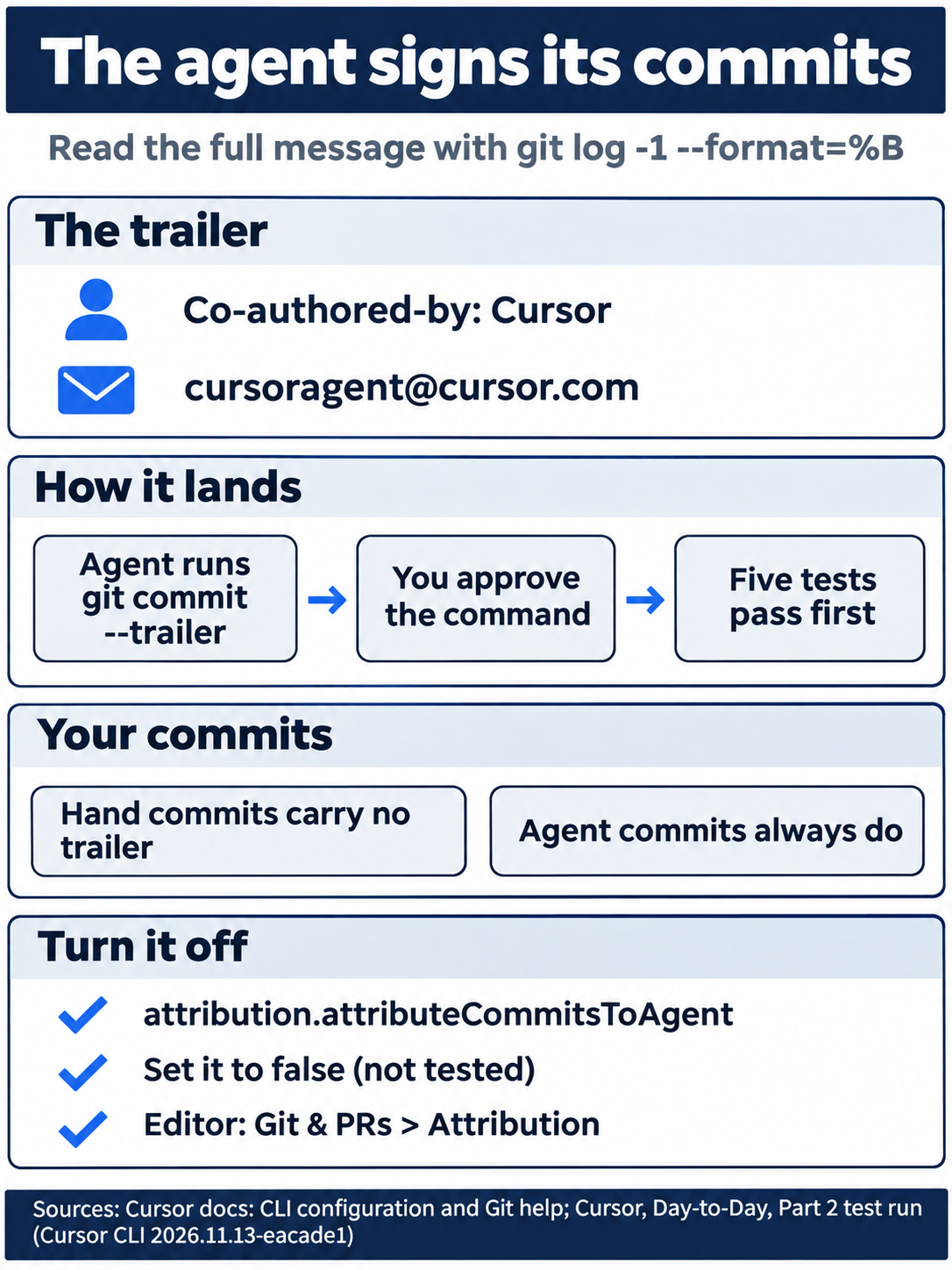
Your history holds two kinds of commit. Every commit the agent makes carries the Co-authored-by: Cursor trailer, every commit you make by hand does not, and one config key turns the trailer off (a change this guide did not test).
Why the commit asked twice
The agent often chains several commands into one shell line, such as npm test && git status && git diff && git log -5 --oneline. The approval prompt lists every command in the line that is not on the allowlist, so one prompt can name four commands. The commit prompt read Not in allowlist: cat, git add, git commit, git status. The cat is there because the agent passed the message to git with $(cat <<'EOF' ...). Press y only when you have read every command the prompt names.
When Auto-review's reason is wrong
The same steps were also run in a fresh copy of the repository at the Day 1 commit, with cursor-agent --auto-review and then cursor-agent resume --auto-review. Rewind behaved the same, and npm test ran with no prompt. The commit stopped with this prompt:
 Run this command?
 ⚠  Auto-review: The user explicitly instructed not to commit in the previous turn ("Do not commit."), and the latest instruction was
    simply to run npm test.
  → Run (once) (y)
The reason is wrong. The newest prompt asked for a commit; the "Do not commit." came from the turn before. The command was the commit that the prompt asked for, so the tester pressed y, and the commit landed with the same trailer and pass 5. The agent had also tried the commit once without the prompt, then retried it "with approval." Read the command, and treat the reason as a hint. The docs say it plainly: "Auto-review is not a security boundary" (Run Modes).
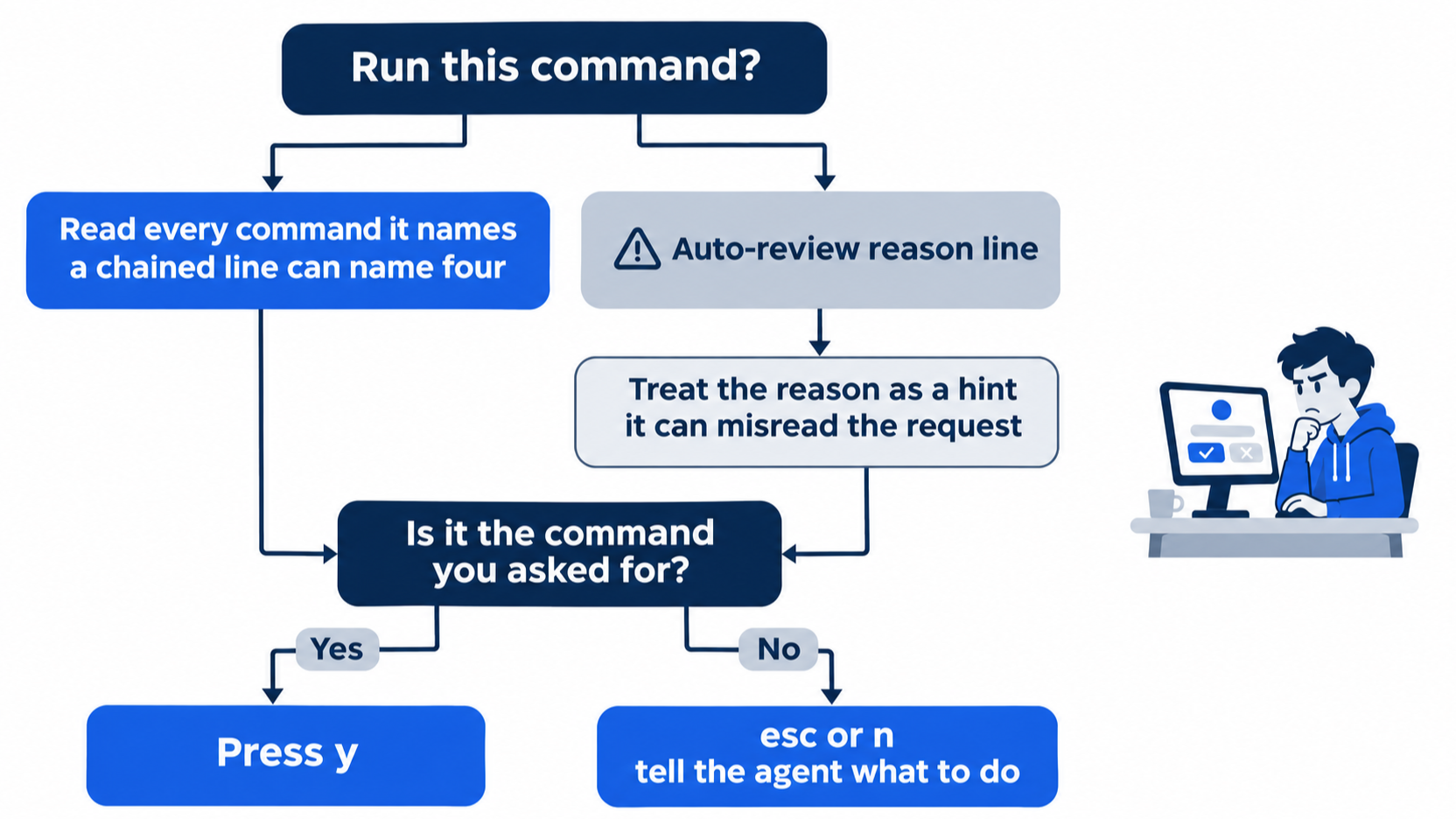
Side chats, Shell Mode, and /goal
Three more features belong to a working day, and none was part of today's test run.
/sideor/btwopens a side conversation, so you can ask a question without interrupting the main one (Cursor Agent)./shell, with the aliases/shand/run, runs your own commands from inside the CLI. Commands time out after 30 seconds, which you cannot change, andcddoes not persist between commands (Shell Mode). A second terminal tab, as in Start here, has neither limit./goal [objective]sets a long-lived objective, andCtrl+Cpauses it in the CLI. The docs say it is rolling out, so you may not have it yet (Cursor Agent).
If you already use Claude Code: you may open the rewind menu by pressing Esc twice. In Cursor, type /rewind. After a Cursor rewind, the discarded prompt waits in the box, and Backspace is the key that cleared it in testing. Cursor's docs also give Enter twice, not Esc, as the key that interrupts a running turn, and the agent signs its commits with a trailer unless you turn attribution off.
Do this today
Everyone
- Repeat the win. In
~/code/ticket-triage, runnpm test,git log --oneline -3, andgit log -1 --format=%B. The result:ℹ pass 5andℹ fail 0, three commits withAdd parcel to the shipping keywordson top, and theCo-authored-by: Cursor <cursoragent@cursor.com>trailer. - Start one habit: press
Ctrl+Rafter every change, and rewind a wrong change instead of patching it with another prompt. A patch on top of a bad change leaves both in the history of the session; a rewind removes the bad one. The result: after a rewind,git status --shortprints nothing.
If you read Going deeper
- Compare an agent commit with your own. Run
git log -2 --format=%B. The newest message ends with theCo-authored-by: Cursortrailer, and your Day 1 commit,Route damaged items to shipping, has none. Reset: the command only reads history, sogit status --shortstill prints nothing. - Read your attribution setting. Run
grep -A2 '"attribution"' ~/.cursor/cli-config.json. The result is"attributeCommitsToAgent": trueon a new install. Reset: the command only reads the file, so it changes nothing. - Try
2. Restore conversation(not tested in this guide). Startcursor-agent, sendAdd "satchel" to the shipping check in src/classify.js. Do not run anything., then type/rewind, press↑andEnter, select2. Restore conversation, and pressEnter. Type/quit. The result, per the changelog:git status --shortlistsM src/classify.js, because this option keeps the files. Reset: rungit restore src/classify.js, then check thatgit status --shortprints nothing andnpm testshowsℹ pass 5. - Resume a session by id (not tested in this guide). Run
cursor-agent resume, read the conversation, and type/quit. Copy the id from the hint it prints, then runcursor-agent --resume=<id>with that id. The result: the same conversation comes back. Type/quit. Reset: nothing changed, sogit status --shortprints nothing.
Undo is a skill, not an accident
The opening instinct, one more prompt to fix the last one, feels efficient and leaves a mess. The loop you ran today replaces it with three small moves: read the change with Ctrl+R, take the session back with /rewind when it is wrong, and let an empty git status --short prove the undo worked.
The rest of the loop keeps the day honest. cursor-agent resume picks up where you stopped, every approval prompt gets read before it gets a y, and the agent's commit carries a trailer that shows which work was its own. Five passing tests in your terminal, not in the agent's report, decide when the change is done.
Read every change, rewind the wrong ones, and commit only what your own tests prove.
This is Part 2 of "Cursor, Day-to-Day," an 18-part guide to using Cursor's agent every day, from the CLI and the editor.