
Save a Codex Review Profile and Verify It
Make a saved review configuration reproducible by checking the effective session and its reset rather than trusting the filename.
Save a CLI setup, inspect its effective settings, and return normally.
A reusable setup feels dependable when you can see what it applied and how to leave it.
In this article: Write five explicit settings outside the project, verify their effect, and restore the original launch configuration.
Tested on Codex CLI 0.169.0, macOS, Node.js 22.22.1, and Git 2.47.1.
Desktop actions are not run.
Yesterday you selected Luna Medium for a bounded review and inspected usage, leaving Ticket Triage clean with seven passing tests.
Start here
Prerequisites: Git, Node.js 22 or later, a signed-in Codex CLI, and Ticket Triage through Part 7.
codex
Check: Codex opens in Ticket Triage.
From your ticket-triage terminal, save a named review configuration, verify its CLI settings, and restore your usual setup without changing the project.
Starting fresh or fell behind? Run git switch -C main codex/day-07. This replaces your main with the end of Day 7; to keep your own work, run git branch my-backup first.
A configuration is a set of settings that controls how Codex starts and works. A profile is a named configuration file that overlays your ordinary settings when you explicitly select it. The review profile selects Luna Medium and Ask for approval for one bounded review.
Establish the clean starting point
If Codex asks Trust this folder?, confirm the Ticket Triage path and choose Trust and continue. Keep Ask for approval, the permission mode that asks when an action needs approval under the applicable rules.
Enter the slash command that displays the active session settings:
/status
Check: Record the starting model and verify AGENTS.md with Workspace Ask for approval.
Record the actual model, directory, loaded AGENTS.md, and Workspace (Ask for approval) for comparison after the exercise.
Now check the project from the composer, Codex's input box. A leading ! runs a shell command that you supply:
!git status --short && npm test
Check: The repository is clean and all seven tests pass.
git status --short lists changes; clean status prints no entries. && continues after success, and npm test runs the suite. Resolve any existing changes or failures first.
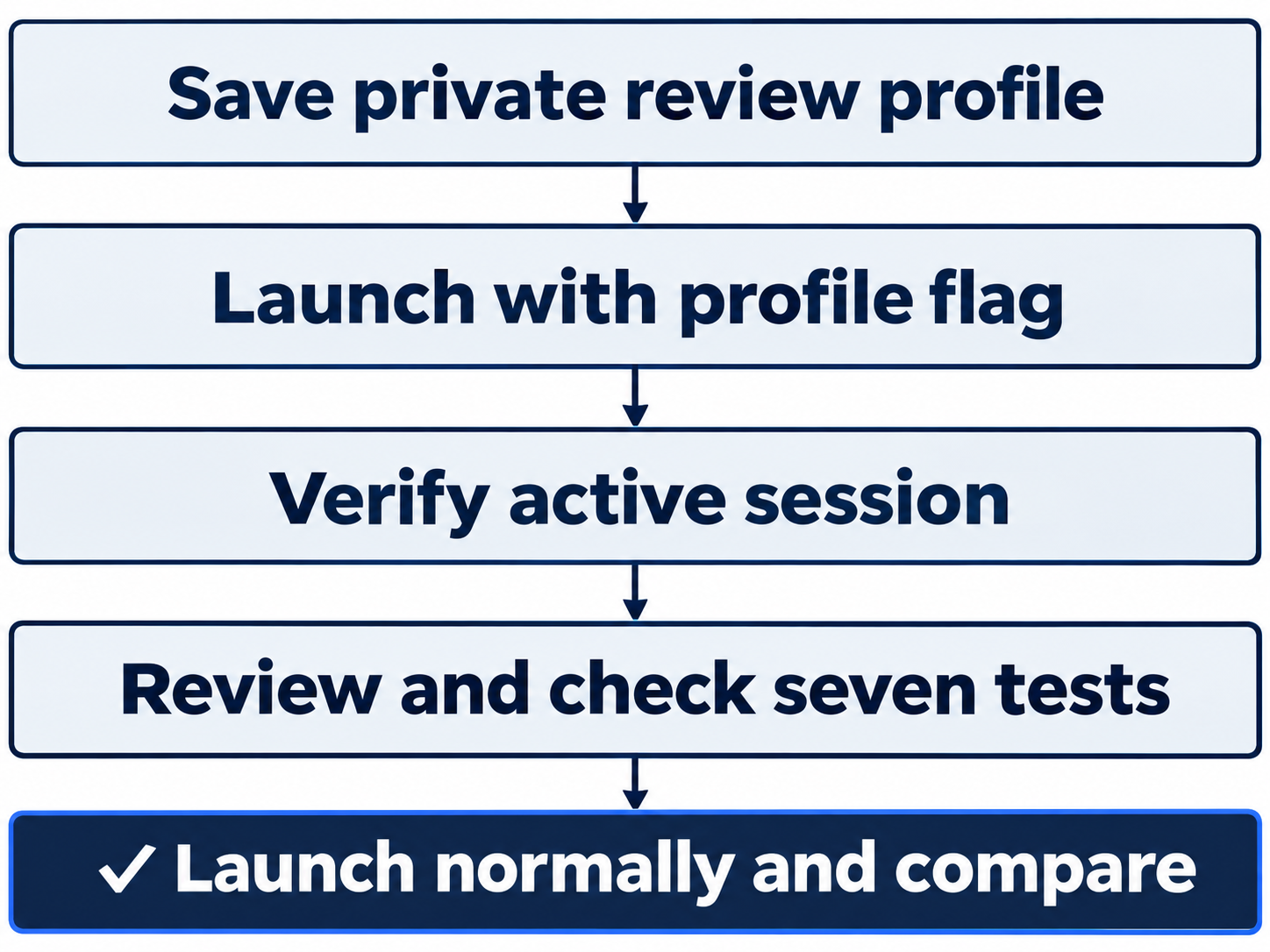
Save it privately, launch explicitly, verify the review, then compare a normal launch.
Write the profile outside the project
Personal settings default to ~/.codex, where ~ means home. The environment variable CODEX_HOME can select another state folder; leave it unset unless already in use.
${CODEX_HOME:-$HOME/.codex} uses a nonempty CODEX_HOME, otherwise .codex inside HOME, your shell's home-directory variable. This puts the profile beside your current settings.
Create the profile with this exact line in the composer:
!printf '%s\n' 'model = "gpt-6-luna"' 'model_reasoning_effort = "medium"' 'approval_policy = "on-request"' 'approvals_reviewer = "user"' 'sandbox_mode = "workspace-write"' > "${CODEX_HOME:-$HOME/.codex}/review.config.toml"
Check: review.config.toml is written beside your personal settings; Ticket Triage files are untouched.
printf writes the strings with newlines; > replaces the named file. This creates a personal profile outside Ticket Triage and leaves ordinary config.toml unchanged.
Read back the file before launching with it. cat prints a file's contents:
!cat "${CODEX_HOME:-$HOME/.codex}/review.config.toml"
Check: The printed profile has exactly the five top-level settings shown below.
Compare all five settings:
model = "gpt-6-luna"
model_reasoning_effort = "medium"
approval_policy = "on-request"
approvals_reviewer = "user"
sandbox_mode = "workspace-write"
TOML pairs setting names, or keys, with values. These top-level keys have no surrounding section. model chooses the identifier; model_reasoning_effort chooses its reasoning work.
approval_policy = "on-request" permits approval requests when needed. approvals_reviewer = "user" assigns those requests to you. sandbox_mode = "workspace-write" allows file changes within the permitted workspace boundaries. The name review describes your setup; it does not make the project read-only. Today's prompt requests no edits, and Git will check the result.
Launch with the saved profile
Enter /quit to leave the current CLI session. At your ordinary terminal prompt, launch again:
codex --profile review
Check: The CLI starts with the review profile.
The --profile flag selects the named configuration file, so review loads review.config.toml over the ordinary settings. The flag belongs to this launch command; it is not a chat prompt.
Inspect the running session:
/status
Check: Luna medium and Workspace Ask for approval are active in the same project.
Verify GPT-6-Luna, reasoning medium, Workspace (Ask for approval), the same directory, and AGENTS.md. The file requests settings; status shows the active result.
The profile launch also displays an embedded-mode warning. Open the retained diagnostics with:
/warnings
Check: The warning explains embedded mode; Escape returns to the composer.
Look for Running without the shared background server: --profile requires embedded mode. Embedded mode runs this CLI in its own process instead of the shared background service. Check the model and permission fields to confirm that the profile applied. Press Escape to close the warning and return to the composer.
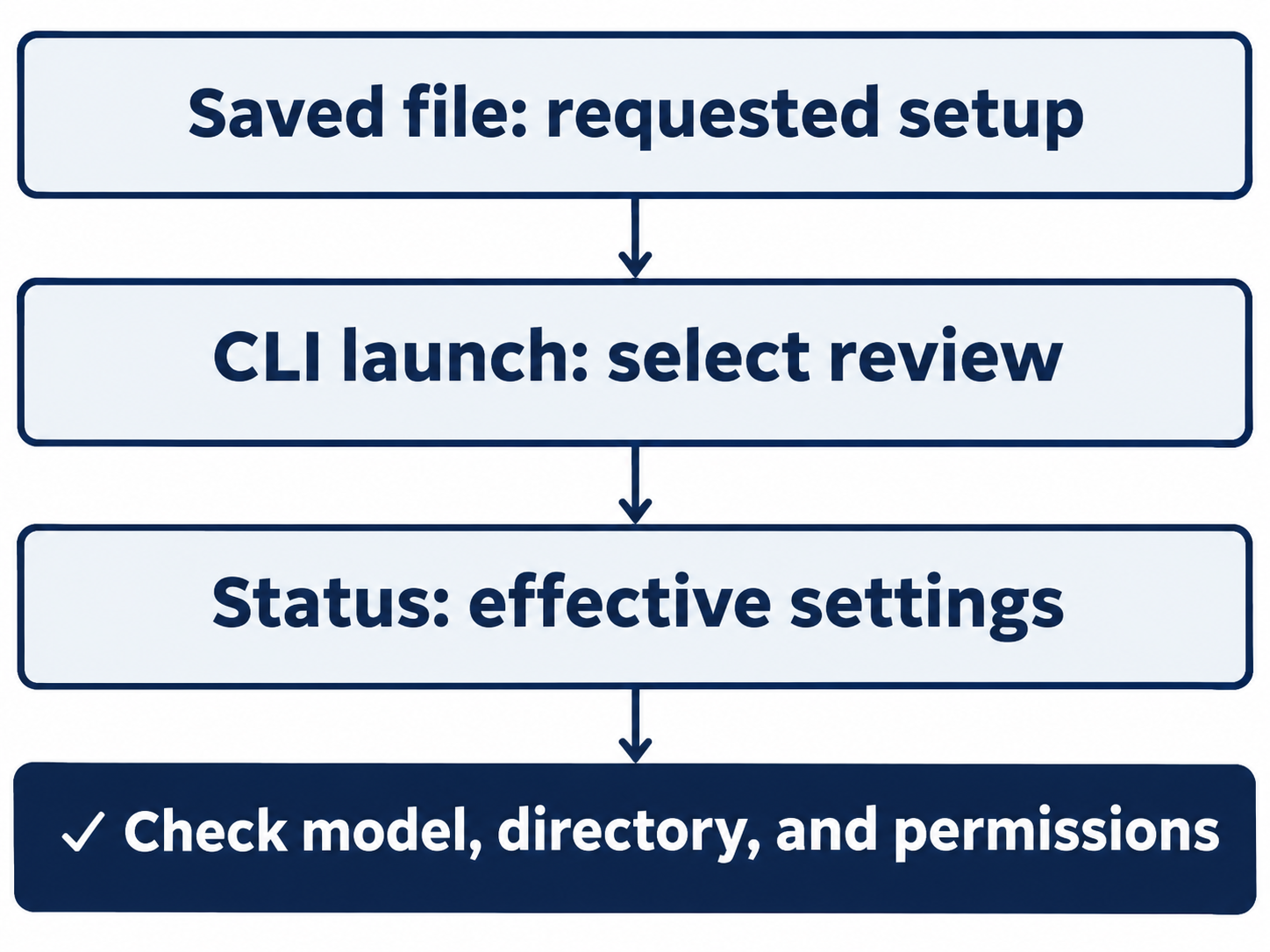
The file records preferences; the session shows what applies.
Review the refund rule
A regression test checks that established behavior continues to work. Today you inspect the existing test for a damaged ticket that also requests a refund. Send this prompt exactly:
Review src/classify.js and test/classify.test.js without changing files. Explain why a broken-mug ticket asking for a refund remains refund, name the existing regression test, and run npm test. Do not commit or push.
Check: The answer names the refund-first branch and existing regression test, with seven passing tests.
Inspect actual file reads and npm test. Allowed reads and tests need no per-edit dialog. The answer must name the refund-first branch and damaged ticket requesting a refund, supported by seven passes.
Confirm in src/classify.js that refund returns first, and that the regression test expects "refund" for the broken-mug refund request.
Run the independent check again:
!git status --short && npm test
Check: The read-only task leaves clean status and seven passes.
Expect clean status and seven passes; the profile changes session setup, not the project.
Return to your usual configuration
Enter /quit, then start the CLI without selecting a profile:
codex
Check: A normal launch is ready for the starting-model and seven-test comparison.
Run /status and compare its model and permissions with your starting record. Check that the original model and effort return, with Workspace Ask for approval and the normal local background service. Finish with !git status --short && npm test once more and check for the same clean seven-test result.
Check: The starting model and Ask for approval are restored, and seven tests pass with clean status.
Keep the private profile for reuse. A normal launch leaves ordinary settings intact and does not select it.
The desktop path
Not run: desktop steps. Use the app's integrated terminal, its built-in shell, for the same CLI route. Run the same codex --profile review workflow there. The profile flag selects settings for that CLI process; this route does not establish a native desktop profile selector.
Check: The app is on Ticket Triage with Ask for approval selected.
Also inspect the shared base configuration through the app's Settings, record the actual control and file path, and leave the file unchanged. Mark that check blocked if the control is absent. Close Settings after inspection, quit the profiled CLI, launch normally, and repeat the status and seven-test checks.
Check: If you complete the labeled desktop route, verify the same final result before removing its Not run label.
What you proved
- The five-key profile launches Luna Medium with Ask for approval.
- The bounded review confirms refund priority without changing project files.
- A normal launch restores your starting setup with seven passing tests.
You can stop here. Going deeper explains why this works and where it breaks.
Going deeper
Read this section to explain unexpected settings, inspect configuration layers, or distinguish your preferences from managed requirements.
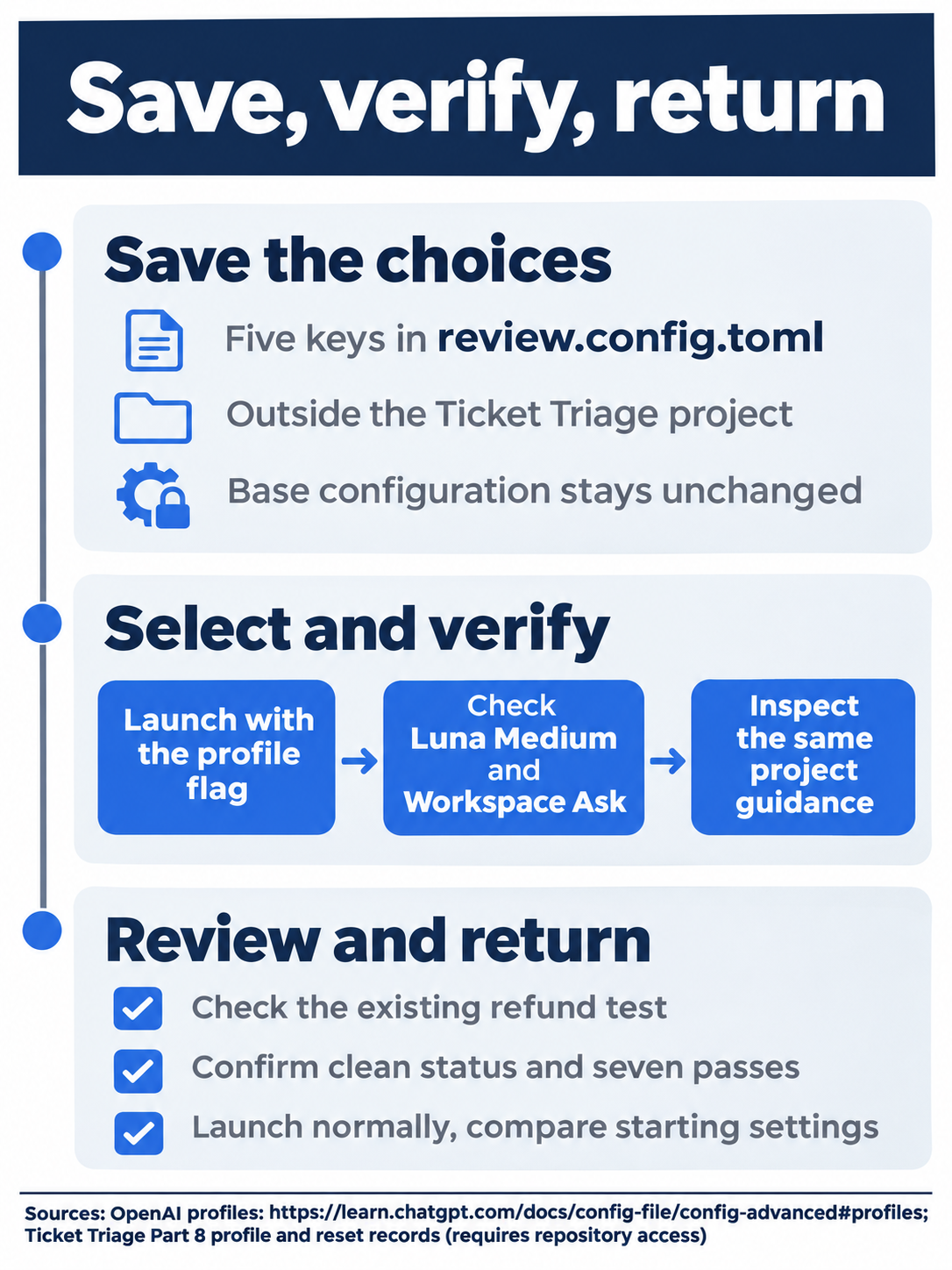
Check Luna Medium, the bounded refund review, and the restored starting configuration.
A profile supplies only its overrides
The profiles guide places profiles above personal defaults but below trusted project and CLI configuration. The five keys make model and permissions explicit.
Keep review.config.toml beside config.toml with ordinary top-level keys. Since 0.134.0, --profile no longer reads [profiles.profile-name] tables; a top-level profile selector is unsupported. Do not paste today's settings into [profiles.review]. Configuration chooses runtime settings; AGENTS.md supplies project guidance such as refund priority. A correct review needs both.
Read configuration from highest priority down
The configuration basics give this order:
- CLI flags and
--configoverrides. - Trusted project
.codex/config.tomlfiles, closest directory first. - The profile selected by
--profile. - Your personal
config.toml. - Cloud-managed configuration defaults for the signed-in workspace, when delivered.
- System configuration, such as
/etc/codex/config.tomlon Unix. - Built-in defaults.
A profile can override a personal model; trusted project settings can override the profile, and CLI flags can override the project. Inspect the running session.
This order concerns ordinary defaults. Enforced requirements restrict allowed values; legacy device-managed defaults have separate startup precedence. A local flag cannot bypass managed controls.
Inspection exercise: Not run. Open /debug-config to read layer and requirements diagnostics without submitting a task. The command reference documents it. Check: note only the layers actually displayed. Reset: close diagnostics, quit a profiled session, launch normally, and check the original model, Ask for approval, clean status, and seven passes.
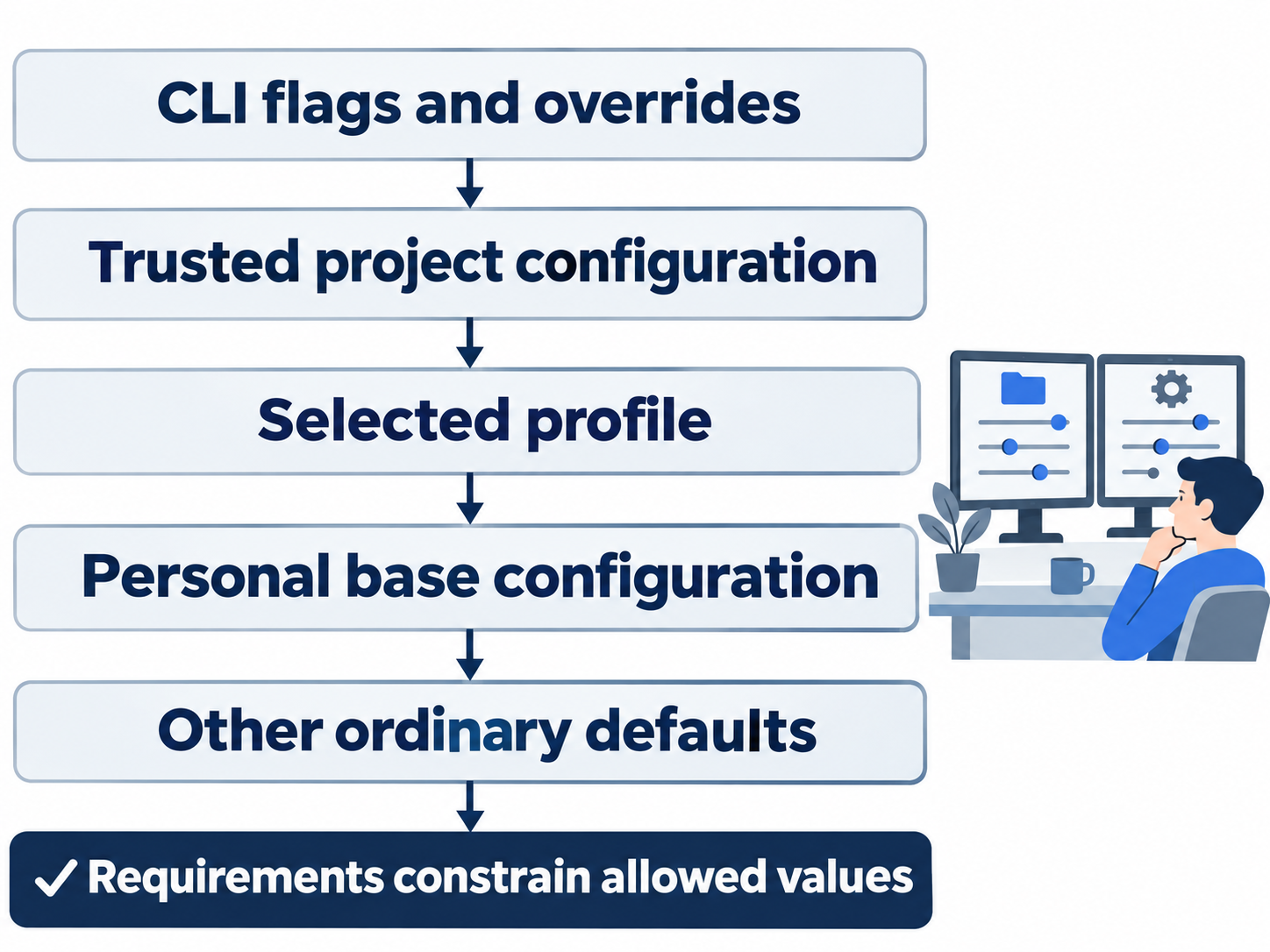
CLI settings outrank trusted project settings, profiles, and personal defaults; requirements constrain allowed values.
Trust does not validate every key
An untrusted project skips its local configuration, hooks, and rules; user and system layers remain separate. Trust lets project configuration participate. See project configuration.
Trusted project files cannot redirect credentials or select machine-level settings. Ignored keys include openai_base_url, chatgpt_base_url, apps_mcp_product_sku, model_provider, model_providers, notify, profile, profiles, experimental_realtime_ws_base_url, and otel. The reference describes startup warnings. Keep these in personal configuration and choose profiles through the CLI; this exercise adds no restricted keys.
A review label enforces no boundary: workspace-write permits edits, approval_policy governs requests, and approvals_reviewer selects the reviewer. Check the no-edit task with Git.
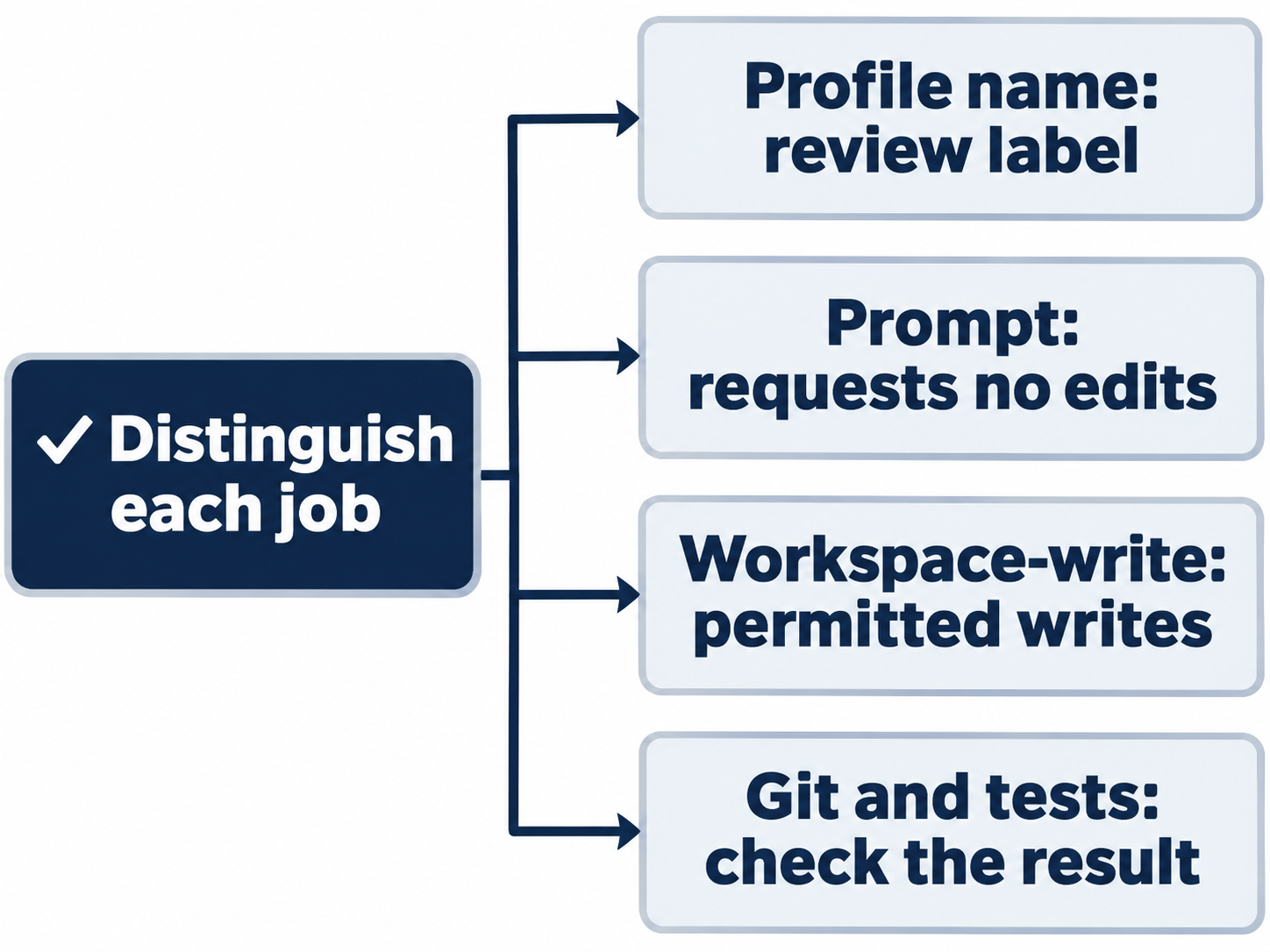
The prompt requests no changes; workspace-write permits them, and Git checks compliance.
Keep launch-only changes temporary
The override guide documents --config, also -c, for a launch-only value parsed as TOML. Shell quoting preserves the key/value argument and the string's quotes.
Optional inspection: Not run. At your ordinary terminal, request a read-only sandbox for one profile launch:
codex --profile review --config 'sandbox_mode="read-only"'
Inspect /status without submitting a task. Check: read the effective permission wording; managed controls can constrain it. The command does not edit the profile. Reset: /quit, launch without flags, compare your original model and Ask for approval, and verify clean status with seven passes. Leave both configuration files unchanged.
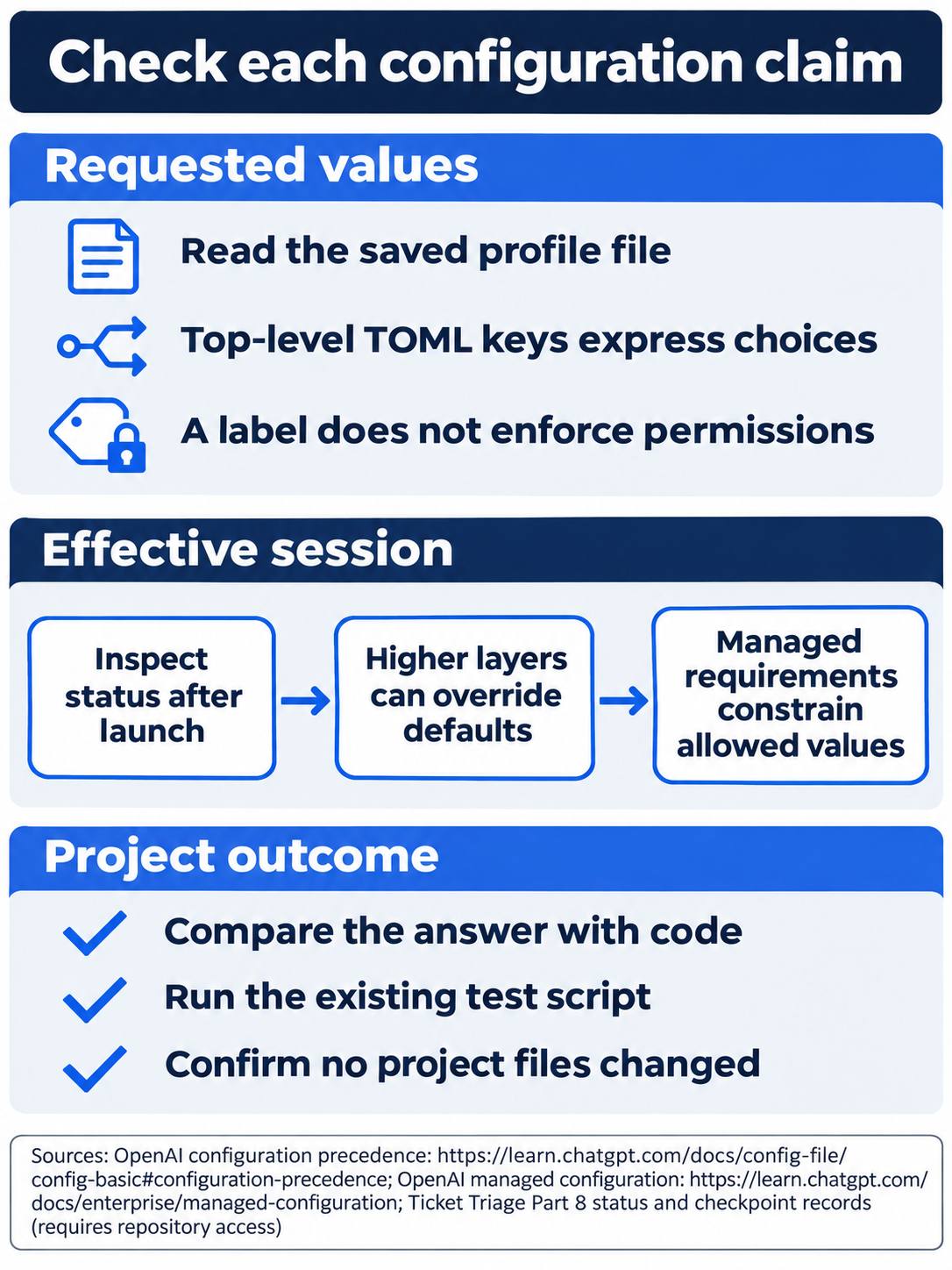
Read the saved file, inspect the session, then verify clean status and tests.
Keep state and configuration distinct
CODEX_HOME selects authentication, settings, logs, and sessions. Its directory must exist. See the environment reference and state locations. Today’s profile needs no fresh state folder; keep authentication private.
The requirements guide distinguishes defaults from enforced permissions. Conflicting preferences can fall back with notification; inspect the result instead of retrying a forbidden value.
The app, CLI, and IDE extension share config.toml, as the models documentation explains. This does not establish a native desktop profile picker. Settings opens through the app menu or Command-comma on macOS.
Desktop inspection exercise, not run: inspect the actual Settings control, configuration path, and active settings without saving changes. Check: record the visible controls; mark absent ones blocked. Reset: close Settings, quit the profiled CLI in the integrated terminal, launch normally, and verify your original model, Ask for approval, clean status, and seven passes. Keep the private profile only if you intend to reuse it.

Conceptual illustration: keep the profile beside the effective status while checking their agreement.
Do this today
Everyone
- Save the five-key
review.config.toml, launch with--profile review, and verify Luna Medium plus Ask for approval before sending the bounded refund-rule review. - Return to an ordinary launch, compare the starting settings, and confirm a clean repository with seven passing tests. Make checking effective settings your habit whenever you select a profile.
If you read Going deeper
- Inspect configuration diagnostics or the documented one-off override without submitting a coding task. Reset by closing that session, launching normally, and checking original settings, Ask for approval, and a clean seven-test repository.
- Complete the desktop inspection checklist without saving native settings. Reset by closing Settings and the profiled CLI, restoring the normal launch and Ask for approval, and checking the clean seven-test state. Keep the profile private only if you want it for reuse.
Coming up in Part 9: Skills, turning a narrow readiness check into a reusable local workflow.