
Choose a Codex Model and Check What Usage Shows
Choose a model through a checkable task while separating session settings, included allowance, and published credit rates.
Verify a session-only model choice and read account history in scope.
A small verified review gives a model choice more meaning than a name in a picker.
In this article: Review empty-input behavior with Luna Medium, then distinguish the executed result from account-wide usage.
Tested on Codex CLI 0.169.0, macOS, Node.js 22.22.1, and Git 2.47.1.
Desktop actions are not run.
Yesterday you compacted the Ticket Triage conversation, retained its next action, and left the repository clean with seven passing tests; today you perform that empty-input review in a fresh conversation.
If the previous Codex conversation is still open, enter /quit at its idle composer. Start the terminal command from your ticket-triage directory.
Start here
Prerequisites: Git, Node.js 22 or later, Codex CLI signed in with ChatGPT Plus or higher, and Ticket Triage through Part 6.
codex
Check: A fresh Codex conversation opens in Ticket Triage.
From ticket-triage, select a model for one review, check its answer, and inspect usage without changing files.
Starting fresh or fell behind? Run git switch -C main codex/day-06. This replaces your main with the end of Day 6; to keep your own work, run git branch my-backup first.
A model is the system that generates Codex's responses and chooses its tool actions. A session is its working conversation. Select GPT-6-Luna for this session, keeping saved settings intact. The Plus route includes Luna.
Check the starting project
If Codex displays Trust this folder?, check that the path is your Ticket Triage folder, then choose Trust and continue. Trust permits the folder's configuration to participate in the session. Keep Ask for approval, the permission mode that asks when an action needs approval under its rules.
Enter the slash command that reports the active session settings:
/status
Check: Record the starting model; confirm AGENTS.md and Workspace Ask for approval.
Record the starting Model. Verify Ticket Triage, AGENTS.md, and Workspace (Ask for approval); use these displayed values for your later comparison.
Now check the repository independently. The composer is Codex's input box. A leading ! runs a shell command you provide:
!git status --short && npm test
Check: The repository is clean and all seven tests pass, including the empty-input test.
git status --short lists changes; a clean working tree prints no entries. && continues after success; npm test runs the suite.
Find classifyMany empty input among seven passes. Resolve changed files or failures before the review.
Choose Luna for this session
Reasoning effort controls how much work the model puts into thinking through a request. For this exercise, use Medium, the Medium option in Luna's CLI picker. You will verify that choice before sending the review.
Open the model picker:
/model
Check: Select GPT-6-Luna, highlight Medium, then press s for this session only.
Use the arrow keys to highlight GPT-6-Luna, then press Enter to select the model. Choose by name, since the list can differ between accounts and releases. If Luna is absent, check that you signed in to the intended account before continuing.
The next screen is Select Reasoning Level for GPT-6-Luna. Highlight Medium (default). Read the shortcut line at the bottom: the shortcut line reads enter default · s session · esc back. Press s to apply the selection to this session only. Enter at this screen saves a default, so use the session shortcut for today's temporary choice.
Check: The next confirmation says the model changed for this session only.
Check the confirmation in the conversation:
Model changed to gpt-6-luna medium for this session only
gpt-6-luna is the exact model identifier. Verify the effective settings:
/status
Check: Model reads GPT-6-Luna with medium reasoning; directory and permissions are unchanged.
Check GPT-6-Luna (reasoning medium) plus the same directory, AGENTS.md, and Workspace (Ask for approval). Model selection does not change project permissions.
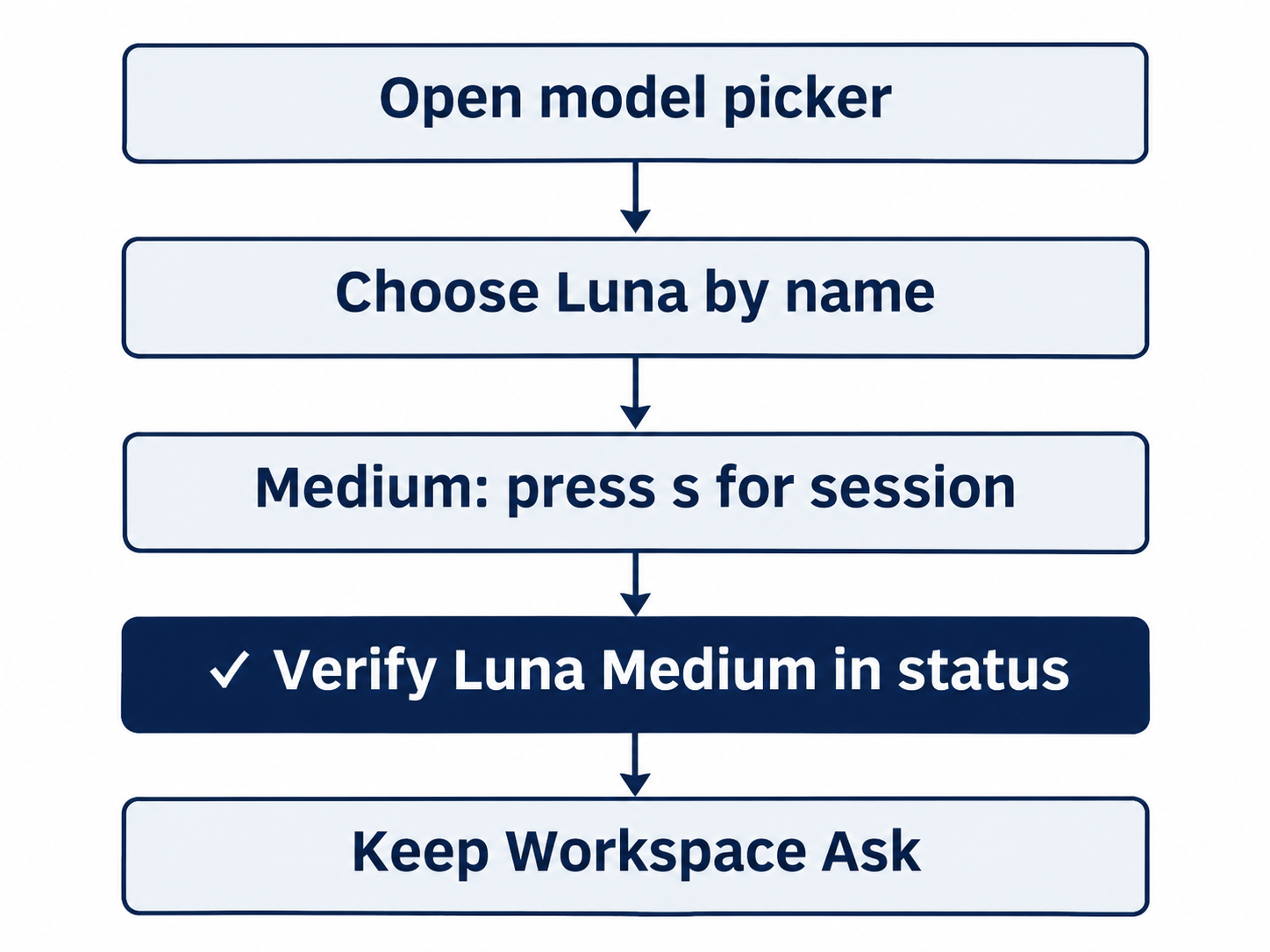
Press s for Medium, then verify Luna and Workspace Ask in status.
Give it one bounded review
classifyMany is the helper you added to classify a list of tickets in order. Empty input means an empty array, written []. You are checking behavior that already exists, so there is no implementation task today.
Send this prompt exactly:
Without changing files, read src/classify.js and test/classify.test.js. Explain how classifyMany handles an empty input and identify the existing test that checks it. Run npm test. Keep the answer to three bullets.
Check: The answer identifies empty-array behavior, the existing test, and seven actual passes.
Watch both file reads and an actual npm test. Allowed reads and tests can run inline with Ask for approval still selected.
Check the answer against the files. In src/classify.js, classifyMany returns tickets.map(classify). Mapping an empty array returns an empty array. In test/classify.test.js, the test named classifyMany empty input checks that classifyMany([]) equals []. The third bullet should report seven passing tests, supported by the command's output.
Accept the review only when behavior, the named test, and actual output agree.
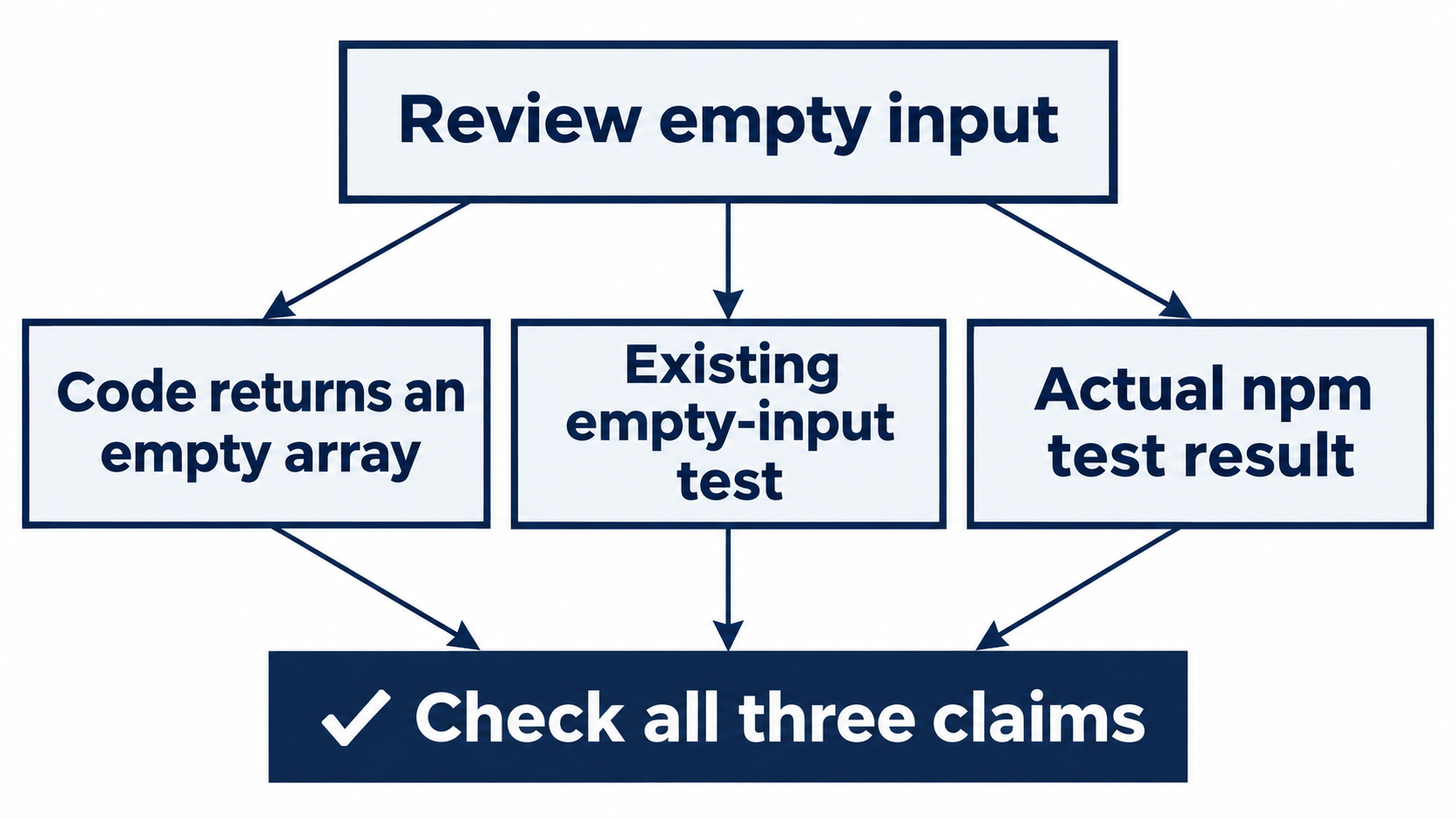
Code behavior, the existing empty-input test, and actual test output must agree.
Inspect account usage
Your usage allowance is the amount of work included under your account's current limits. Record any remaining-limit and reset fields actually shown by /status for your account. Keep that information private when sharing the exercise.
Open the account usage menu:
/usage
Check: The usage menu offers View analytics and Redeem reset.
The menu offers View analytics, described as Usage history, and Redeem reset, described as Check availability. Choose View analytics. It opens a usage screen inside the terminal. Wait for it to load, then find its Statistics as of date and inspect the available report tabs.
Check: The usage screen shows its date and available report tabs.
Record the date and scope. Distinguish account history from your current model selection; it does not identify this review's exact cost. Press Escape to close usage views without redeeming a reset.
Check: The composer is ready again and the temporary model selection is still in this session.
The desktop path
Not run: desktop steps. Follow this documentation-based manual route. Open Ticket Triage in a Local Codex chat in the ChatGPT desktop app. The model and reasoning control sits beneath the composer; open Advanced when needed to choose GPT-6-Luna and Medium, and keep Ask for approval selected.
Check: The app is on Ticket Triage with Ask for approval selected.
Use the same bounded review prompt. Run the starting and ending Git and test checks in the integrated terminal, the app's built-in shell, without the CLI's ! prefix. Inspect usage through the app's Settings and record the visible date and limit fields. Mark missing controls or unavailable reports as blocked in the checklist; the CLI result does not verify those native app controls.
Check: If you complete the labeled desktop route, verify the same final result before removing its Not run label.
Finish with the project check
Back in the CLI composer, rerun the independent check:
!git status --short && npm test
Check: The repository is clean and all seven tests still pass.
With clean status and seven passes, enter /quit to leave the temporary session.
Check: The CLI closes; the saved default has not been changed.
What you proved
- The session uses Luna with medium reasoning without saving a new default.
- The empty-input review matches the code, named test, and seven passing results.
- You inspected usage history and left the project clean.
You can stop here. Going deeper explains why this works and where it breaks.
Going deeper
Read this section to compare model choices, distinguish included allowance from credits, or understand the scope of usage history.
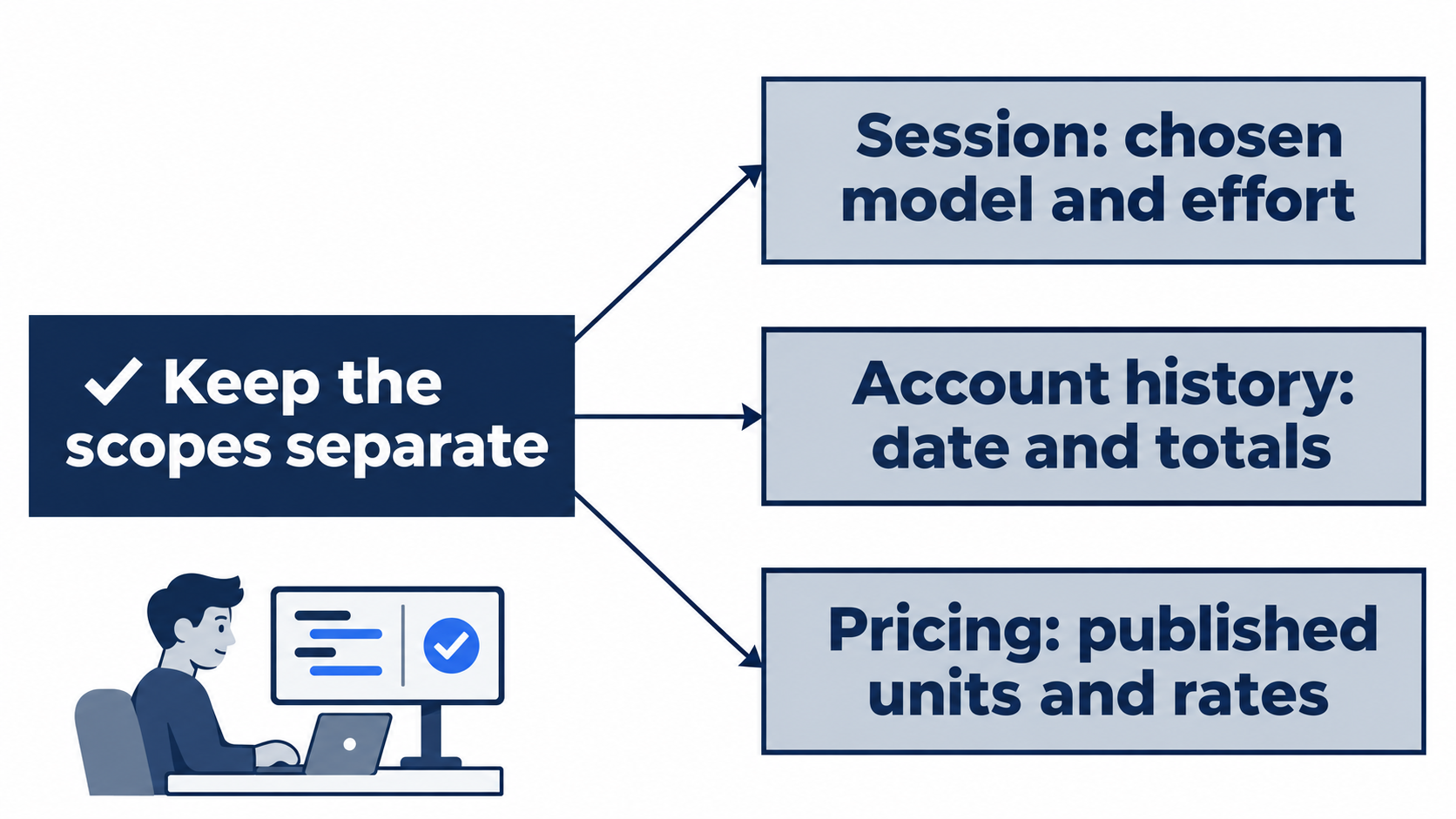
A session choice and account totals do not establish one reply’s credit cost.
Choose capability and access separately
The models guide recommends Astra for demanding work, Sol for complex repetition, Terra for writing and visuals, and Luna for focused repetition. Recommendations do not grant access.
The pricing page lists Sol and Luna for Plus and marks Terra available in its feature section. Check your signed-in picker for access. Do not infer Astra availability on Plus from a general recommendation or allowance table. The workspace availability guide separates model access, starting defaults, and local permissions. A setting cannot grant model access or expand filesystem permissions.
Inspection exercise: reopen /model without selecting a replacement. Check: the picker shows your account's available names. Reset: press Escape, keep Ask for approval, and verify a clean working tree with seven passes. If you select temporarily, restore the starting model with the session-only shortcut or quit.
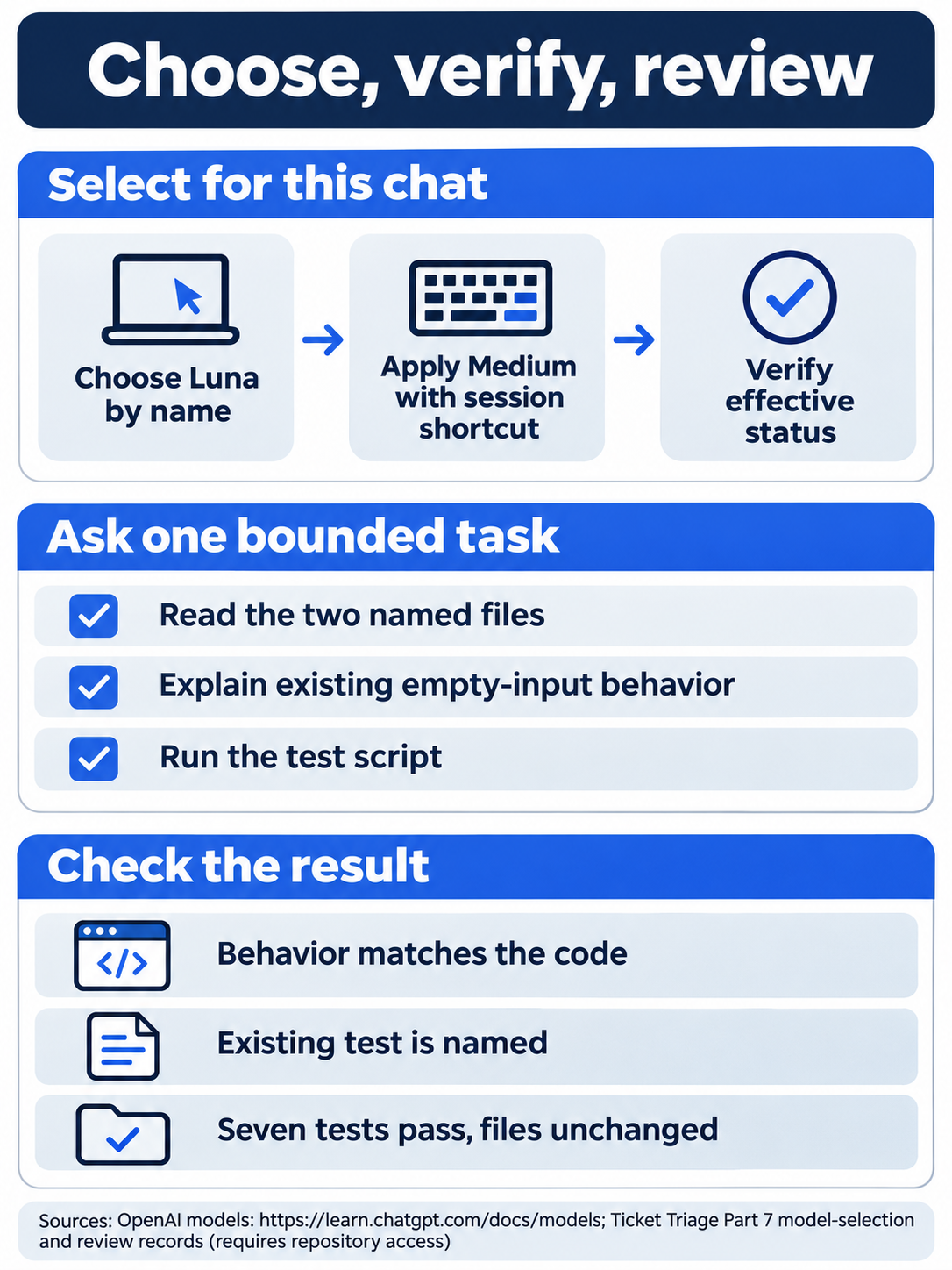
One bounded request lets you verify behavior before requesting a larger change.
Read credits in their own units
A token counts model input or output, including prompts, files, history, tool results, and replies. Credits pay for eligible credit-based usage or usage after included allowance runs out. Cached input receives the applicable rate for previously processed input.
The November 17, 2026 Standard-speed token-rate table gives credits per million tokens, not API dollar prices or a conversion for included messages:
- Astra,
gpt-6-astra, lists 250 input, 25 cached-input, and 1,250 output credits per million tokens. - Sol,
gpt-6.1-sol, lists 50 input, 2.5 cached-input, and 250 output credits per million tokens. - Terra,
gpt-6.1-terra, lists 25 input, 1.25 cached-input, and 125 output credits per million tokens. - Luna,
gpt-6-luna, lists 2.5 input, 0.25 cached-input, and 12.5 output credits per million tokens.
Credit prices alone do not determine included subscription usage. The Plus estimates are 15 to 160 local Sol messages or 350 to 3,000 local Luna messages per five-hour period. These are task-dependent estimates. Local messages and cloud chats share the allowance; weekly limits may apply.
Work and Codex share pricing, credits, and limits. The pricing page also lists other agentic features as their pricing takes effect, including Excel on Plus and Pro. Recheck terms before budgeting.
Separate speed from reasoning effort
Standard is the baseline. For the listed GPT-6 and GPT-6.1 models, Fast uses 2.5 times included allowance and twice Standard credits or Enterprise pay-as-you-go. Eligible GPT-6 Astra and GPT-6.1 Sol Ultrafast use eight times included allowance and six times credits or pay-as-you-go. Check current pricing for other model families. It requires Pro $500 or eligible Enterprise or Edu; Plus is ineligible even with purchased credits. Speed changes are not run here. See eligibility.
Reasoning effort is separate. Low in the CLI, Light in the app, precedes Medium, High, and Extra High. The general Luna recommendation is High; today's small task deliberately keeps the picker's Medium selection and checks the result.
Max gives one model more reasoning time; Ultra uses subagents, separate agents handling parts of a task, and can consume extra usage. Luna supports Max, not Ultra. The documented route is /model, a model, then More reasoning…. These modes are not run here. See Max and Ultra.
Compare fixed inputs and criteria, including review and repair time. One review is not a benchmark. See the selection guide.
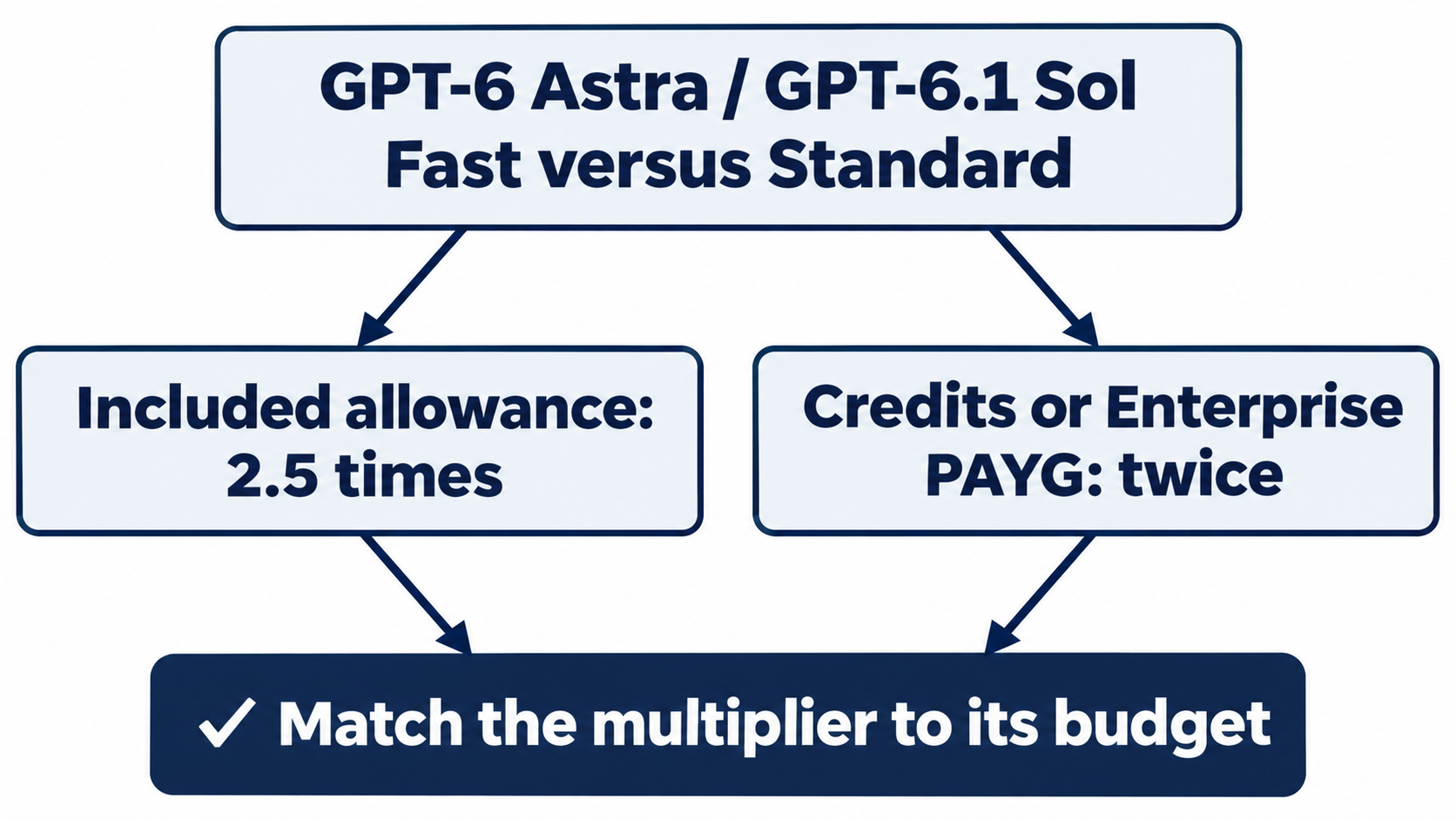
For GPT-6 Astra and GPT-6.1 Sol, Fast uses 2.5 times Standard included allowance and twice Standard credits or Enterprise pay-as-you-go.
Read history as history
The usage command shows account activity. View analytics has Overview, Usage, Messages, Plugins, Skills, and Chats tabs. Check Statistics as of, even if its date differs from today. The display does not establish refresh timing, request-date attribution, or the exact debit for one review. Keep account identity and aggregate history private; consult your own usage dashboard for remaining limits.
Inspection exercise: open analytics without redeeming a reset or purchasing anything. Check: you can name its date and report scope. Reset: Escape out, restore your original session model or quit, retain Ask for approval, and verify seven passes with clean status. For the unrun desktop equivalent, inspect Settings, close it, and perform the same reset.
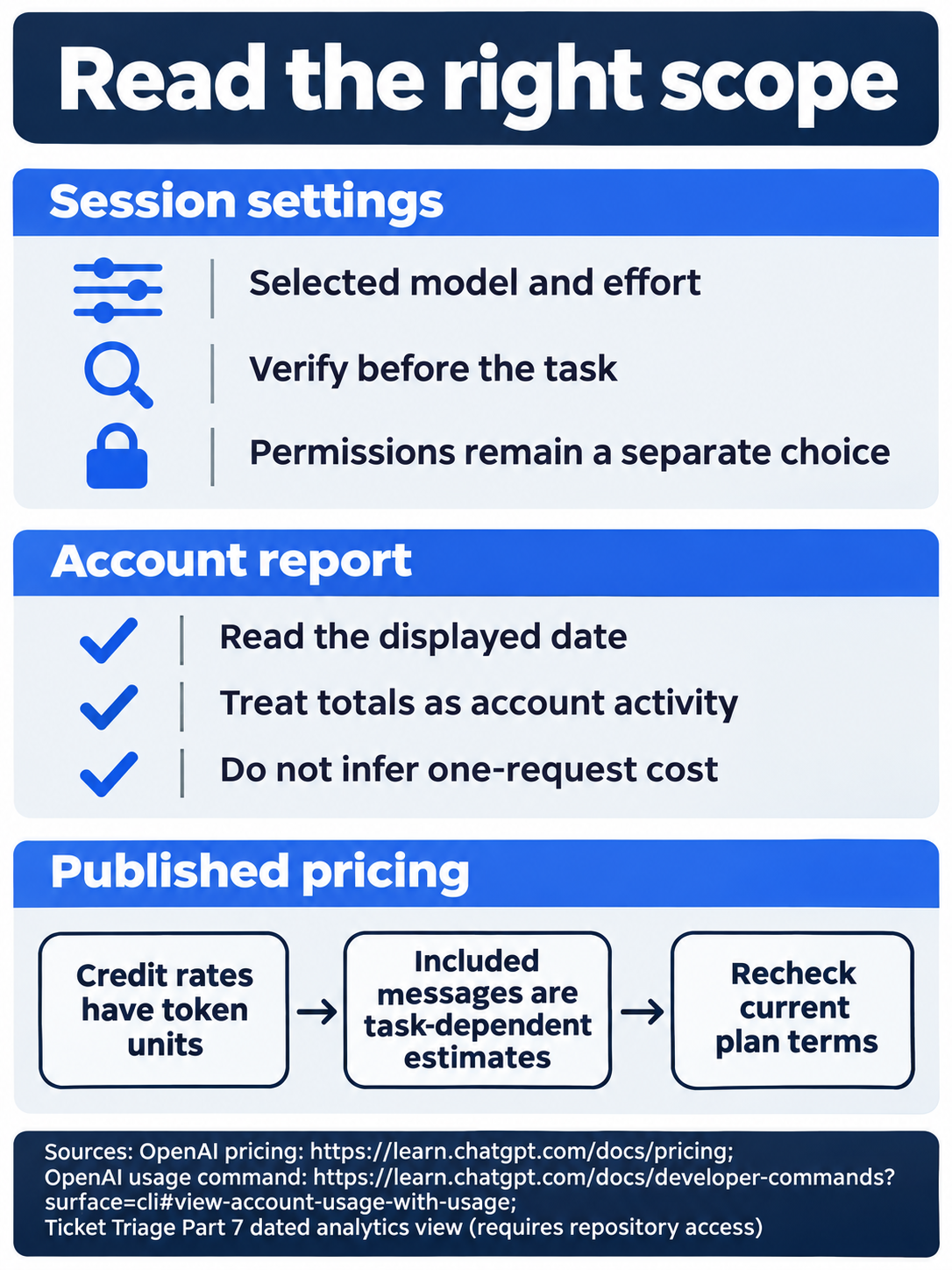
Published rates and account-history reports require separate interpretation.
Do this today
Everyone
- Select Luna Medium for one session, verify
/status, and check the empty-input review against both files and the executed seven-test result. - Inspect the usage view's displayed date, close it, and finish with a clean working tree and seven passing tests. Make model verification before sending a task your habit.
If you read Going deeper
- Inspect the model list without changing your saved default. Reset by closing the picker, restoring the original session model or quitting, and retaining Ask for approval with a clean seven-test repository.
- Record the usage report's date and scope separately from any cost estimate. Reset by closing usage or desktop Settings, restoring the original session model or quitting, and checking the same clean seven-test state.

Conceptual illustration: compare the answer with source code and executed test evidence.
Coming up in Part 8: Config and profiles, saving a review setup you can inspect before using it.