
Connect Codex to Documentation and Verify the Tool Call
A connected source is useful only when the transcript establishes which tools ran and what they returned.
Use a public MCP server to retrieve a source, then check the answer against the returned text.
An answer can sound sourced even when no source was retrieved; visible tool activity makes the difference checkable.
In this article: Connect the public documentation server, verify its live inventory, and request a search and fetch. Compare the returned source with the answer, then check the unchanged seven-test project.
Tested on Codex CLI 0.169.0, macOS, Node.js 22.22.1, and Git 2.47.1.
Desktop MCP controls are not run; use the labeled route separately from the CLI connection.
Yesterday you created and invoked the ship readiness skill, committed only its file, and left Ticket Triage clean with seven passing tests.
If the previous Codex conversation is still open, enter /quit at its idle composer. Start the terminal command from your ticket-triage directory.
Start here
codex
Run this from your existing ticket-triage folder. By the end of today, you will have connected a documentation server, watched Codex search and fetch a primary source through its tools, and verified the answer with the project unchanged.
Starting fresh or fell behind? Run git switch -C main codex/day-09. This replaces your main with the end of Day 9; to keep your own work, run git branch my-backup first.
MCP, short for Model Context Protocol, lets Codex use tools supplied by another system. Codex acts as the client, which requests an operation. The server describes its available operations and handles those requests. A tool is one named operation, such as searching documentation or fetching a page.
Use OpenAI's public, read-only documentation server to answer an instruction-file question with retrieved evidence.
Check the existing project
If Codex asks Trust this folder?, check the Ticket Triage path and choose Trust and continue. Keep Ask for approval, the permission mode that asks when an action needs approval under its rules.
Enter the slash command that displays the current session settings:
/status
Check: Confirm that Directory identifies Ticket Triage, Agents.md lists AGENTS.md, and Permissions shows Workspace (Ask for approval). Use a normal launch without selecting a profile.
Run the baseline from the composer, Codex's input box. The leading ! executes a shell command you provide:
!git status --short && npm test
git status --short lists changed or untracked files. A clean working tree prints no file entries. The && runs the next command after the Git command succeeds. npm test runs Ticket Triage's test script.
Check: Look for seven tests, seven passes, and zero failures. Resolve existing changes or failures before adding the connection.
Add the documentation server
A URL is an address for a network resource. The server's URL is https://developers.openai.com/mcp. Its transport, the way client and server exchange requests, is Streamable HTTP, which communicates through a web address.
Add it with this exact line in the composer:
!codex mcp add openaiDeveloperDocs --url https://developers.openai.com/mcp
codex mcp add registers a server connection. openaiDeveloperDocs is the local name you will use to identify it, and --url supplies its remote address.
Check: Look for the confirmation Added global MCP server 'openaiDeveloperDocs'.
In this confirmation, global means the server is registered in your personal Codex configuration. The default file is ~/.codex/config.toml, where ~ means your home directory. If you already use CODEX_HOME, the environment variable that selects Codex's state folder, the configuration belongs there. This is a Codex setting; Git configuration and Ticket Triage's tracked files remain unchanged.
Inspect the saved entry:
!codex mcp list
codex mcp list lists configured servers.
Check: Find openaiDeveloperDocs, its correct URL, and enabled under Status. Unsupported under Auth describes authentication support, which concerns verifying a caller's identity. The listing is the first check, and you still need to verify a live connection and tool calls.
Reload and inspect the available tools
Enter /quit to leave the CLI session, then run codex again from the same folder. This reload starts a session that reads the new connection settings.
Enter the slash command for active MCP connections:
/mcp
Wait for the connection display to finish loading.
Check: Find openaiDeveloperDocs: connected (5 tools). Other connections can appear in the same display, so check the server by name.
Inspect the detailed inventory:
/mcp verbose
verbose requests detailed diagnostics. The documentation connection lists these tools:
fetch_openai_doc
get_openapi_spec
list_api_endpoints
list_openai_docs
search_openai_docs
For today's question, search_openai_docs finds relevant documentation, and fetch_openai_doc retrieves a matching page. The other tools are available. Check actual search and fetch calls before accepting the answer.
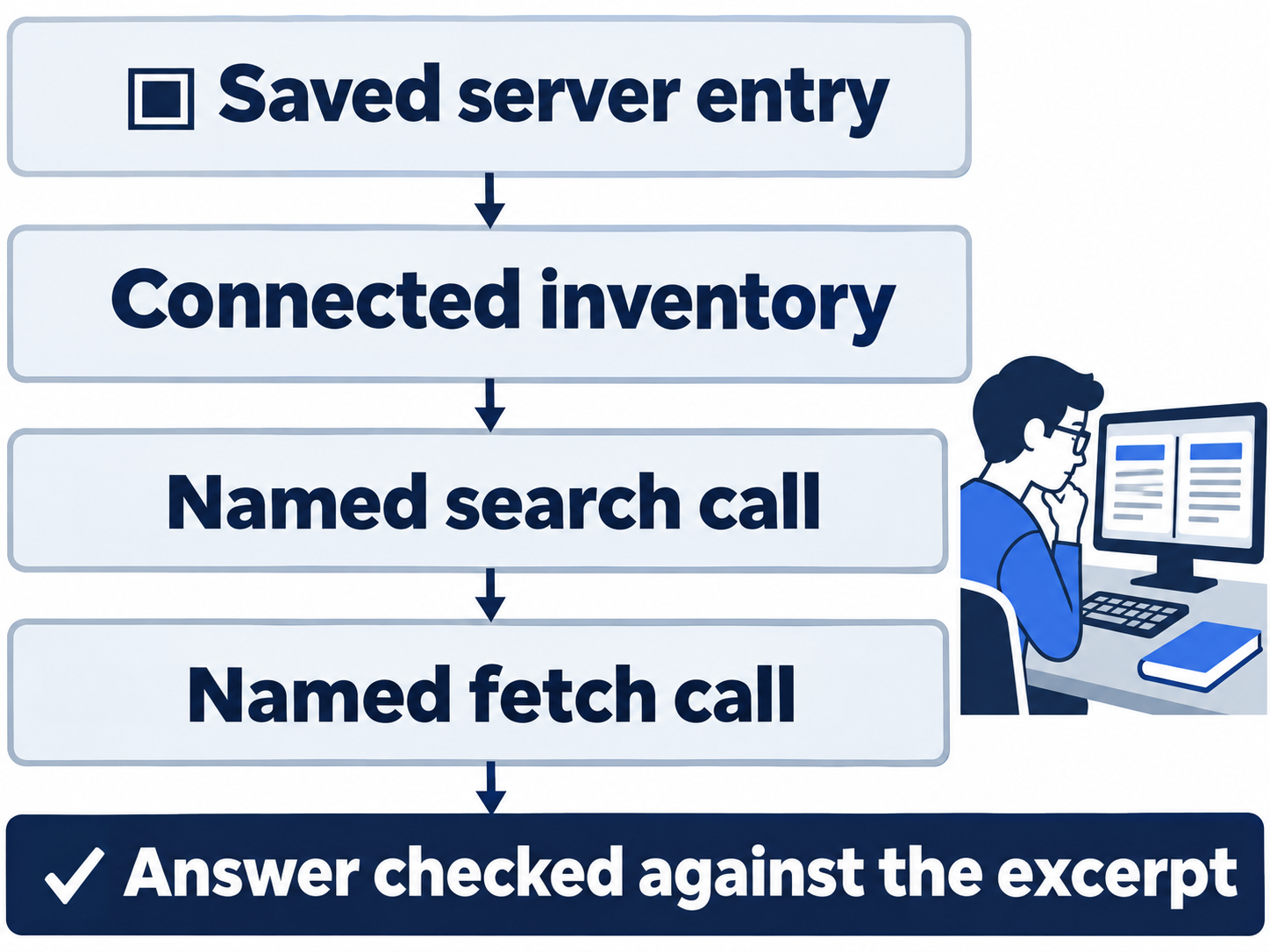
Require a search and a fetch
AGENTS.override.md is an optional alternative instruction filename. You will ask the documentation which file Codex chooses when it appears beside AGENTS.md, without creating or editing either file.
Send this prompt exactly:
Use the openaiDeveloperDocs MCP server to search for Codex AGENTS.md instruction discovery, then fetch the matching documentation page. Name the documentation tools you actually called and link the source. Without changing files, explain which file wins when AGENTS.override.md and AGENTS.md are in the same directory. Do not answer from memory.
Watch the activity for both openaiDeveloperDocs.search_openai_docs and openaiDeveloperDocs.fetch_openai_doc. Compare the returned search result and fetched page with the final answer.
A nonempty AGENTS.override.md wins in the same directory. Codex includes at most one instruction file per directory, so that directory's AGENTS.md is ignored when the override is selected. Empty files are skipped. Check that the answer names both tools and links How Codex discovers guidance.
Check: Read the returned source excerpt in the tool activity and check that it supports the file-selection rule. Match the calls, source, and answer.
This public connection needs no separate sign-in. Its read-only calls and routine tests can run without an approval dialog under Ask for approval. Ticket Triage's AGENTS.md requires npm test after work; inspect that command and its seven passes before running your own final check.
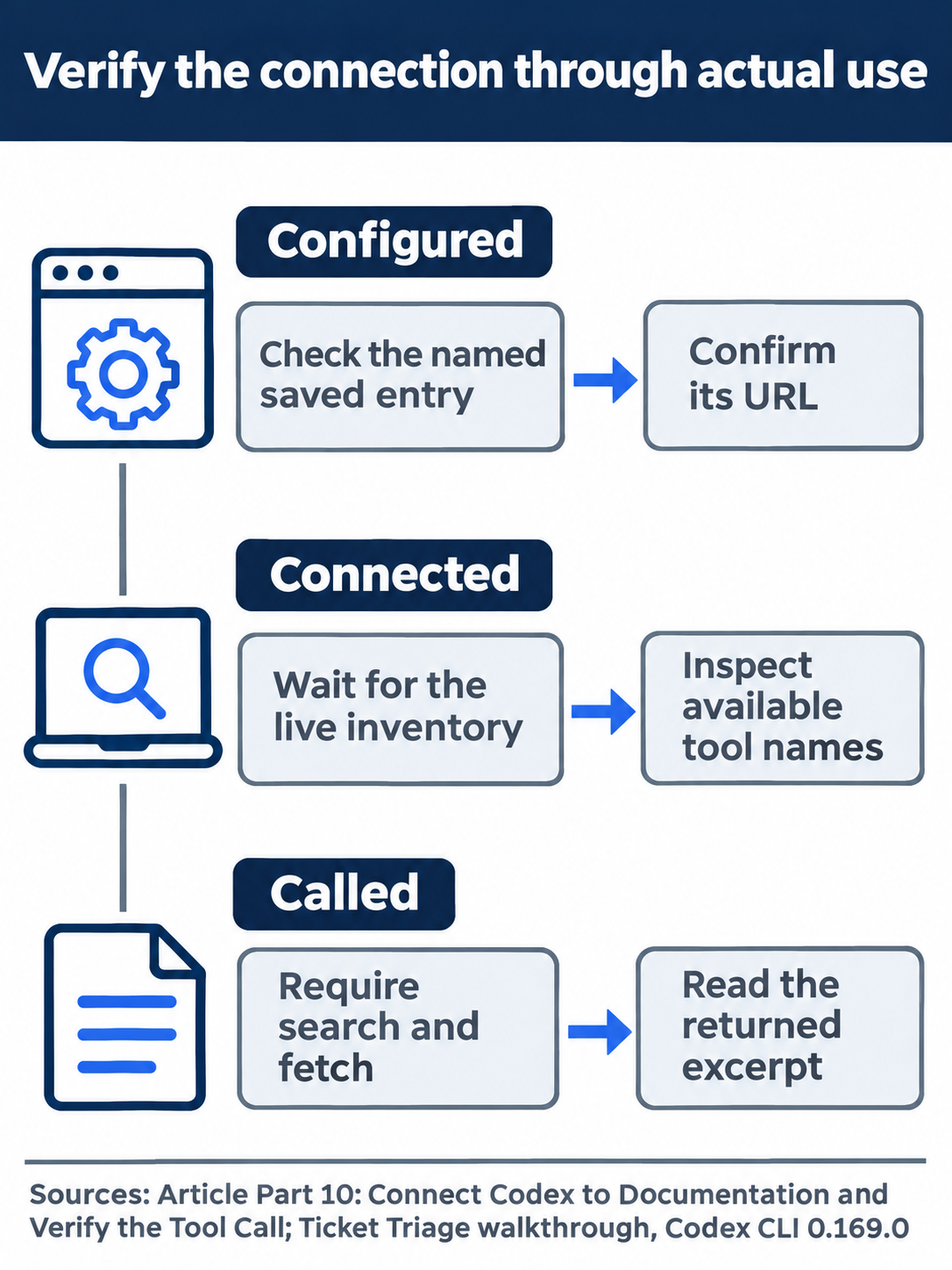
Accept the answer after checking the named calls and returned documentation.
The desktop path
Not run: desktop steps. Use this documented route: open Settings, MCP servers, and Add server. Enter openaiDeveloperDocs, choose Streamable HTTP, and supply https://developers.openai.com/mcp. Save the server, then select Restart.
If the shared configuration already contains that entry, inspect it instead of adding a duplicate. In a new Ticket Triage chat, use /mcp, send the same search-and-fetch prompt.
Check: Inspect the actual tool calls and source. Use the integrated terminal, the app's built-in shell, for Git and test checks without the CLI's initial !. Stop this route if a required control is unavailable.
Finish with the independent check
Back in the CLI composer, verify the project yourself:
!git status --short && npm test
Check: Expect no changed-file entries, seven passes, and zero failures. Enter /quit when finished. Keep the documentation-server entry in your personal Codex configuration for reuse. This day needs no new project commit because the connection setting lives outside the repository.
What you proved
- The saved documentation connection reloads with a live five-tool inventory.
- Actual search and fetch calls return a source that supports the file-selection answer.
- Ticket Triage remains clean with seven independently passing tests.
You can stop here. Going deeper explains why this works and where it breaks.
Going deeper
Read this section for other transports, authenticated servers, configuration scope, and managed connection policy.
Give the server only its documented job
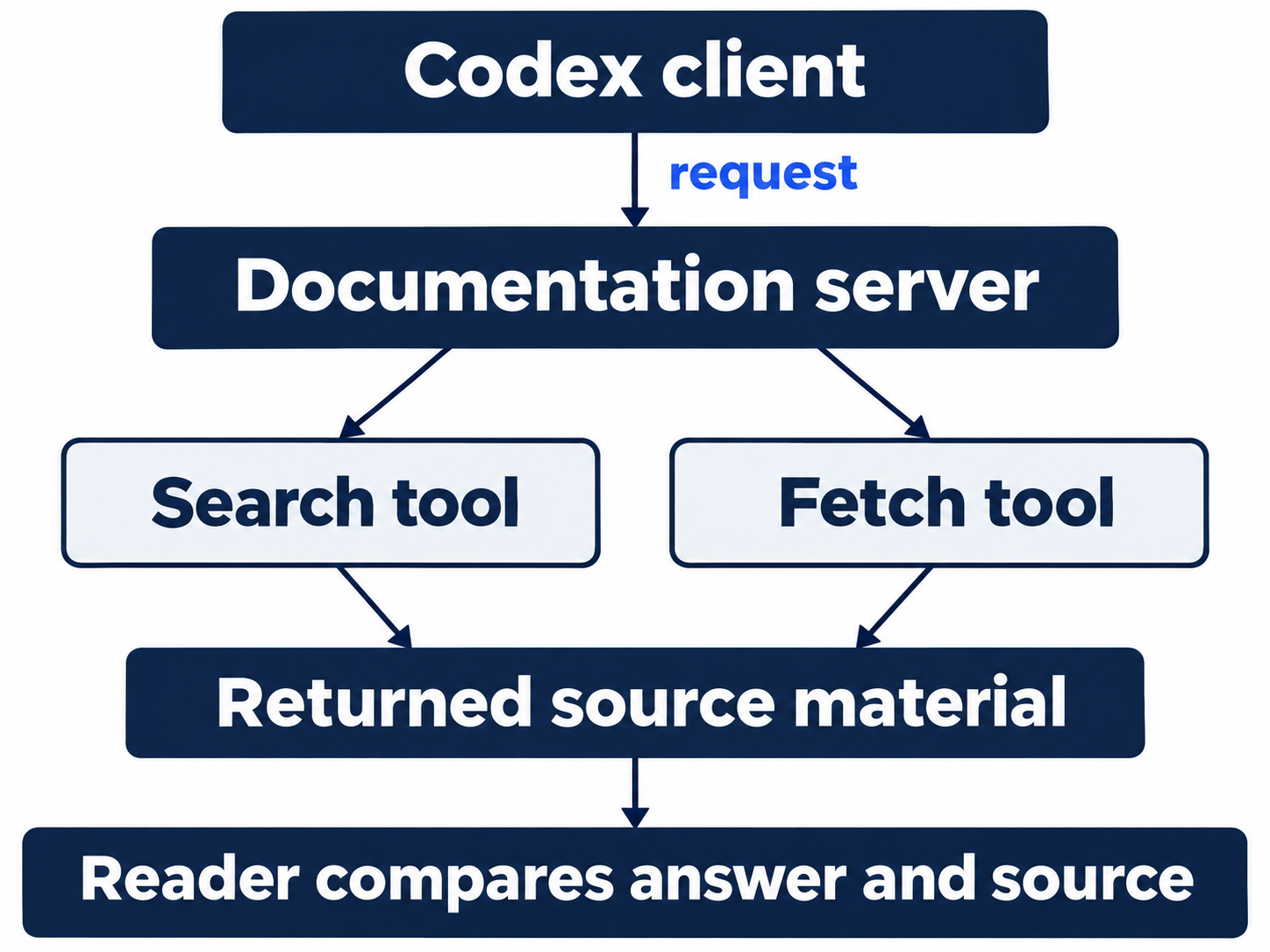
OpenAI's public server provides read-only documentation search and page content across developers.openai.com, platform.openai.com, and learn.chatgpt.com. It does not call the OpenAI API on your behalf. Treat retrieved material as evidence to evaluate, not authority for unrelated changes. Docs MCP
The instruction-discovery guide checks AGENTS.override.md before AGENTS.md, skips empty files, and includes at most one instruction file per directory. The search-and-fetch exercise verifies a documentation answer; it does not test a newly created override file.
Keep three checks separate: enabled describes the saved entry, connected describes the live inventory, and actual tool calls establish use. Auth: Unsupported did not prevent this public server from connecting and returning both results. It does not explain every other server's authentication state.
Choose a transport for the server
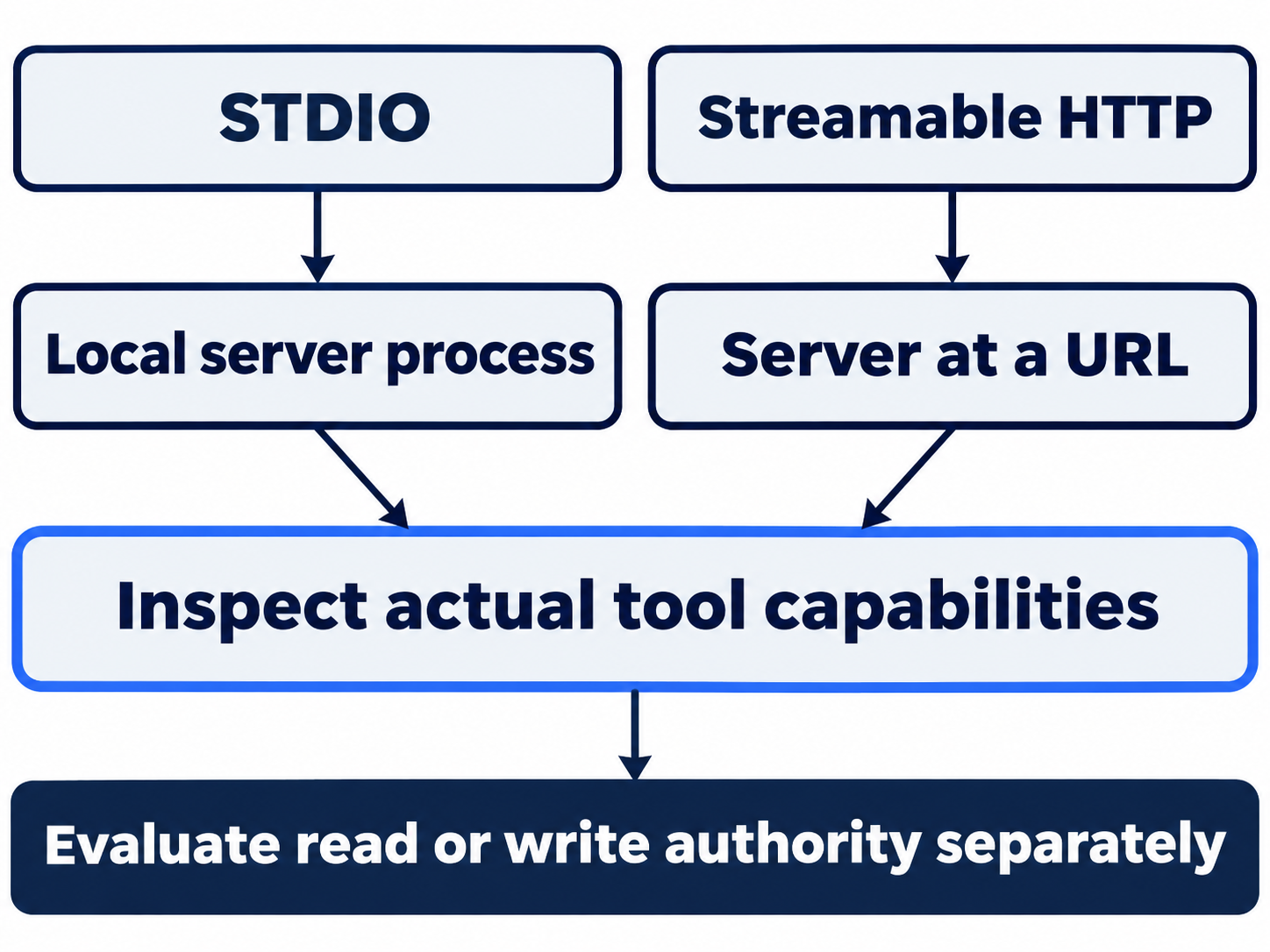
STDIO, standard input and output, starts a local server process and exchanges messages through its streams. Its configuration can specify a command, arguments, working directory, and environment variables. Streamable HTTP connects to a URL, so the hosted documentation server needs no local server installation. Supported transports
Transport does not determine authority. A local process can expose powerful actions; a remote server can expose only reads. Inspect the tool inventory and documented purpose before assigning work.
OAuth lets you sign in and grant service access without handing the agent your password. codex mcp login <server-name> serves supported OAuth servers. Other HTTP servers can use bearer tokens or configured headers. Follow that server's requirements, rather than assuming every connection needs a login. Authentication
OAuth setup for another server is not run here. Keep credentials in appropriate local or service-managed storage, outside shared examples.
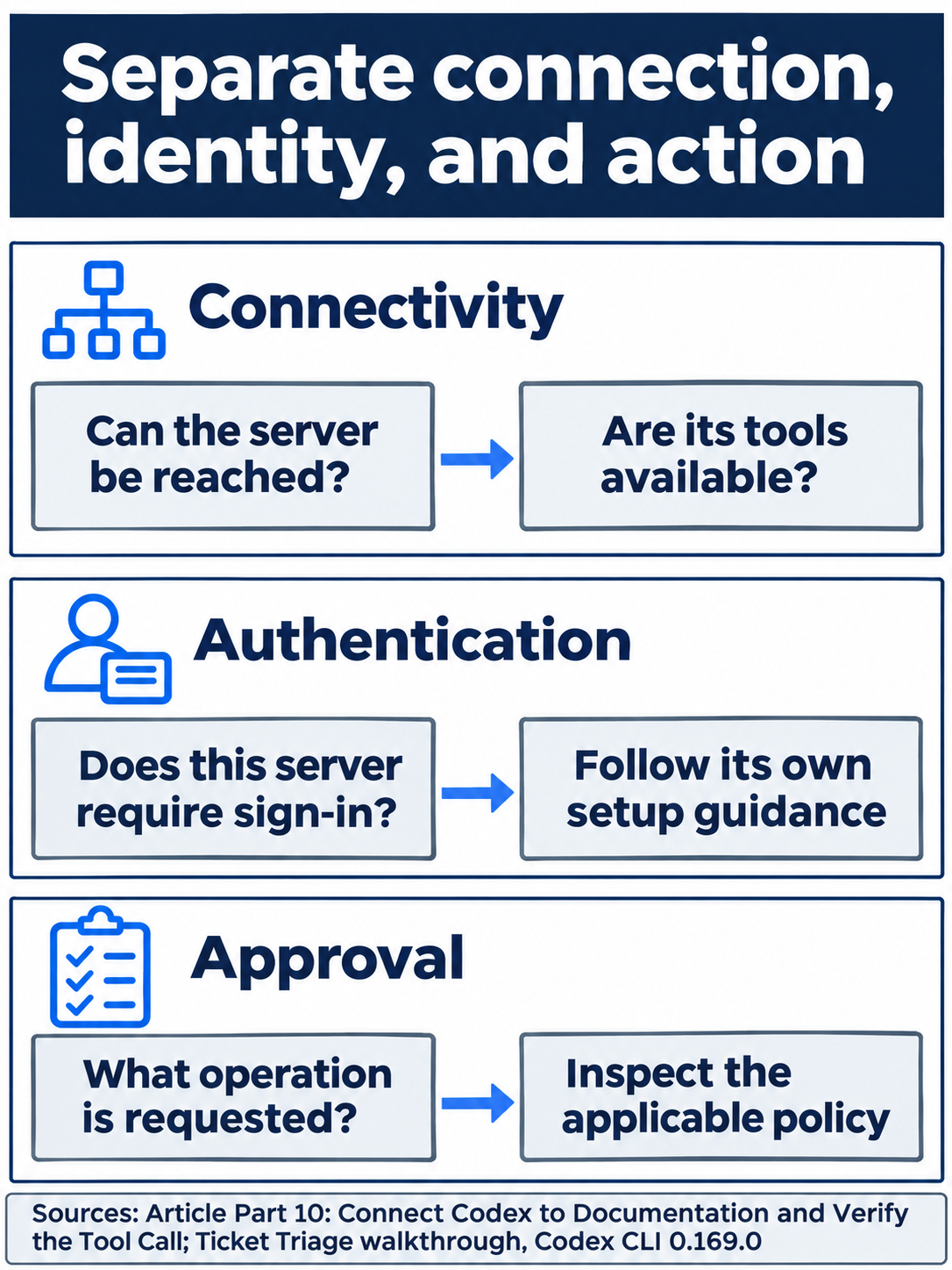
A working connection does not establish permission for every operation.
Decide which projects share the connection
Direct connections use [mcp_servers.<server-name>] in Codex configuration. The CLI registration corresponds to this TOML:
[mcp_servers.openaiDeveloperDocs]
url = "https://developers.openai.com/mcp"
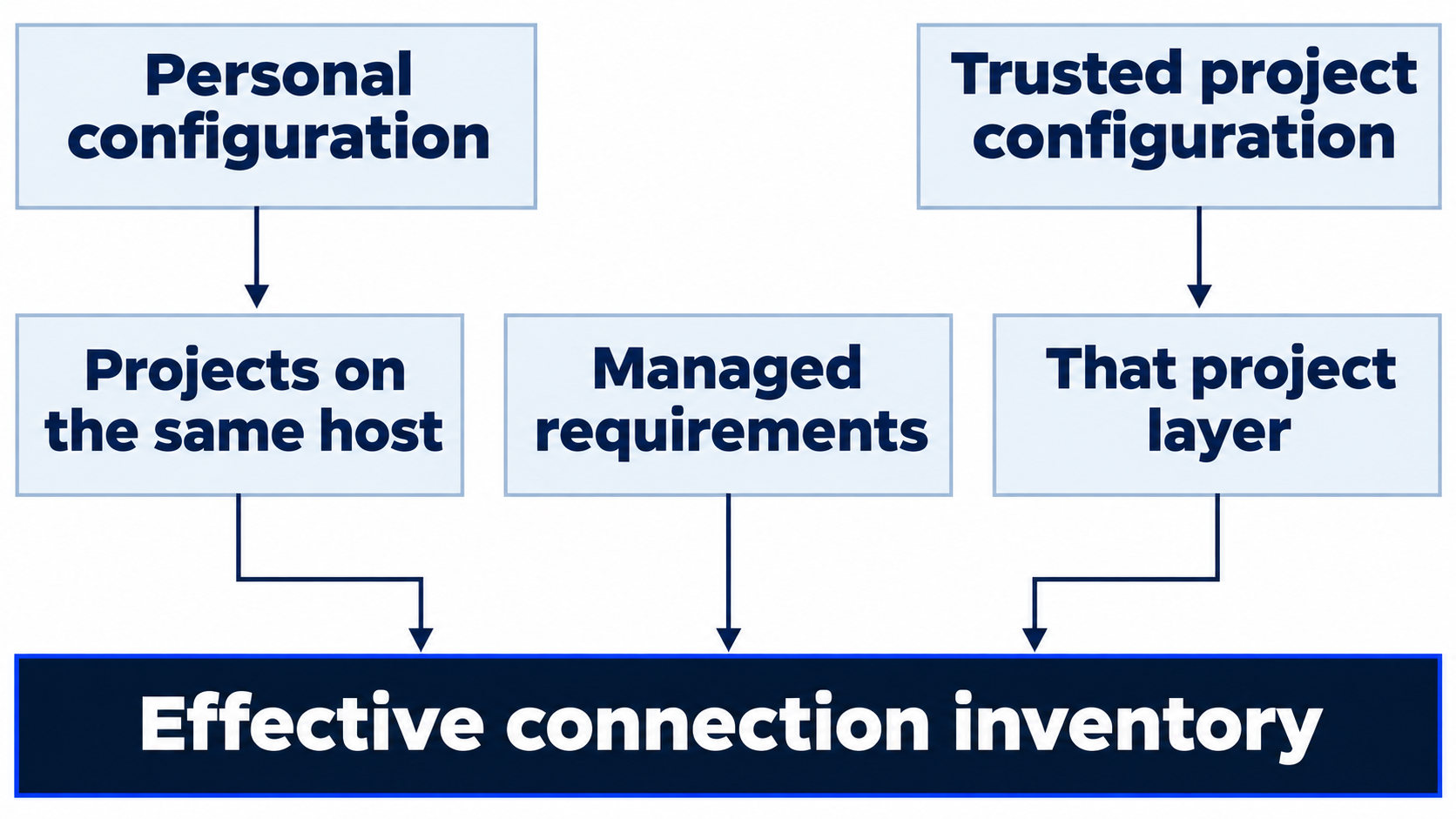
Do not paste a duplicate. A personal entry applies across local projects on that host. A trusted project's .codex/config.toml can instead supply a project-scoped connection and outrank ordinary personal defaults. Untrusted project configuration does not load. Configuration scope, precedence
Desktop, CLI, and IDE clients on the same host share MCP configuration. Another computer or Cloud environment still needs its own usable processes, credentials, and network access. Sharing a file format does not verify native desktop setup.
Optional inspection, not run: identify the documentation connection's configuration layer without moving it or adding another entry. Reset: close views without saving, keep the intentional server entry and Ask for approval, and verify clean status with seven passes.
Separate packaging, enterprise policy, and tool approval
Plugins can bundle servers in root mcp.json. Server-specific OpenAI authentication metadata belongs to that server's extension settings. User policy can control enablement and tools without replacing the plugin's transport command. The skill-only plugin exercise does not establish bundled-server behavior. Packaging
Managed requirements can restrict MCP servers by name and configured identity. A mismatch can disable a saved entry, and plugin servers have separate allowlist controls. Personal configuration cannot bypass those requirements. Inspect the effective inventory and policy diagnostics. Requirements
Server-level and per-tool approval policies are separate from connection and sign-in. A public read operation that runs inline does not predict approval for a tool that modifies another service. Tool policy
Keep Codex's client role distinct
The removed codex mcp-server command and codex-mcp-server binary exposed Codex to another client. Connecting Codex to an external server through codex mcp remains supported. Integration clients that need authentication, history, approvals, and streamed events use the app-server protocol; it is not a drop-in MCP replacement. Removal and migration
Optional evidence inspection: compare a configured entry, its connected inventory, and the actual search/fetch activity. Reset: close views, preserve project files and the intentional connection, retain Ask for approval, and check clean status with seven passing tests.

Use the source excerpt to check what the tool-supported answer actually establishes.
Do this today
Everyone
- Register the public server, reload, and require both search and fetch for the exact question.
- Compare the answer with the returned source, then independently check clean status and seven tests.
If you read Going deeper
- Inspect configuration scope without moving or duplicating an entry. Reset by closing views and preserving the clean seven-test project.
- Compare enabled, connected, and called. Reset by keeping the server, files, and Ask for approval unchanged.
Coming up in Part 11: Subagents, giving two bounded reviews to separate agents and inspecting their actual work.