
Keep Two Codex Changes in Separate Worktrees
Worktrees make separate changes reviewable when paths, branch ownership, and test counts stay attached to each checkout.
Review a documentation branch and a regression-test branch without changing the original checkout.
Separate tasks are easier to trust when their files, commits, and test results have clear owners.
In this article: Create two isolated worktrees and complete one task in each, sequentially. Compare their reviewed commits and different test counts, then record GitHub review and Cloud readiness.
Tested on Codex CLI 0.169.0, macOS, Node.js 22.22.1, and Git 2.47.1.
Worktrees are available in the CLI and desktop app. Browser and Computer Use checks here are desktop-only. Native desktop and external setup routes are not run.
Yesterday you installed triage-tools, invoked its packaged readiness skill, and left Ticket Triage clean with seven passing tests.
If the previous Codex conversation is still open, enter /quit at its idle composer. Start the terminal command from your ticket-triage directory.
Start here
codex
Prerequisites: For external setup: a GitHub account, a repository you own, and access to its Codex review connection and Cloud controls.
From ticket-triage, save two focused worktree commits, verify their different test counts, and record GitHub and Cloud readiness.
Starting fresh or fell behind? Run git switch -C main codex/day-13. This replaces your main with the end of Day 13; to keep your own work, run git branch my-backup first.
A worktree is another checkout of the same Git repository with its own project files. A branch names a line of commits, and a commit saves a selected change in Git history. Finish documentation first, then tests in another worktree. The tasks are sequential, with isolated files.
A push uploads commits to a remote repository. Keep both changes local until you have inspected them.
Record the original checkout
If asked to trust the folder, confirm Ticket Triage and choose Trust and continue. Keep Ask for approval, the permission mode that asks when an action needs approval under its rules.
Check: Enter /status, the session-settings command, and check the directory, AGENTS.md, and Workspace (Ask for approval). Use a normal launch without changing the model.
Copy the original Directory value for returning later. From the composer, Codex's input box, run this starting check. The leading ! runs a shell command you supply:
!git status --short && git rev-parse --short HEAD && npm test
git status --short reports changed or untracked files; clean status prints no entries. HEAD identifies the checked-out commit, and git rev-parse --short HEAD prints its abbreviated identifier. The && continues after a successful command. npm test runs the tests.
Check: Record the identifier and expect seven passes.
Create the documentation worktree
Enter /worktree. In its menu, press Down to select Start new conversation, then Enter. Record the new composer’s directory and use your own displayed paths throughout.
The new checkout starts with a detached HEAD, a commit selected without a named branch. Name it with this command:
!git status --short && git branch --show-current && git switch -c day14/docs && npm test
git branch --show-current prints the branch, initially blank here. git switch -c creates and switches to the named branch.
Check: Confirm that day14/docs was created and seven tests pass.
Send this exact prompt:
In this day14/docs worktree only, add one short Examples section to README.md with the example "My package is late; I want my money back" and its expected category refund. Change no other file. Run npm test, show the diff, and do not commit, push, or create another worktree.
A diff shows file changes. Inspect the result independently:
!git diff --check && git diff --stat && git diff -- README.md && git status --short
--check finds whitespace errors, --stat summarizes changed files, and -- README.md limits the displayed diff to that file.
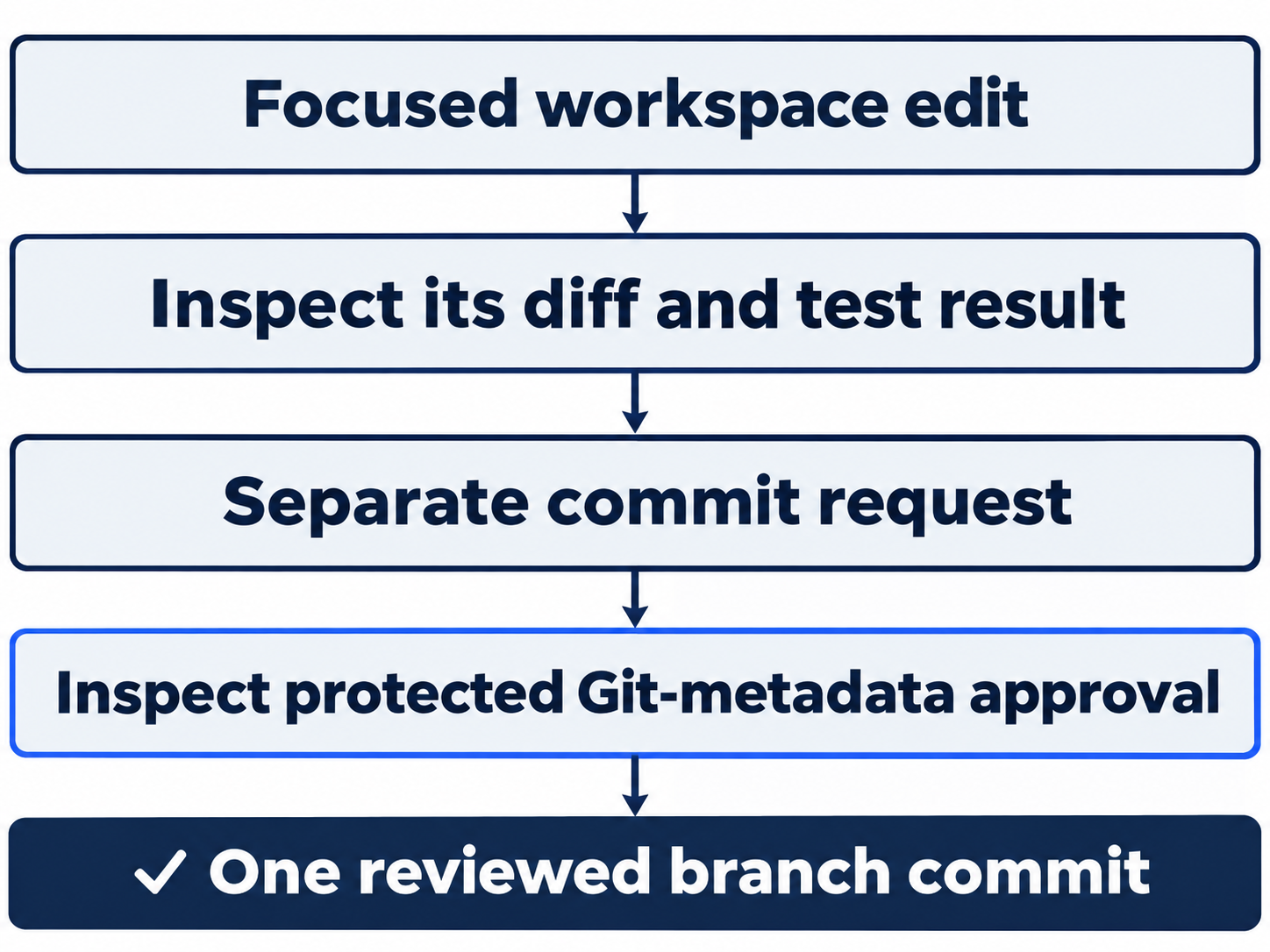
Check: Expect only the short Examples addition and seven passing tests. Then request its commit separately:
Commit only README.md with message "docs: add mixed-ticket refund example". Do not push or change any other file.
At the approval for Git's protected index, its staging metadata, check that only README.md is selected and choose Yes, proceed for this execution.
Check: Expect a commit containing only four added README lines and clean status.
Start the test task from the original
Wait until the chat is idle. Type /cd , paste the original absolute Directory value you recorded, and press Enter. /cd changes the idle chat's working directory. Check the original:
!git status --short && git branch --show-current && git rev-parse --short HEAD
Check: Its branch and commit should match the starting project. Enter /worktree again and choose Start new conversation. Record its distinct directory. Name its branch:
!git status --short && git branch --show-current && git switch -c day14/tests && npm test
Check: Expect the new day14/tests branch and seven baseline passes. Send the exact test request:
In this day14/tests worktree only, add one regression test in test/classify.test.js: the ticket "My package is late; I want my money back" must classify as refund. Keep the seven existing tests and change no implementation or documentation. Run npm test, show the diff, and do not commit, push, or create another worktree.
A regression test preserves expected behavior.
Check: Confirm that the added case expects "refund" and the suite now has eight passes. Review independently:
!git diff --check && git diff --stat && git diff -- test/classify.test.js && git status --short
Check: Expect one added test and no other changed file. Request only its commit:
Commit only test/classify.test.js with message "test: cover late package refund priority". Do not push or change any other file.
Inspect the protected Git-metadata approval and select Yes, proceed once.
Check: Expect clean status and eight passing tests after the commit. The ordinary file edits ran inline; these approvals covered the commits' Git metadata.
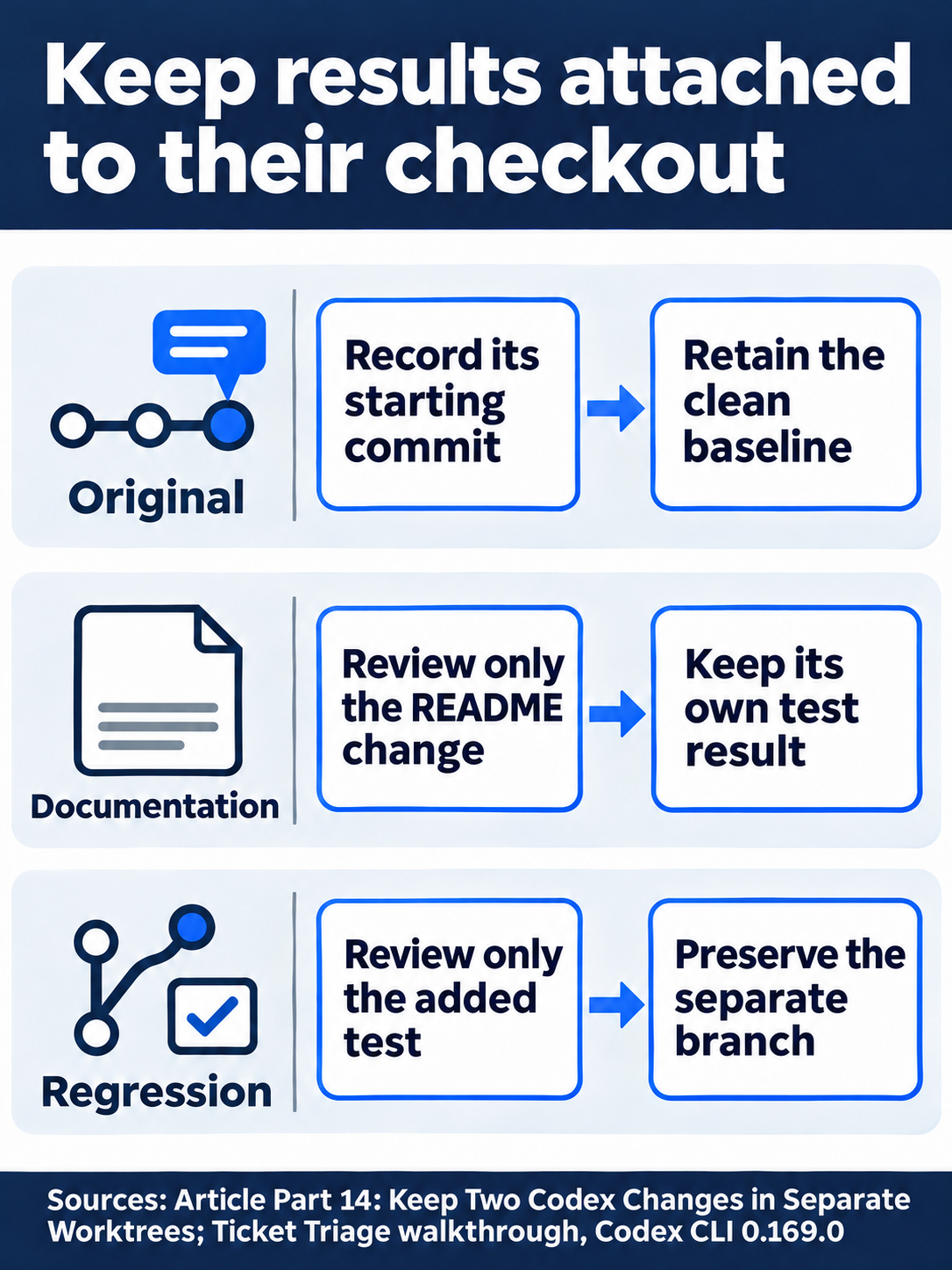
The documentation branch passes seven tests; the test branch passes eight.
Compare from the original checkout
When idle, use /cd followed by your original Directory value again. Compare the branches:
!git worktree list && git diff --stat HEAD..day14/docs && git diff --stat HEAD..day14/tests
git worktree list reports checkout paths, commits, and branches. In a diff, HEAD..branch compares the original commit with that branch.
Check: Expect separate paths, a README-only documentation diff, and a test-only regression diff. Run !git status --short && npm test: the original remains clean with seven passes. The test worktree has eight; its extra case has not been merged into the original.
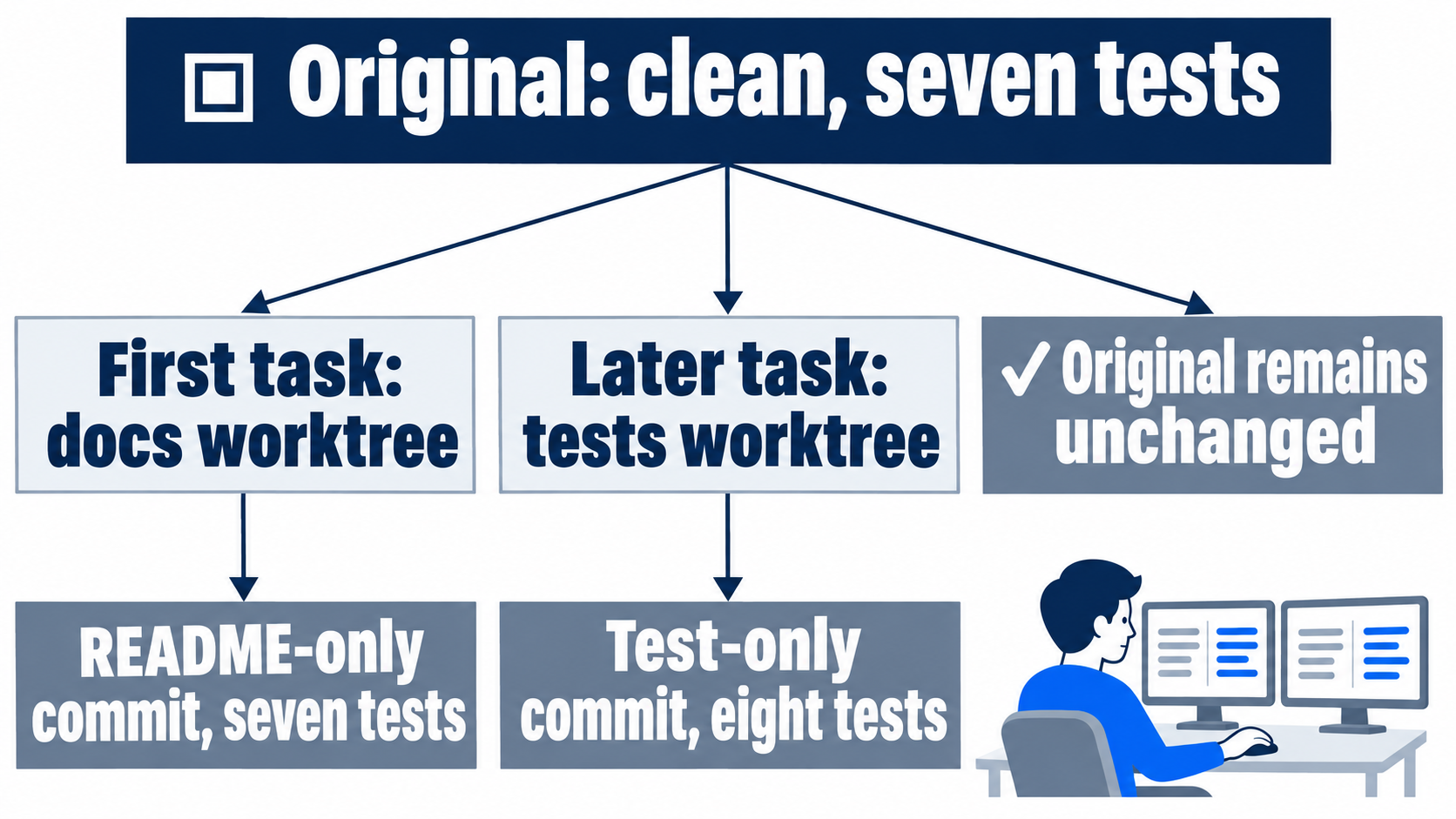
The desktop path
Not run: desktop steps. In a new project chat select Worktree beneath the composer and choose the original starting branch. Run the documentation task, then use Create branch here in the header for day14/docs. Repeat from that same original branch for day14/tests.
Check: Inspect each review pane's Branch diff and its own test count. Use the review queue to locate each chat and check its selected checkout before using diff controls. Stop this route if a required control is unavailable.
Prepare the external workspace before ending today
Not run: manual GitHub and cloud setup. Reserve additional setup time. Prepare a GitHub account, a repository you own, an open pull request proposing a branch's changes, and that repository connected to Codex review. Also inspect available cloud access. A reusable cloud environment is a prepared remote workspace configuration; publishing one is an optional way to reuse setup across tasks.
Sign in to GitHub, create or choose your repository, and upload the original as main plus both branches. In the branch comparison, the base receives the proposed changes; the compare branch supplies them. Select base main and compare day14/tests, inspect the single added test, and create the pull request. Record its URL. Connect the repository to Codex and inspect Code Review settings; record actual access rather than assuming upload enabled it.
For optional reusable setup, choose Work in > Cloud > Select environment > Create environment in ChatGPT. Select your repository, choose Get started, and have setup verify Node.js 22 or later and npm test. Review its report, resolve unfinished setup, and select Publish. Confirm Environment published and record its name in the selector. Some cloud routes can start without a prepublished reusable environment; do not treat this setup as mandatory for all cloud work.
Complete human verification personally.
Check: Confirm your own repository connection and record unavailable setup checks as blocked; an uploaded repository alone does not establish review access.
What you proved
- The documentation and regression changes have separate reviewed commits and checkout paths.
- The test worktree passes eight tests while the untouched original still passes seven.
- Your external readiness notes distinguish confirmed access from incomplete manual setup.
You can stop here. Going deeper explains why this works and where it breaks.
Going deeper
Read this section to manage worktree ownership, inspect desktop review tools, or distinguish an uploaded repository from confirmed review and Cloud access.
Separate files share Git history
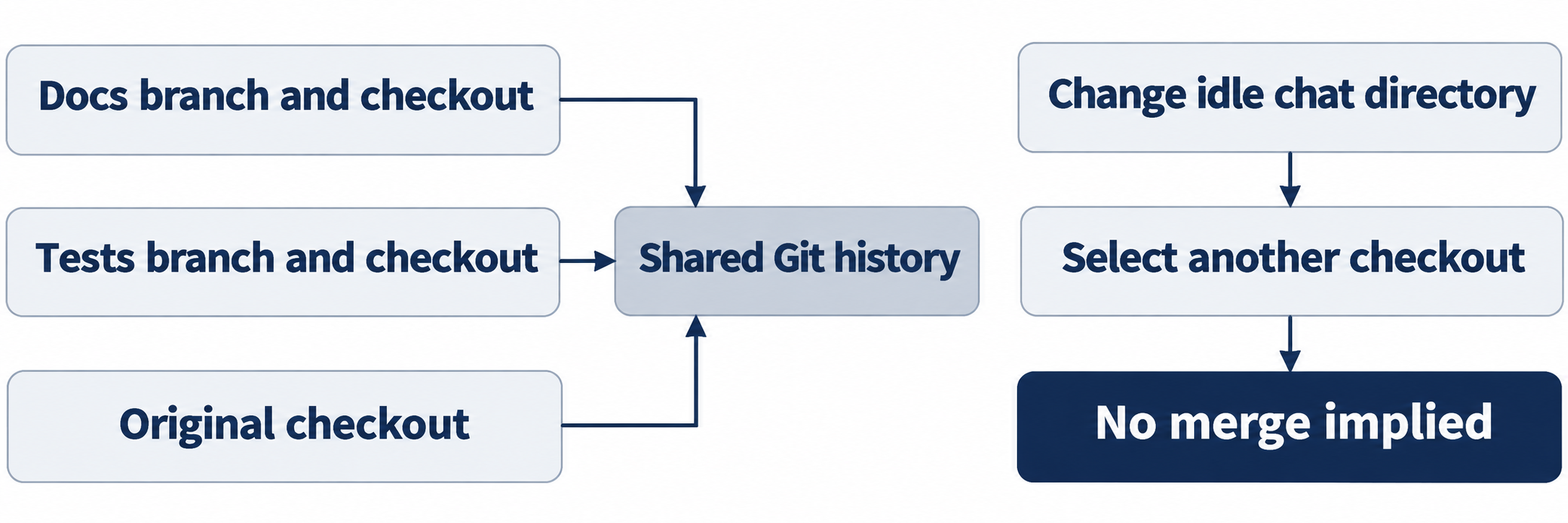
Worktrees have separate project files but share commit and branch metadata. Codex-managed worktrees normally start detached under $CODEX_HOME/worktrees. Creation can carry local changes, so begin clean. Git permits a named branch in only one worktree at a time. /cd changes the chat's directory without merging changes. The two sequential tasks demonstrate isolation, not simultaneous execution or speedup. Worktrees
Desktop Hand off moves a chat and code between Local and Worktree while handling Git operations. A phone controls files on its connected host. Neither route was exercised here. .worktreeinclude copies selected ignored files into local managed desktop worktrees, excluding manually created and remote worktrees. An ignored AGENTS.override.md also has documented copying behavior. Ignored files
Optional inspection, not run: open /worktree and Browse worktrees to compare paths, branches, and owner chats with your notes. Reset: close with Escape, return to the original directory, preserve both commits, and check Ask for approval plus clean status and seven passes. The test branch retains eight. CLI navigation
Review the selected checkout
Not run: desktop inspection. The review pane offers Unstaged, Staged, Commit, Branch, and Last turn scopes. Its + beside a diff line adds feedback for an explicit follow-up. File and hunk actions support staging, unstaging, and reverting; they do not establish a native direct-text diff editor. Check the checkout before using them. Local review
The remote Code Review sidebar has Authored by me, Assigned to me, and Assigned to my team, plus Summary and Changes. Those PR views differ from local worktree diffs. Review inbox
Optional desktop exercise, not run: locate both chats, inspect Branch diffs, and prepare unsent line feedback. Reset: discard the comment, stage or revert nothing, close views, return to the original, and check Ask for approval and clean seven-test status.
Inspect a PR through an available desktop route
Not run: browser and Computer Use. Desktop New tab and @Browser use a browser profile separate from your regular browser. Browser also exists on ChatGPT web; this does not establish a Codex CLI browser. Browser
Native Computer Use supports macOS and Windows in supported regions. Inspect Settings > Computer use; Any App may need enabling or installation. Invoke @Computer or an app mention. macOS may require Screen Recording and Accessibility; Windows requires the target app visible on the active desktop. No native Linux result is established here. Computer Use
Optional browser exercise, not run: inspect only the PR's base, comparison branch, and changed files. Complete sign-in personally. Reset: close the tab or stop Computer Use, leave the PR and settings unchanged, and check the original clean seven-test project with Ask for approval.
Confirm external access separately
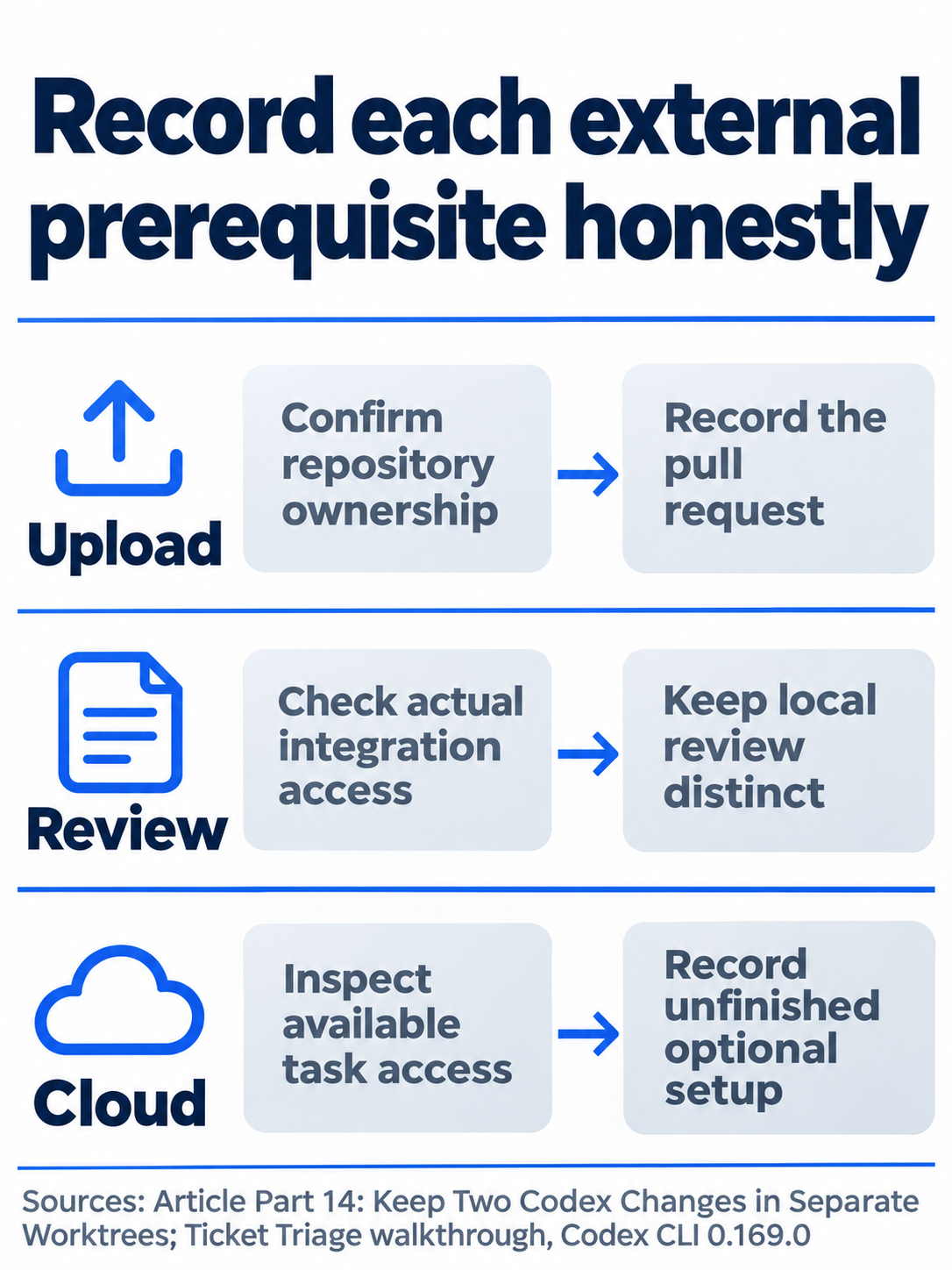
A published reusable environment is optional; record only the access actually confirmed.
Check upload, PR creation, Codex review connection, and Cloud access separately. First-time authentication and manual web setup remain unverified. Preserve remotes and use your own repository. GitHub upload, Codex connection
GitHub-triggered Code Review needs no reusable Cloud task environment. Current Cloud supports a default environment where available; publishing reusable setup is optional. Record a published name only after confirming it. Cloud, reusable setup
Optional readiness audit, not run: inspect account, repository, PR URL, review connection, and available Cloud route without starting work. Reset: close settings and tabs, preserve remotes, branches, and the PR, and return to the clean seven-test original with Ask for approval. Record incomplete optional setup explicitly.
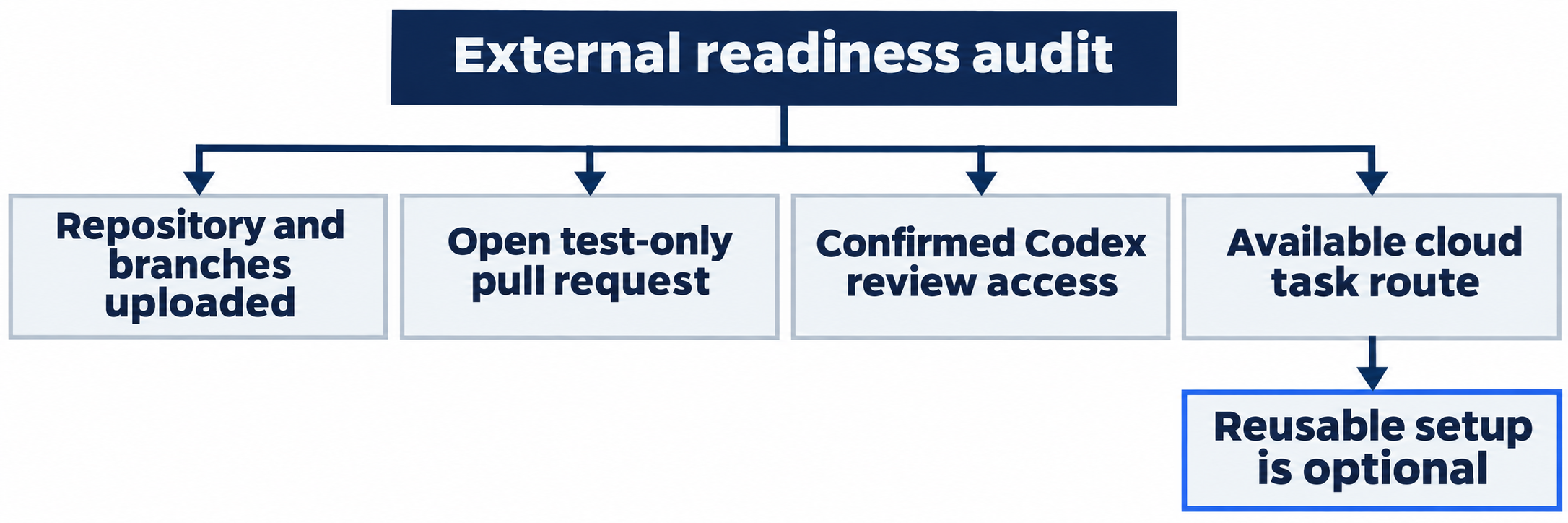

Compare the branch, files, and test total together before accepting either change.
Do this today
Everyone
- Review and commit each focused worktree change, keeping paths and test counts distinct.
- Return to the clean seven-test original and record external readiness or blockers honestly.
If you read Going deeper
- Inspect worktree or review views without changing commits. Reset by discarding unsent feedback and returning to the clean original.
- Inspect browser or setup state only. Reset by closing views, preserving remotes and the PR, and checking seven passes with Ask for approval.
Coming up in Part 15: Hand it to the cloud, requesting a repository review and inspecting a cloud task's result once the external setup is ready.