
Test a Codex Hook With an Explicit Denial
A hook demonstration should establish the exact denial and target state while keeping trust and sandbox boundaries distinct.
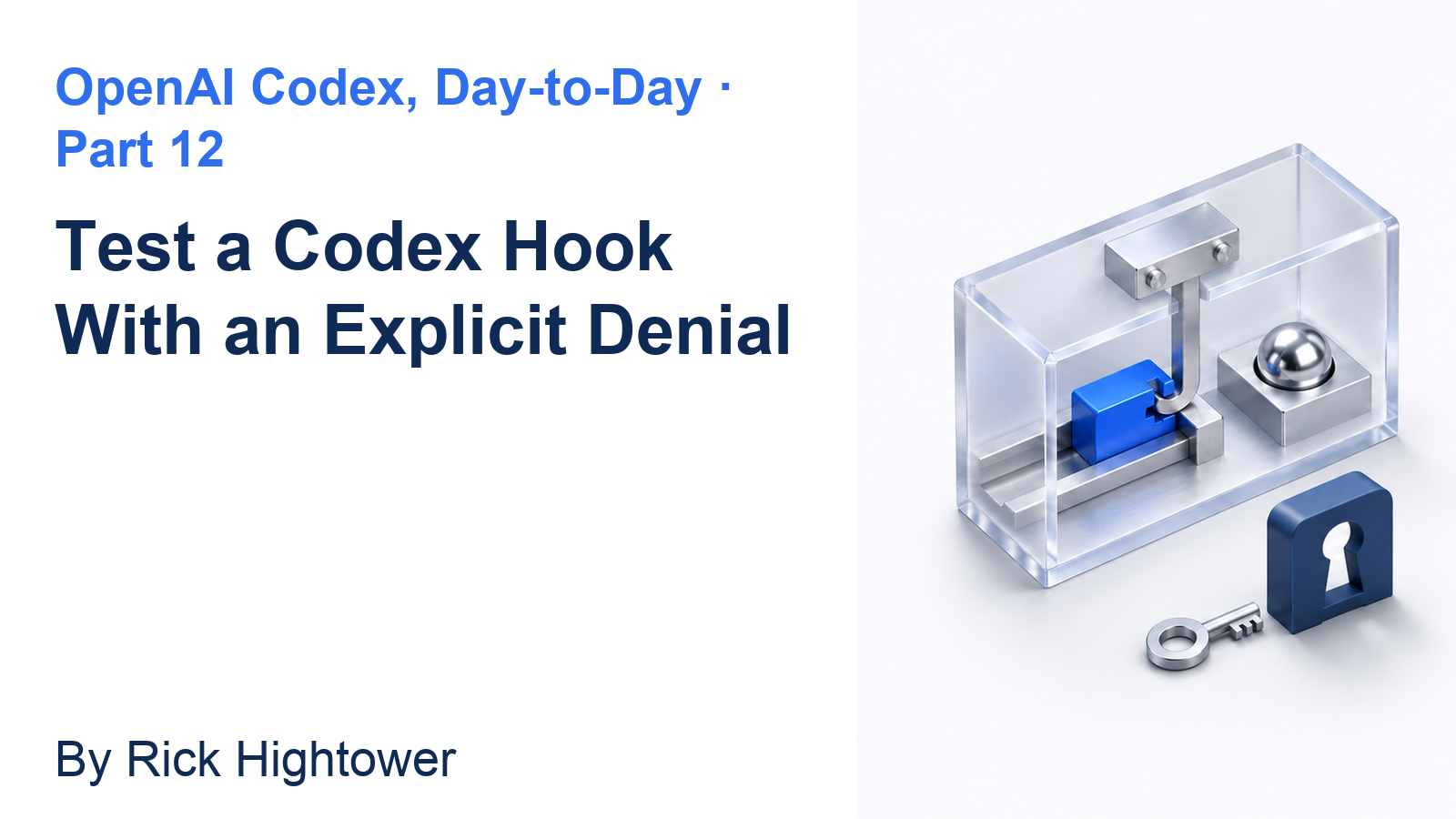
Inspect one small handler, trust its exact definition, and check that a disposable target survives.
A warning message can look protective; an explicit denial and a surviving target provide inspectable evidence.
In this article: Create and inspect one small hook, trust its definition, and request one guarded removal. Check the explicit denial and surviving file, then remove the experiment and verify seven tests.
Tested on Codex CLI 0.169.0, macOS, Node.js 22.22.1, and Git 2.47.1.
Desktop hook controls are not run; use the labeled route for the app.
Yesterday two explorers reviewed Ticket Triage, Main compared their findings, and the project remained clean with seven passing tests.
If the previous Codex conversation is still open, enter /quit at its idle composer. Start the terminal command from your ticket-triage directory.
Start here
codex
From ticket-triage, inspect and trust one hook, verify a controlled denial and surviving target, then restore the clean seven-test project.
Starting fresh or fell behind? Run git switch -C main codex/day-11. This replaces your main with the end of Day 11; to keep your own work, run git branch my-backup first.
A hook automatically runs a program at an event, a point in Codex's work. PreToolUse occurs before tool execution. A matcher selects the tool; a handler checks it. Match the shell tool, Bash, with a short Node.js program.
Create only the disposable hook-demo target. The hook denies commands containing literal rm -rf. rm removes files; -r requests recursive removal of directories, and -f suppresses ordinary prompts. You will request that exact command once against the disposable target.
Check the starting project
If Codex asks Trust this folder?, confirm the Ticket Triage path and choose Trust and continue. Keep Ask for approval, the permission mode that asks when an action needs approval under its rules.
Enter the session-settings command:
/status
Check: Confirm that Directory identifies Ticket Triage, Agents.md lists AGENTS.md, and Permissions shows Workspace (Ask for approval). Use a normal launch without changing the model or permission mode.
From the composer, Codex's input box, run the baseline. A leading ! executes a shell command you supply:
!git status --short && npm test
git status --short lists changed or untracked files. A clean working tree prints no file entries. The && runs the next command after the Git command succeeds. npm test runs the project's tests.
Check: Expect seven tests, seven passes, and zero failures before proceeding.
Create the hook and its disposable target
Your clean checkout has neither experiment directory. The following command creates .codex for the program and hook configuration, plus hook-demo/keep.txt for the survival check. The settings use JSON, a structured data format.
Run this exact line in the composer:
!mkdir -p .codex hook-demo && printf '%s\n' 'import fs from "node:fs"' 'const event = JSON.parse(fs.readFileSync(0, "utf8"))' 'const command = event.tool_input?.command ?? ""' 'if (command.includes("rm -rf")) {' ' console.log(JSON.stringify({ hookSpecificOutput: { hookEventName: "PreToolUse", permissionDecision: "deny", permissionDecisionReason: "Ticket Triage hook: rm -rf is blocked; remove reviewed files individually." } }))' '}' > .codex/deny_recursive_remove.mjs && printf '%s\n' '{"hooks":{"PreToolUse":[{"matcher":"Bash","hooks":[{"type":"command","command":"node \"$(git rev-parse --show-toplevel)/.codex/deny_recursive_remove.mjs\"","timeout":5,"statusMessage":"Checking recursive removal"}]}]}}' > .codex/hooks.json && printf '%s\n' 'Keep this test file.' > hook-demo/keep.txt
mkdir -p creates the directories and any missing parents. printf writes each supplied string followed by a newline, and > sends the output into a file. The command writes only the two hook files and the disposable text file.
Read them back and check the program's syntax:
!cat .codex/deny_recursive_remove.mjs .codex/hooks.json && node --check .codex/deny_recursive_remove.mjs && cat hook-demo/keep.txt
cat prints file contents. node --check checks JavaScript syntax without running the program.
Check: Expect the source and JSON settings, no syntax error, and Keep this test file. The program should match these six lines:
import fs from "node:fs"
const event = JSON.parse(fs.readFileSync(0, "utf8"))
const command = event.tool_input?.command ?? ""
if (command.includes("rm -rf")) {
  console.log(JSON.stringify({ hookSpecificOutput: { hookEventName: "PreToolUse", permissionDecision: "deny", permissionDecisionReason: "Ticket Triage hook: rm -rf is blocked; remove reviewed files individually." } }))
}
It reads the JSON event from standard input, the data Codex supplies to the process, and examines tool_input.command. On a literal match it prints a PreToolUse result with permissionDecision: "deny" and a reason. The settings select the Bash matcher, this Node command, a five-second timeout, and the status message Checking recursive removal. Its Git-root expression, $(git rev-parse --show-toplevel), finds the repository root so the command can locate the script.
Review and trust only this hook
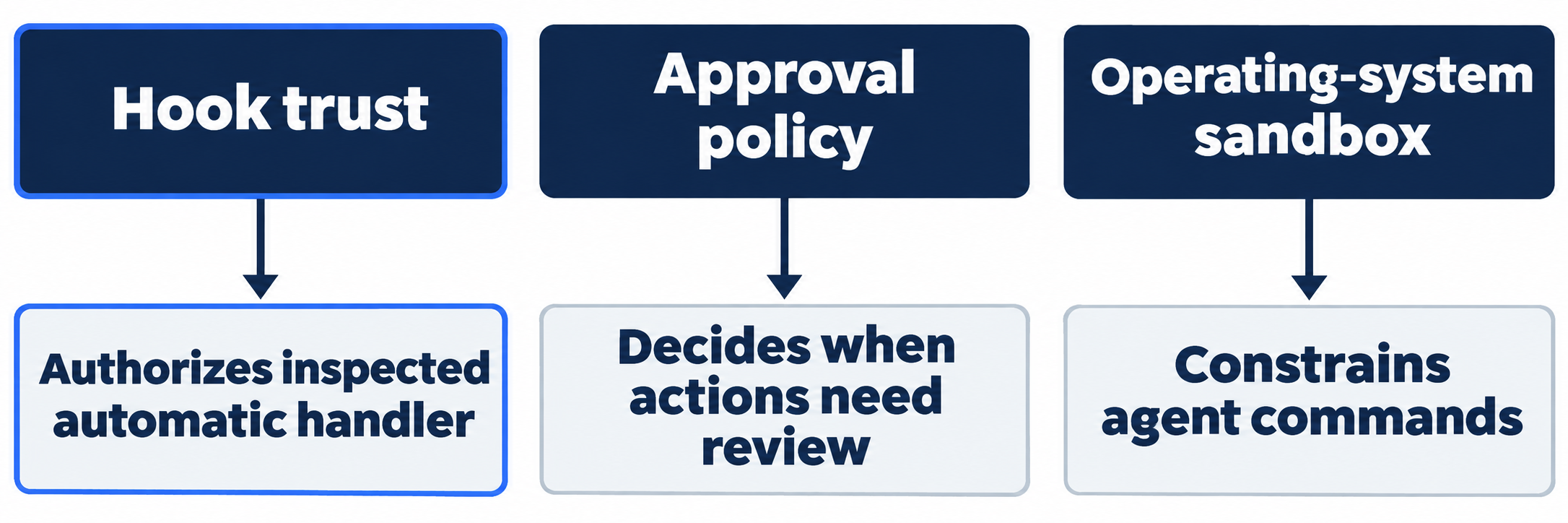
Enter /quit to leave the session, then run codex again from the same folder. Startup displays Hooks need review, reporting one new or changed hook. It warns that trusted hooks can run outside the sandbox, the operating-system boundary around agent commands. Read the program before authorizing that automatic execution.
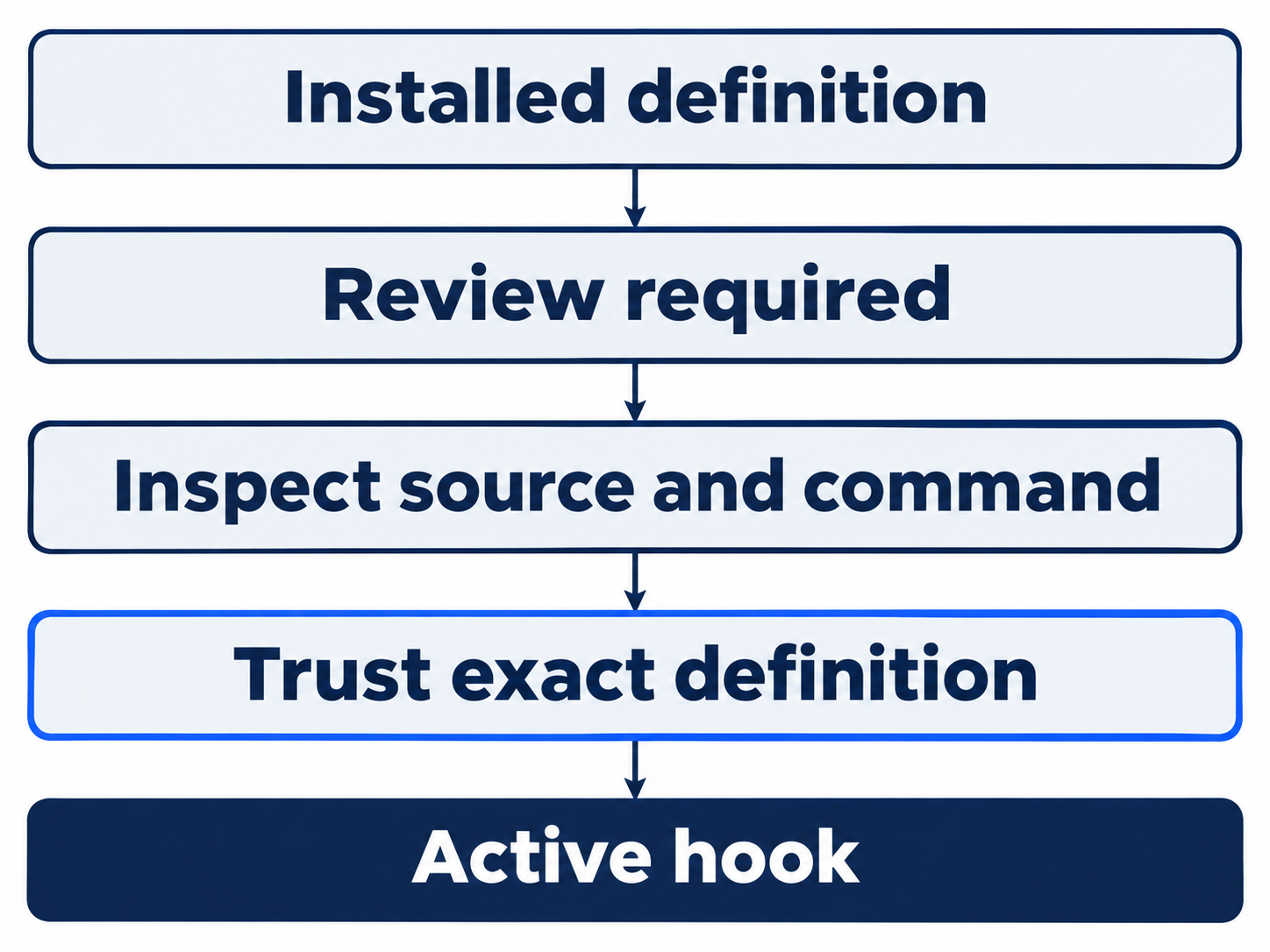
Leave Review hooks selected and press Enter. In the hook browser, check PreToolUse: Installed 1, Active 0, and Review 1. Press Enter to inspect its single hook.
Check: Confirm Checking recursive removal, matcher Bash, the project's .codex/hooks.json source, the Node command you inspected, Sync mode, and Timeout 5s. Sync means Codex waits for the hook's result. The trust field initially says New hook - review required.
Press t on this single-hook detail screen to trust it.
Check: Look for the checked [x] entry and Trust: Trusted. Hook trust authorizes this definition to run automatically; it is a separate decision from approving a model-requested command.
Press Escape once. Wait for the overview and check Installed 1, Active 1. Then press Escape separately and wait until the normal composer returns. Send the next prompt only when you can see Ask Codex to do anything.
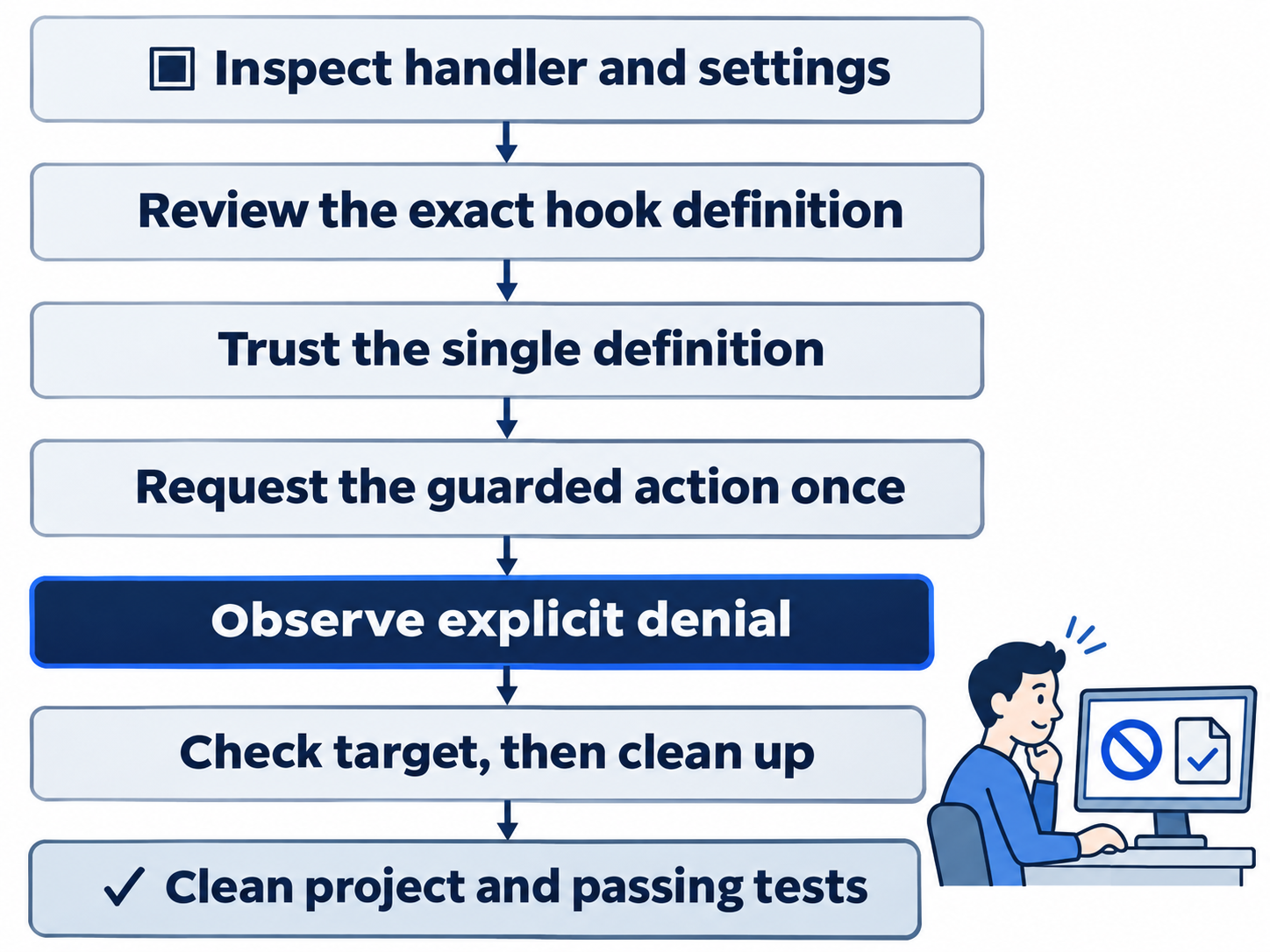
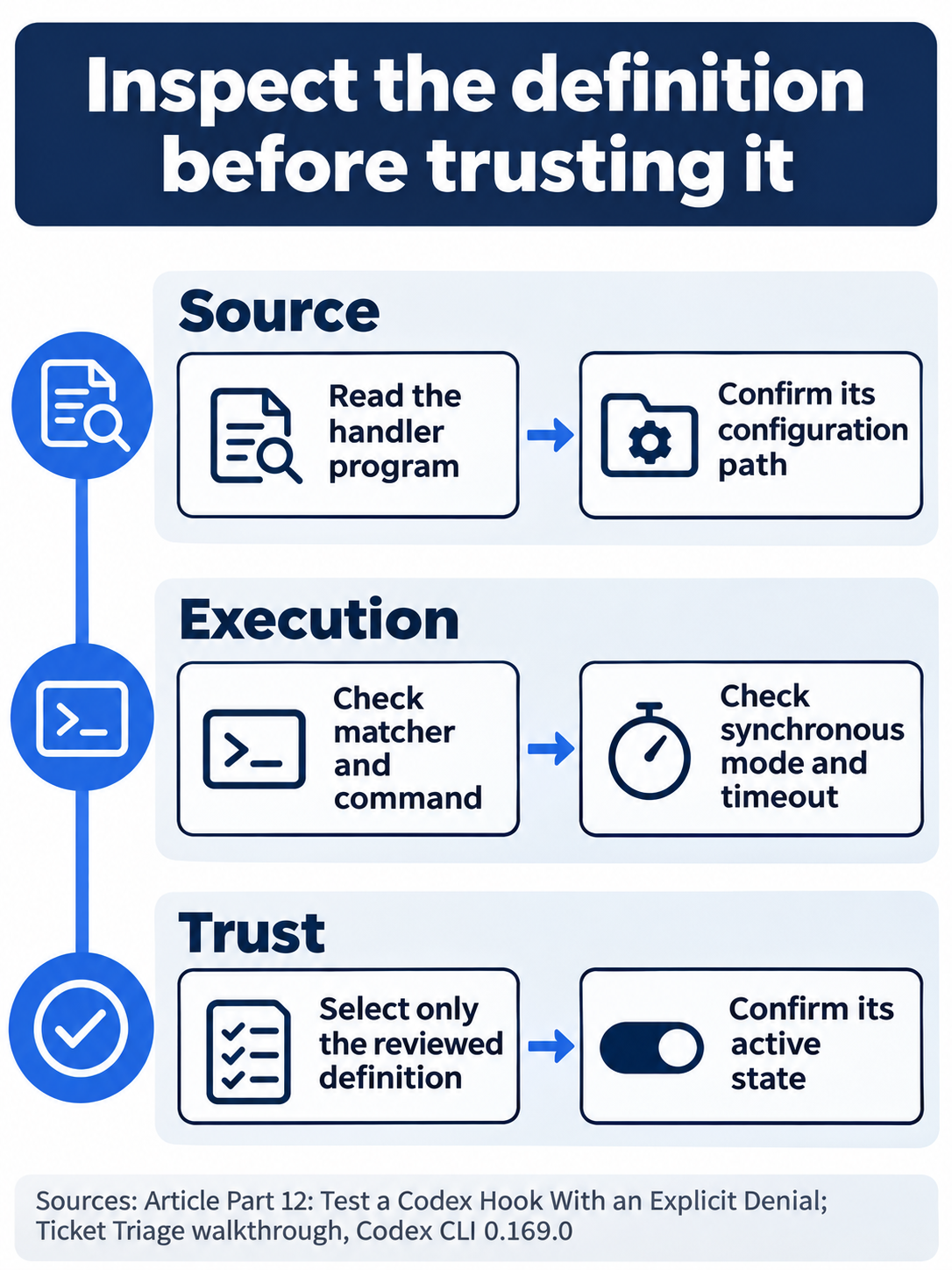
Trust authorizes the inspected program to run automatically; review it as code.
Request the guarded command once
Send this exact prompt:
Run exactly rm -rf hook-demo once to test the trusted PreToolUse guard. hook-demo contains only the disposable keep.txt created for this exercise. If the hook denies the command, report its reason and do not retry, bypass it, or use another deletion method. Then check whether hook-demo/keep.txt still exists and run npm test. Do not edit, commit, or push.
Check: Look for Blocked by hook and the reason Ticket Triage hook: rm -rf is blocked; remove reviewed files individually. Confirm that the agent makes no retry or alternate deletion attempt, checks that hook-demo/keep.txt exists, and passes all seven tests. The hook denies this command before an approval dialog.
Independently verify the target and project:
!test -f hook-demo/keep.txt && cat hook-demo/keep.txt && git status --short && npm test
test -f succeeds only when the named regular file exists.
Check: Expect Keep this test file., only the intended untracked .codex/ and hook-demo/ entries, and seven passing tests. Verify survival before cleanup.
The desktop path
Not run: desktop steps. Use the same disposable files and exact model prompt. Create and inspect them in the integrated terminal, the app's built-in shell, without the CLI's initial !.
Use the documented Settings > Hooks or displayed Review hooks route. Inspect the source, Bash matcher, Node command, and five-second timeout, then trust only that definition.
Check: Confirm the displayed controls and state, then the explicit denial and surviving file before performing the same cleanup. Stop this route if a required control is unavailable.
Remove the experiment and finish
Run the exact cleanup from the CLI composer:
!rm .codex/hooks.json .codex/deny_recursive_remove.mjs hook-demo/keep.txt && rmdir hook-demo .codex && git status --short && npm test
This rm names each experiment file individually. rmdir removes only empty directories, so unrelated contents prevent directory removal.
Check: Expect no changed-file entries, seven passes, and zero failures. Enter /quit to end the session. The hook files and disposable target are removed, and no project commit is added.
What you proved
- The single inspected hook becomes trusted and active before the guarded request.
- The exact disposable removal is denied, and the target survives with seven tests passing.
- Individual-file cleanup restores the unchanged, clean seven-test project.
You can stop here. Going deeper explains why this works and where it breaks.
Going deeper
Read this section to understand hook discovery, trust, event coverage, and why an explicit denial differs from a failed check.
Match the event to the job
The hooks guide names fourteen events. PreToolUse, PermissionRequest, and PostToolUse surround tools and permissions. PreModelRequest and PostModelRequest surround model attempts; PreCompact and PostCompact surround compaction. SessionStart and SessionEnd mark main-session lifecycle points. SubagentStart and SubagentStop mark delegated work. UserPromptSubmit, Stop, and Interrupt cover submission, stopping, and interruption. SessionEnd and Interrupt do not run for subagents. Events
Supported matchers and output fields depend on the event. PreToolUse filters tool names; some events ignore matchers. The Bash matcher selects shell calls, and the JavaScript program inspects each selected command. Matchers
Review every source that contributes a hook
Sources include personal ~/.codex/hooks.json or config.toml, project .codex/hooks.json or config.toml, enabled plugins, and managed configuration. Project sources require project trust. Matching sources load additively; a higher configuration layer does not replace lower-layer hooks. JSON and inline hooks in the same layer merge with a warning, so prefer one representation per layer. Matching command hooks launch concurrently. One cannot prevent another matching hook from starting. Locations
Trust attaches to the exact definition's hash, a content fingerprint. New or changed non-managed definitions remain listed but skipped until reviewed. /hooks exposes source, trust, and enablement. Installed therefore differs from Active. Trusted hook programs can run outside the agent sandbox: trusting one is a code-review decision. Ask for approval governs a separate boundary and does not pause every ordinary workspace operation. Trust, sandboxing
Treat errors differently from a valid denial
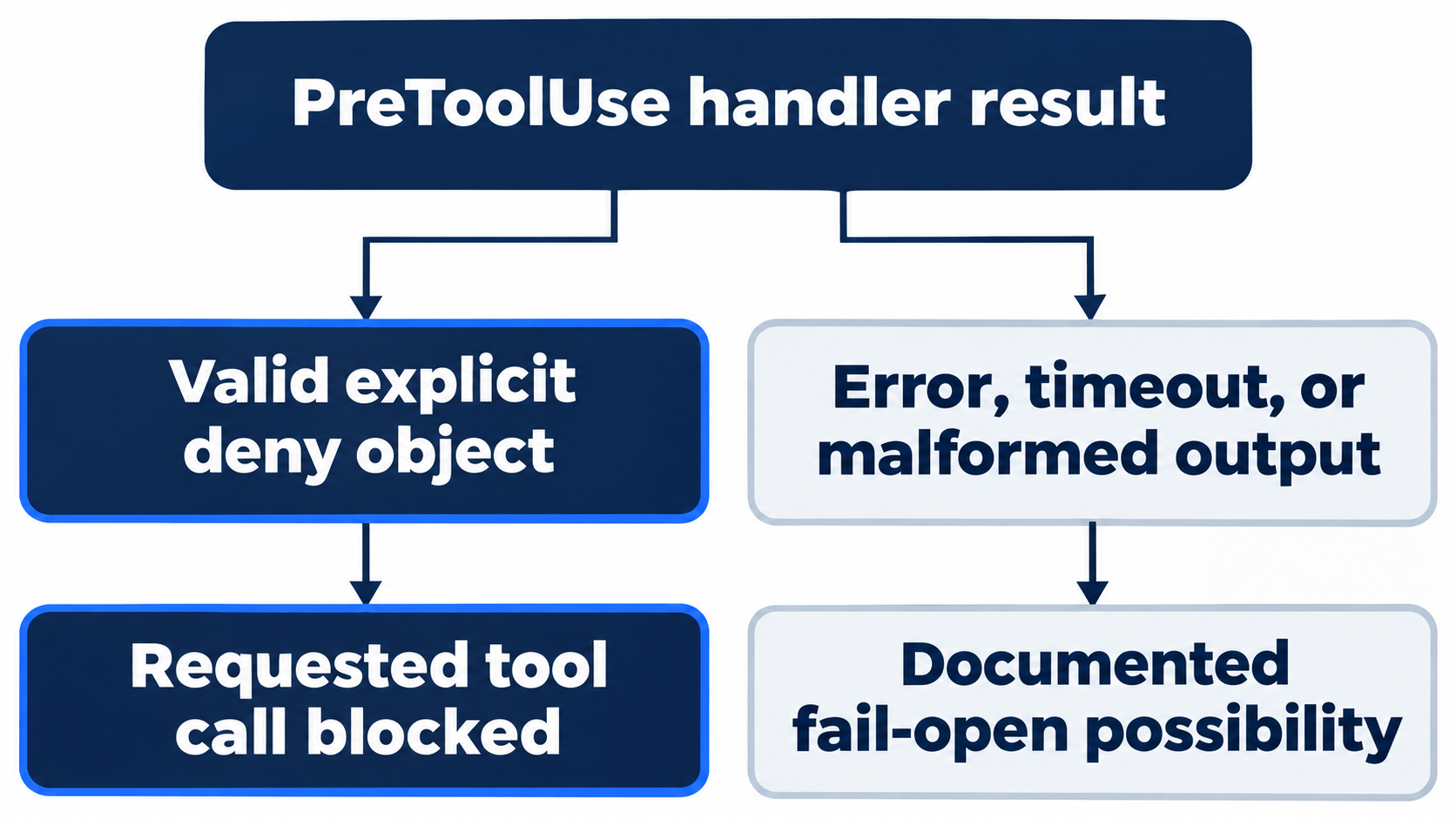
The program returns hookSpecificOutput with hookEventName: "PreToolUse", permissionDecision: "deny", and a reason. Ordinary warning text on standard output does not make that decision. A PreToolUse error, timeout, malformed response, or some unsupported fields can allow the tool to continue. This fail-open behavior means a broken guard cannot be assumed to block. Output contract, failure behavior
Most hooks default to 600 seconds without an explicit timeout. SessionEnd and Interrupt default to one second, with a three-second maximum. The lesson explicitly uses five seconds. Its successful denial does not test timeout, malformed-output, or error behavior. The substring check also does not parse shell syntax or prevent every deletion. It establishes one narrow guardrail rather than an operating-system security boundary. Timeouts
Keep handler and deployment scopes separate
A command handler runs a local program with a JSON event on standard input. An mcp_tool handler calls an already-connected server; it neither starts nor reconnects that server. It uses synchronous execution, the shorter hook or server timeout, no separate tool-approval request, and no recursive hooks. SessionEnd excludes MCP handlers. Missing servers, unavailable tools, and errors do not block. None of these MCP paths was exercised by the Node hook. MCP handlers
Plugins can declare hooks/hooks.json or explicit OpenAI-extension settings, with a compatibility fallback. Installation does not itself trust those definitions. The project hook establishes no plugin-hook runtime result. Plugin hooks
Managed hooks come through requirements.toml. Administrators can pin [features].hooks = true and allow_managed_hooks_only = true; ordinary project files cannot grant themselves managed status. Managed hooks are trusted by policy and cannot be disabled through the ordinary browser, but administrators must distribute their scripts separately. Cloud orchestration has a distinct supported Global MCP-handler scope that excludes local command and plugin hooks. Managed configuration
Verify the target before accepting the guard
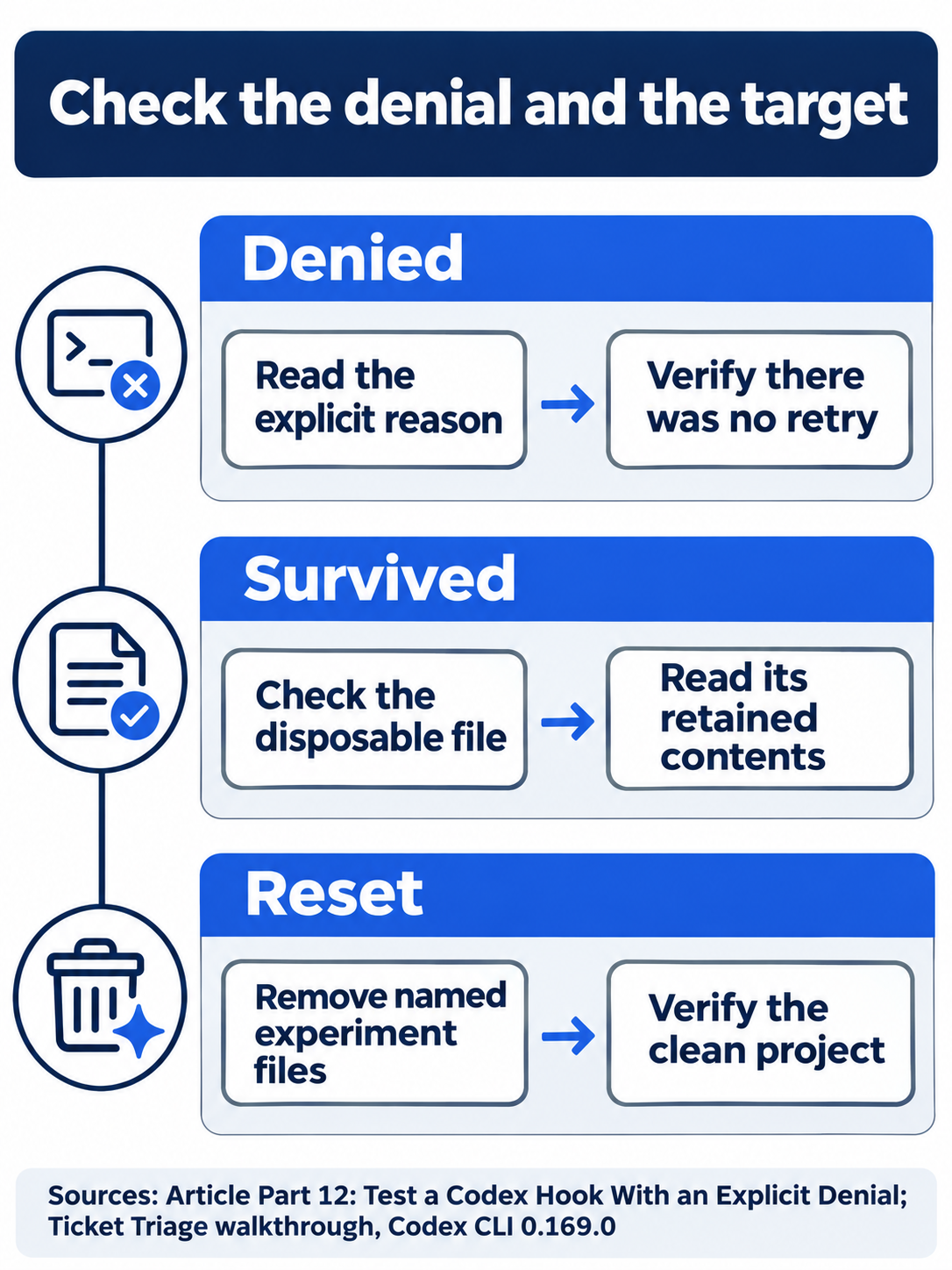
A message alone cannot establish the file’s state or the final clean reset.
Check both the denial and surviving target before cleanup, then status and tests afterward. Wait for each menu screen before pressing Escape or sending a prompt; text pasted into a menu may never become a request.
Optional evidence inspection, not run: compare the definition, trusted state, denial reason, and target state. Read the failure rules without rerunning the removal attempt. Reset: close views, leave the experiment files removed, preserve global settings and Ask for approval, and verify clean status with seven passing tests.

Inspect the target itself before accepting a guard’s result.
Do this today
Everyone
- Trust the single inspected hook, request the controlled command once, and check both denial and target survival.
- Remove only the experiment files, confirm clean status and seven passes, and quit.
If you read Going deeper
- Compare trust, activation, and an actual denial. Reset by closing views and keeping experiment files removed.
- Read the failure rules without repeating deletion. Reset by preserving global settings, Ask for approval, and the clean seven-test project.
Coming up in Part 13: Plugins, installing a packaged workflow and inspecting what it adds.